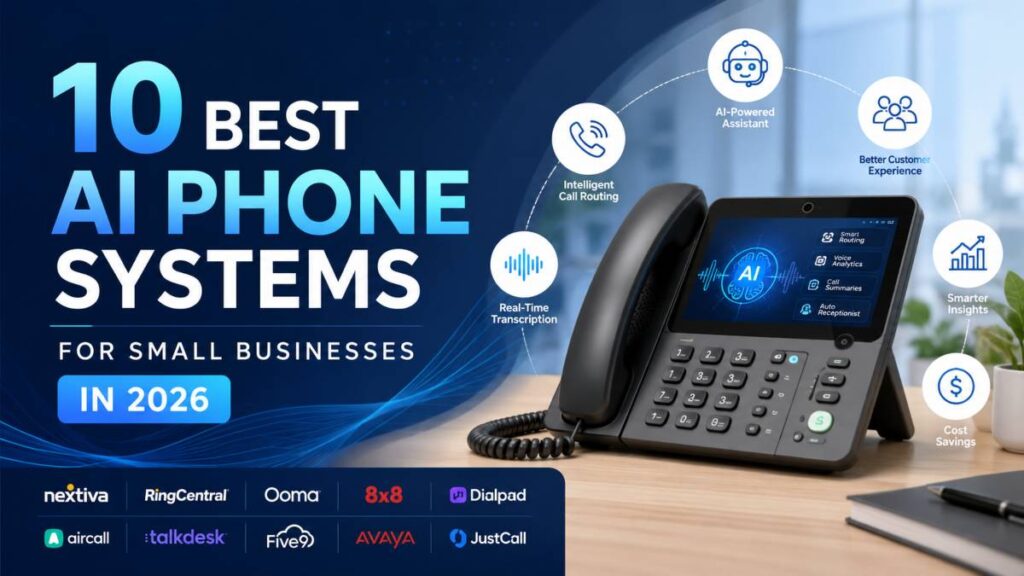
Every missed call costs a small business something: a potential client, a time-sensitive deal, a customer who won’t try again. AI phone systems have changed what’s possible here. They answer calls when you’re unavailable, transcribe conversations so nothing falls through the cracks, and push everything directly into your CRM without any manual entry.
The catch is that most AI phone systems were built for large teams and retrofitted for small ones. The pricing reflects that. So does the complexity.
We reviewed more than 20 business phone systems to find the ones that actually deliver for small businesses: practical AI features, reasonable pricing, and workflows that don’t require a dedicated IT person to manage. Here’s what made the cut.
1. RingCentral
RingCentral is the most established name in business communications and, for many teams, the default starting point when evaluating phone systems. It’s been around since 1999 and has the integration library to prove it, over 300 native connections, including Salesforce, HubSpot, Slack, and Microsoft 365.
Their AI suite, branded as AVA, covers real ground: call summaries, an AI receptionist that handles inbound calls, email draft generation from call content, and SMS translation. It’s comprehensive, and the reliability record is hard to argue with.
The honest caveat for small businesses is cost and complexity. RingCentral was built for larger organizations first, and it shows in the pricing structure and the interface. Teams under 10 people often find they’re paying for more than they need.
AI Features
AI receptionist, call and voicemail summaries, email drafts, SMS translation, conversational analytics via AVA
Pricing
From $30/user/month
Best For
Small businesses that want a proven, full-featured platform with deep integration support
Pros
- 300+ integrations
- Strong reliability and uptime
- Large support community with extensive documentation
Cons
- Complex interface can overwhelm small teams
- Pricier than newer alternatives at similar feature tiers
- Cancellation requires a phone call with reported long hold times
2. Allo
Most phone systems treat AI as a premium upgrade. Allo flips that: AI is included in every plan from the start, with no add-ons and no surprises on the invoice.
That pricing philosophy matters more than it might sound. On most platforms, getting an AI answering service, call transcription, and CRM sync requires stacking multiple paid tiers or add-ons. With Allo, the $25/month Starter plan already includes AI summaries and an IVR, and the $45/user/month Business plan unlocks the full AI answering service, SMS, and integrations, still for less than many competitors charge for their base plan alone.
The AI answering service is the standout feature. It picks up when you’re unavailable, handles the caller’s questions, and logs everything. Combined with an AI assistant that lets you search and query your call history and SMS using plain-language questions, it’s a level of intelligence usually reserved for enterprise tools. The CRM integrations are genuinely deep; call recordings, transcripts, and contact updates sync automatically into HubSpot, Salesforce, Attio, and Apollo. Allo’s HubSpot integration holds a 5/5 rating on the HubSpot marketplace across 200+ installs.
AI Features
AI answering service (English, Spanish, French), call transcription and summaries, voicemail transcription, follow-up email drafts, conversational AI assistant across call and SMS history
Pricing
$25/month (Starter, 1 user) · $45/user/month (Business) — AI included in both plans, no add-ons
Best For
Small businesses and solopreneurs who want capable AI without paying enterprise prices for it
Pros
- AI baked in at every plan level — no add-ons
- 4.7/5 on G2
- Best-in-class CRM sync (recordings, transcripts, contact updates)
- Mobile-first — designed for teams that work outside the office
- 7-day free trial
Cons
- No power dialer (not ideal for high-volume outbound sales floors)
- Geared toward smaller teams, not large enterprises with complex call routing
3. Dialpad
Dialpad has been building its own AI model since 2018, which puts it in a different category from platforms that license AI capabilities from a third party. The depth shows: live transcription during calls, real-time coaching suggestions for reps, post-call scoring, and an AI support agent that can handle common queries autonomously.
All of this is included across plans; no premium tier required. The interface is modern, and the product works well for structured sales or support operations. The main friction points are a genuine learning curve for new users and some reported inconsistency in call quality.
AI Features
Live transcription, call summaries, real-time coaching, call scoring, AI support agent
Pricing
From $27/user/month
Best For
Sales and support teams that want AI coaching deeply embedded in their workflow
Pros
- Proprietary AI model with years of development
- AI included at all plan levels
- Clean, modern UI
Cons
- Steeper learning curve than simpler alternatives
- Call quality issues reported by some users
- SMS approval process can move slowly
4. Nextiva
Nextiva is a unified communications platform with voice, video meetings, team chat, and SMS in a single tool. For small businesses that are scaling and want to consolidate their communication stack, that breadth has real appeal. AI features include real-time transcription, call summaries, emotion scoring, and an AI-powered IVR that handles routing automatically.
The trade-off is that the entry-level plan is fairly lean, and CRM integrations require upgrading to a higher tier. If you’re a team of two and budget is the priority, there are more cost-effective options on this list.
AI Features
Voicemail and real-time transcription, call summaries, emotion scoring, AI IVR
Pricing
From $23/user/month
Best For
Small businesses planning to scale that want voice, video, and chat under one roof
Pros
- True UCaaS — everything in one platform
- Reliable uptime
- Good analytics and reporting
Cons
- CRM integrations require a higher-tier plan
- Base plan thin compared to competitors at the same price point
5. JustCall
JustCall covers 90+ countries and supports voice, SMS, email, and WhatsApp, making it the strongest option on this list for small teams that operate across borders or need to reach customers across different channels. The AI features are solid: transcription, sentiment analysis, topic extraction, call scoring, and an AI answering service. The catch is that AI is billed as a separate add-on rather than bundled in, which increases the effective cost.
AI Features
AI answering service, call transcription, summaries, sentiment analysis, topic extraction, call scoring
Pricing
From $39/user/month (2-user minimum); AI features as an add-on
Best For
Small international teams or multi-channel support operations
Pros
- 90+ countries covered
- Power dialer for outbound volume
- Helpful support team
Cons
- AI billed as an add-on — increases total cost
- Numbers can sometimes be flagged as spam
- Some users report platform stability issues
6. Aircall
Aircall built its reputation on CRM integrations and analytics, and both remain strengths. Its Salesforce and HubSpot connections are among the deepest available, and the reporting tools give sales managers real visibility into call performance. The AI feature set, transcription, summaries, sentiment analysis, and live coaching are comprehensive, though it’s not publicly priced and is only available in English and French.
Worth noting: Aircall requires a minimum of three licenses, which adds cost for very small teams and makes it less practical for solo operators.
AI Features
Call transcription, summaries, sentiment analysis, call scoring, live coaching, email draft generation
Pricing
From $40/license/month (3-license minimum)
Best For
Sales-focused teams of three or more that prioritize analytics and CRM depth
Pros
- Deep Salesforce and HubSpot integrations
- Strong reporting and performance dashboards
- Covers 38 countries
Cons
- 3-license minimum makes it costly for smaller teams
- AI limited to English and French
- AI priced separately from base plans
7. Zoom Phone
If your team runs on Zoom for meetings, adding Zoom Phone is the path of least resistance. Onboarding is smooth, call quality is consistently good, and the entry pricing, $15/user/month, is among the lowest on this list. The AI features, branded as “AI Companion,” handle post-call summaries, voicemail transcription, and task extraction from voicemails. An AI answering service is not currently included, which is a gap compared to more phone-native platforms.
AI Features
Post-call summaries, voicemail transcription, voicemail task extraction
Pricing
From $15/user/month
Best For
Small teams already in the Zoom ecosystem who want a phone without adding a new tool
Pros
- Very affordable entry pricing
- Excellent call quality
- Smooth integration with Zoom Meetings
Cons
- Limited AI compared to dedicated phone-first platforms
- No AI answering service
- Support can be slow to reach
8. Google Voice
Google Voice is the most affordable option on this list, $10/user/month for teams on Google Workspace, and reviewing Google Workspace pricing beforehand lets owners calculate full bundled expenses; it works well for solopreneurs or very small businesses that just need a separate business number and basic voicemail transcription. That’s effectively the full AI feature set: spam filtering and voicemail transcription. No CRM integrations. No call summaries. No answering service.
It’s a starting point, not a long-term solution for businesses that need to do more with their calls.
AI Features
Spam blocking, voicemail transcription
Pricing
From $10/user/month (requires Google Workspace)
Best For
Solopreneurs or micro-teams already on Google Workspace who need a basic business number
Pros
- Very affordable
- Clean, simple UI
- Works natively within Google Workspace
Cons
- Requires an active Google Workspace subscription
- No CRM integrations
- Very limited AI features — not suitable for businesses with real call volume
9. Grasshopper
Grasshopper has been the go-to for solopreneurs needing a business line separate from their personal phone for over a decade. The product is straightforward: you get a business number, call forwarding, and voicemail transcription. AI hasn’t been a priority for them; voicemail transcription is the only feature in that category, and the product feels dated compared to newer alternatives.
That said, the Solo plan at $18/month is hard to beat if your requirements are minimal and you just want a clean separation between work and personal calls.
AI Features
Voicemail transcription only
Pricing
From $18/month
Best For
Solopreneurs who want an affordable, no-fuss second business line
Pros
- Simple setup
- Affordable solo plan
- Optional Ruby Virtual Receptionist add-on for live answering
Cons
- Limited AI — no call transcription or summaries
- Not designed for teams
- Product feels behind the curve compared to newer options
10. 8×8
8×8 brings contact-center-grade infrastructure to the SMB market, which makes it a strong fit for small businesses that handle serious inbound call volume, service businesses, support teams, or anyone managing a queue. The AI features cover real-time transcription, live coaching, sentiment analysis, and call summaries. Pricing isn’t fully public, but published figures start around $24/user/month.
The interface and configuration process are on the complex side, and cancellation has drawn complaints. But for high-volume inbound operations that need supervisor tools and detailed analytics, it earns its place on this list.
AI Features
AI IVR, real-time transcription, live coaching, call summaries, sentiment analysis
Pricing
From ~$24/user/month (full pricing not public)
Best For
Small teams managing structured, high-volume inbound calls or support queues
Pros
- Reliable across devices
- Strong supervisor and analytics tools
- Multi-channel (voice, video, SMS, team chat)
Cons
- Complex to configure without technical help
- Cancellation process reported as difficult
- Support quality inconsistent
How to Choose the Right AI Phone System for Your Small Business
The right pick comes down to three questions:
What do you actually need AI to do? If the goal is to stop missing calls and make sure every conversation is logged, an AI answering service plus transcription covers most of what you need. If you’re managing a sales team and want live coaching during calls, you’ll want something with a deeper AI layer.
What’s the real per-user cost? Published pricing rarely tells the whole story. AI add-ons, minimum seat requirements, and integration fees can push the effective cost well above the headline number. Look at what’s included at each tier before committing.
How much setup are you willing to do? Some platforms on this list take an afternoon to configure. Others take days. If you’re a small team without IT support, that matters.
For most small businesses that want capable AI without complexity or hidden fees, Allo and Dialpad are the strongest starting points. If you’re already deep in the Zoom ecosystem and your AI needs are basic, Zoom Phone is the easiest path. And if you need enterprise-level features and have the budget to match, RingCentral remains the most complete package available.
Frequently Asked Questions
What is an AI phone system?
An AI phone system uses artificial intelligence to automate tasks that traditionally required manual effort — answering calls, transcribing conversations, summarizing meetings, drafting follow-up emails, and routing callers to the right person. Most modern business phone systems now include at least some AI features, though the depth varies significantly between providers.
Do AI phone systems work for very small teams?
Yes, and in some cases they’re more valuable for small teams than large ones. A solopreneur who can’t always answer the phone benefits more from an AI answering service than a 50-person team with a dedicated receptionist. The key is finding a platform that doesn’t charge enterprise prices for features a small team actually needs.
Is AI included in the base plan or billed separately?
It depends on the provider. Allo and Dialpad include AI in all plans at no extra charge. JustCall and Aircall treat AI as a paid add-on. Always check the full feature breakdown before choosing a plan.
What’s the difference between an AI answering service and a traditional IVR?
A traditional IVR presents a fixed menu: “Press 1 for sales, press 2 for support.” An AI answering service can hold an actual conversation — understand what a caller needs, answer common