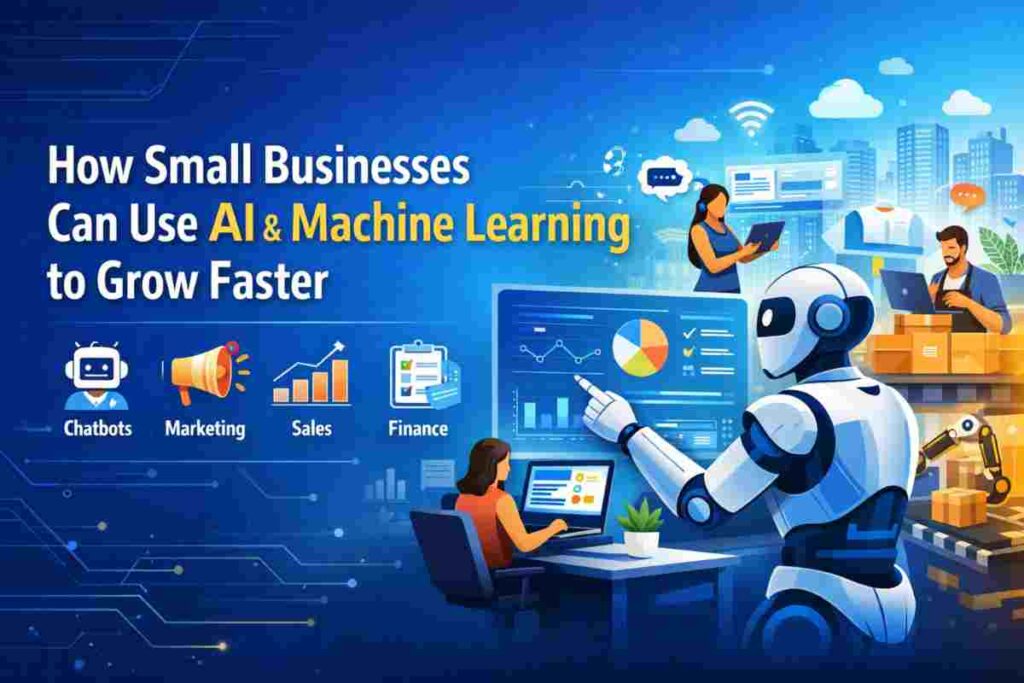
Text after: A few years ago, artificial intelligence solutions sounded like something reserved for tech giants and research labs. Now it quietly sits inside the tools small businesses already use every day, helping them move quicker, think sharper, and punch above their weight.
For a small business owner, time is always tight and margins rarely generous. That is where AI and machine learning start to matter. They take over repetitive work, spot patterns hidden in everyday data, and turn guesswork into decisions that actually hold up. What once required a full team can now be handled by a handful of smart systems working in the background.
The shift is not about replacing people. It is about freeing them. Instead of chasing emails, sorting spreadsheets, or manually tracking leads, teams can focus on what really drives growth, building relationships, refining products, and closing deals.
What makes this moment interesting is how accessible everything has become. You do not need a technical background or a big budget to get started. Many platforms already come with built in AI features, ready to assist without extra setup. You might already be using them without even realizing it.
This guide breaks down how small businesses are putting AI and machine learning to work in practical ways. From customer support to marketing, sales to operations, the goal is simple: do more with less effort, and do it better.
What AI and Machine Learning Mean for Small Businesses
At its core, artificial intelligence solutions is about teaching software to handle tasks that usually need human thinking. Machine learning takes it a step further. It allows systems to learn from data, spot patterns, and get better over time without being manually programmed for every scenario.
For a small business, that might look like software that predicts which customers are likely to buy again, tools that draft emails based on past conversations, or systems that organize messy data into something you can actually use. It is not magic. It is pattern recognition at scale, working quietly behind the scenes.
So why are small businesses leaning into this now? Because the pressure is real. Customers expect quick responses, tailored experiences, and smooth service at every step. At the same time, teams are small and resources are limited. AI steps in as a practical assistant, not a luxury add on.
The benefits are clear once you see them in action. Costs drop when routine work no longer eats up hours. Speed improves when tasks that took days now take minutes. Decisions become sharper when they are based on actual data instead of gut feeling. It is less about doing everything differently and more about doing the same things with far less friction.
Why AI Is No Longer Just for Big Companies
There was a time when using AI meant hiring specialists and building custom systems from scratch. That barrier has quietly disappeared. Today, AI is baked into the tools small businesses already rely on, often without needing any extra setup. For businesses with more complex workflows or industry-specific requirements, working with a custom AI development company can also help create tailored solutions that go beyond standard built-in tools.
Platforms like HubSpot help manage customer relationships while suggesting replies, organizing data, and tracking interactions automatically. Shopify can recommend products, analyze customer behavior, and assist with store management. Google Workspace brings AI into everyday tasks like writing, summarizing documents, and managing communication, and many Google Workspace alternatives now include similar AI-powered productivity features.
What makes this shift powerful is how accessible it is. Many tools now offer simple interfaces where you click, type, and get results. No coding required. No technical background needed. You can start small, test what works, and build from there without taking big risks.
Cost is no longer a major barrier either. A lot of AI features come bundled into tools businesses already pay for, which means you are not investing in something entirely new. You are simply using what is already there, just more intelligently.
The playing field has changed. Small businesses no longer need massive budgets to compete. With the right tools in place, they can move just as fast, respond just as well, and in many cases, operate with even more agility.
Key Ways Small Businesses Can Use AI and Machine Learning
AI does not arrive as a single tool. It shows up in small, useful ways across the business, quietly removing friction and tightening how things run day to day.
1. Automate Customer Service
Customer service is often the first place where AI earns its keep. Instead of keeping customers waiting, chatbots can handle common questions instantly, whether it is about pricing, availability, or booking.
These systems can also sort incoming queries, sending each one to the right person without manual effort. FAQs get handled automatically, while more complex issues reach a human with the context already in place.
The real win is consistency. Your business stays responsive at all hours, whether someone reaches out through your website or a messaging app. Phone-based support benefits most when voice AI delivers carrier-grade audio with ultra-low latency. Solutions like Telnyx conversational AI agents pair sub-200ms round-trip time with reliable uptime and natural-sounding voices, helping small teams automate triage, scheduling, and order-status calls without sacrificing customer experience.
2. Personalize Marketing Campaigns
Marketing feels very different when it is tailored instead of generic. AI tools can write emails, draft ads, and shape social posts that match your tone while saving time.
Behind the scenes, machine learning tracks how customers behave. It notices what they click, what they ignore, and what they come back to. That data helps group audiences and deliver messages that feel relevant rather than random.
Product suggestions, custom offers, and timed campaigns all become sharper. Instead of guessing what might work, you are working with patterns that already exist.
3. Improve Sales and CRM Workflows
Sales teams often spend too much time chasing the wrong leads. AI changes that by ranking prospects based on how likely they are to convert, so attention goes where it matters.
It can also estimate future sales based on past activity, giving a clearer picture of what is coming next. That kind of visibility helps with planning and avoids surprises.
Follow ups no longer slip through the cracks. Systems can prompt the next move, log interactions automatically, and keep everything organized without constant manual input.
4. Manage Inventory and Operations Smarter
Stock management becomes far more precise when decisions are guided by data instead of instinct. Machine learning looks at past sales, seasonal shifts, and buying patterns to predict demand.
This means fewer moments where shelves sit empty or overfilled. Alerts can signal when it is time to reorder, and systems can even trigger those actions automatically.
It also becomes easier to spot products that are not moving. That insight helps you adjust pricing, promotions, or inventory before it turns into a loss.
5. Simplify Finance and Accounting
Accounting tasks can be repetitive and time consuming. AI tools handle much of that load by sorting expenses, organizing transactions, and keeping records clean.
They can also project cash flow based on current trends, giving a clearer view of what lies ahead. That kind of foresight helps avoid shortfalls and plan spending with more confidence.
Unusual activity does not go unnoticed either. Systems can flag patterns that look off, helping catch errors or risks early.
6. Support Hiring and Team Productivity
Hiring takes time, especially for small teams. AI can scan resumes, highlight strong candidates, and even help schedule interviews without endless back and forth.
Inside the business, it keeps things moving. Meetings can be summarized automatically, with key points and tasks pulled out and organized.
This kind of support reduces admin work, giving teams more space to focus on meaningful tasks instead of routine coordination.
7. Use AI Powered Analytics for Better Decisions
Data becomes far more useful when it is easy to understand. AI driven dashboards turn raw numbers into clear visuals, showing what is working and what needs attention.
You can track how customers behave, which products perform best, and where revenue is coming from, all in real time.
Instead of digging through spreadsheets, you get direct answers. That clarity leads to quicker decisions, backed by actual performance rather than assumptions.
Real Examples of AI Tools for Small Businesses
AI becomes far easier to grasp when you see it in tools you can actually use. Many of them are already part of a typical business stack, now layered with features that handle tasks in the background while you focus on running the business.
CRM Tools with AI Features
Customer relationship tools have quietly become much smarter. Platforms like HubSpot do more than store contact details. They track conversations, suggest replies, and keep records updated without constant input.
You can see which leads are worth your time, get reminders on when to follow up, and even receive summaries of past interactions before jumping into a call. It feels less like managing a system and more like having an assistant that keeps everything in order.
Accounting Tools with Automation
Finance is one area where small errors can snowball. Tools like QuickBooks use AI to keep things clean and organized.
Transactions are sorted automatically, expenses are labeled correctly, and reports are generated without digging through numbers. You can also get a sense of future cash flow based on current activity, which helps avoid unpleasant surprises.
Instead of spending hours on bookkeeping, you get a clear view of where your money is going and what needs attention.
AI Writing and Productivity Tools
Content, planning, and day to day coordination all benefit from AI support. Platforms like Notion and other Nuclino alternatives help draft content, summarize notes, and turn scattered ideas into structured plans.
You can take rough thoughts and shape them into emails, documents, or outlines within minutes. Meeting notes can be turned into action points without manual effort.
It reduces the mental load. Instead of staring at a blank page or juggling tasks in your head, you get a starting point that keeps things moving.
These tools are not complicated systems reserved for large teams. They are practical, accessible, and built into platforms many small businesses already use. The shift is subtle but powerful. Work becomes smoother, faster, and far easier to manage.
How to Start Using AI in Your Small Business
Getting started with AI does not require a full overhaul. The smartest approach is measured, focused, and grounded in real business needs.
Identify 1 to 2 Problem Areas
Start by looking at where time is being lost or where results feel inconsistent. It might be slow customer replies, scattered data, or marketing that is not converting as expected.
Keep the scope tight. Pick one or two areas that clearly need improvement. AI works best when it is applied to a specific task rather than spread thin across everything at once.
Check Existing Tools for AI Features
Before adding anything new, take a closer look at the tools you already use. Many platforms now include built in AI that often goes unnoticed.
For example, systems like Google Workspace can assist with writing and summaries, while Shopify and HubSpot offer automation and insights within their dashboards.
You may find that what you need is already there, waiting to be switched on.
Start with a Small Pilot Project
Instead of rolling AI across the entire business, test it in one area first. This could be a chatbot on your website, automated email drafts, or a tool that organizes customer data.
A small trial keeps things manageable. It gives you room to understand how the system behaves and how your team interacts with it without disrupting daily operations.
Track Results and Adjust
Once the pilot is running, pay attention to what changes. Are response times improving? Is workload easing? Are conversions moving in the right direction?
Use those signals to refine your approach. Keep what works, adjust what does not, and expand gradually once you see clear value.
AI does not need a dramatic rollout. A steady, practical start often leads to stronger results, with each step building on the last.
Common Challenges and How to Handle Them
AI brings real advantages, but it is not friction free. Most small businesses run into a few predictable hurdles early on. The good news is that each one has a practical way forward.
Data Privacy Concerns
Customer data sits at the center of most AI tools, which raises a fair question: how safe is it?
The answer starts with choosing tools that are transparent about how they handle data. Look for clear policies, strong security standards, and options that let you control what gets shared. Keeping internal practices tight also matters. Limit access, avoid storing unnecessary data, and stay aware of local regulations.
Trust builds slowly. Treat data carefully from the start.
Learning Curve for New Tools
Even the most user friendly tools take a bit of getting used to. Teams may feel unsure at first, especially when workflows begin to shift.
The best approach is to keep things simple. Introduce one tool at a time and focus on a single use case. Short training sessions and hands on testing help more than long explanations. Once people see the tool working in real situations, confidence tends to follow.
Choosing the Right Solution
The market is crowded, and not every tool fits every business. It is easy to get pulled in by features that sound impressive but do not solve your actual problem.
Start with your needs, not the tool. Define what you want to fix or improve, then look for options that match that goal. Trials and demos can reveal more than product descriptions ever will.
Clarity beats complexity here.
Budget Considerations
Cost is always part of the conversation. While many AI features are now included in existing tools, some solutions still carry added fees.
A measured rollout helps manage this. Begin with one area, test the value, and expand only when the return is clear. Free tiers or basic plans are often enough to get started and understand the impact before committing further.
Future of AI for Small Businesses
AI is moving quickly, but the direction is clear. It is becoming more practical, more accessible, and more woven into everyday business tasks.
Increasing Automation Across Operations
Routine work will continue to shrink. Tasks like data entry, scheduling, reporting, and customer replies are steadily becoming automated, leaving teams with more space to focus on strategy and growth.
The shift is not dramatic. It is gradual, almost quiet, but it changes how work feels day to day.
More Affordable AI Tools
As more companies build AI into their products, prices continue to ease. What once required custom development is now part of standard subscriptions or available at a low entry cost.
This trend opens the door wider for small businesses, making advanced tools feel less out of reach.
Stronger Personalization in Customer Experiences
Customers expect interactions that feel relevant. AI is pushing that expectation further by shaping experiences around individual behavior.
From tailored offers to content that adapts in real time, businesses can connect with customers in ways that feel direct and considered rather than generic.
The path ahead is not about chasing every new tool. It is about using the right ones, at the right time, to keep your business moving with clarity and control.
Final Thoughts
AI works best when it is treated as a tool, not a status symbol. It is there to make daily work smoother, not to complicate it. When used with intention, it fits into your business quietly, improving how things run without demanding constant attention.
Progress does not come from doing everything at once. Small steps tend to deliver the strongest results. A single improvement, whether in customer support, marketing, or operations, can free up time and sharpen performance. Build from there, one layer at a time.
The real focus should stay on your business needs. Not every new feature or tool will matter to you. What counts is solving actual problems, the kind that affect your time, your customers, and your bottom line. When AI is applied with that mindset, it becomes less about technology and more about clarity.
FAQs
Is AI expensive for small businesses?
Not necessarily. Many tools include AI features within their standard plans, so you can start without a large upfront cost. Expenses grow only when you scale usage or add advanced tools.
Do I need coding skills to use AI?
No. Most modern AI tools are built for everyday users. You can use them through simple interfaces without writing any code.
What is the best AI tool for small businesses?
There is no single best option. The right tool depends on your needs. A business focused on sales might benefit from a CRM, while another may need help with content or accounting. Start with the problem, then choose the tool that fits.
Can AI replace employees in small businesses?
AI can handle repetitive tasks, but it does not replace human judgment, creativity, or relationships. It works best as support, helping your team focus on higher value work rather than routine tasks.
Read Also: How to Write a Business Report: Step-by-Step Guide for High-Quality Reports