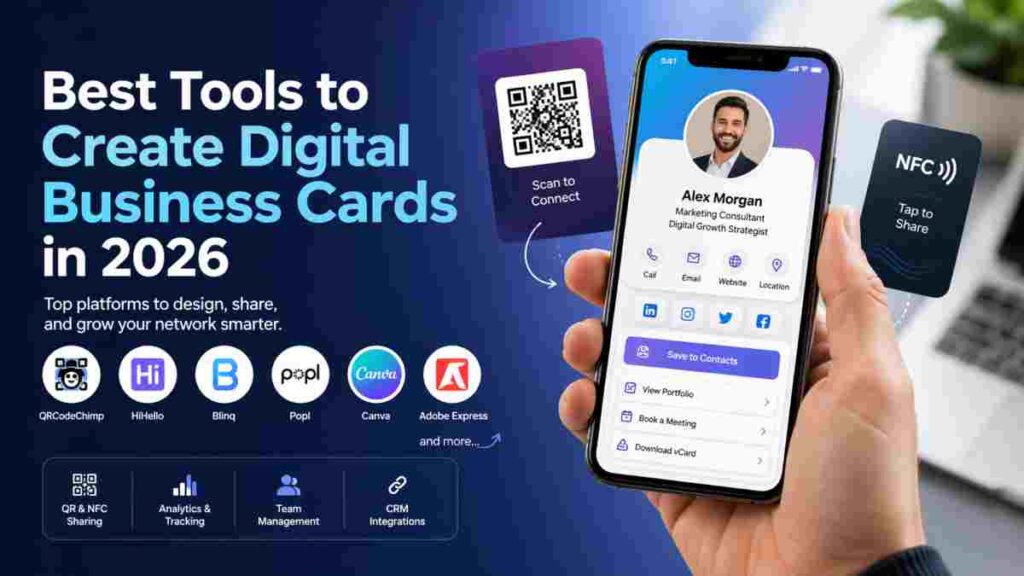
The way people share contact details has changed. Paper cards still exist, but most connections now happen through phones, links, and quick scans. That shift has made digital business cards a smart choice for anyone who wants to connect faster and look more professional.
But here’s the catch. Not every tool fits every need. Some platforms are built for teams that manage hundreds of contacts. Others focus on quick sharing for freelancers or simple design for personal branding.
In this guide, you will find the best tools to create digital business cards in 2026, matched to real use cases. Whether you want speed, design control, or advanced tracking, there is an option that fits how you work.
What Makes a Great Digital Business Card Tool?
Not all digital business card tools deliver the same experience. Some focus on quick sharing, while others offer deeper control for teams and tracking. The right choice depends on how you plan to use your card day to day.
Key Features to Look For
Start with the basics. A strong tool should support both QR and NFC sharing, so you can connect in person or online without friction. With a reliable qr code business card maker, it’s also easier to create a seamless sharing experience while keeping your networking more professional and accessible. Custom branding also matters. Your card should reflect your style, not look like a generic template.
Next comes performance. Good smart business card platforms offer analytics and tracking, so you can see how often your card is viewed or shared. Some tools also connect with CRM systems, making it easier to manage leads and follow up.
Ease of Use vs Advanced Features
There is a clear split between simple tools and full scale platforms. If you just need a quick way to share your details, a lightweight tool works well. Setup is fast and there is little to manage.
For teams or sales workflows, advanced platforms offer more control. You get bulk card creation, user management, and deeper tracking. The trade off is a slightly steeper learning curve.
Free vs Paid Options
Most digital business card tools offer a free version. This usually includes basic sharing, simple design, and limited features.
Paid plans unlock more value. You may get custom branding, analytics, lead capture, and team features. The key is to choose a plan that fits your needs without paying for extras you will not use.
Best Tools to Create Digital Business Cards in 2026
Choosing the right tool can shape how people remember you. Some platforms focus on speed, others on branding, and a few are built for teams that handle large networks. Below are the best tools to create digital business cards in 2026, each suited for a specific use case.
1. QRCodeChimp – Best for Teams and Scale
If you manage a team or need control at scale, QRCodeChimp stands out. It is built for businesses that want more than just a simple card.
You can create cards in bulk, which saves time when onboarding employees. The platform also includes analytics and lead tracking, so you can see how your cards perform in real situations. This helps teams follow up with the right contacts at the right time.
Another strong point is CRM integration. It connects your card activity with your existing systems, making contact management smoother. For companies that care about structure and growth, this tool fits well.
2. HiHello – Best for Simplicity
HiHello keeps things clean and easy. It is a great choice if you want a digital business card without dealing with complex settings.
The interface is simple, so you can set up your card in minutes. You add your details, choose a style, and start sharing right away. There is no need for the other person to install anything, which removes friction during networking.
This tool works well for freelancers, consultants, and small teams who want a smooth and quick experience without extra steps.
3. Blinq – Best for Fast Networking
Blinq is all about speed. If you meet people often and need to share your details quickly, this tool delivers.
You can create a card in a short time and start sharing through QR codes or NFC. The process feels natural, especially in events or meetings where time matters.
It also includes team features, which makes it useful for small groups that want a consistent way to share contact details. The balance between speed and function makes it a solid pick for active networking.
4. Popl – Best for Lead Capture
Popl focuses on turning connections into leads. It is more than a sharing tool. It helps you collect and manage contact data during interactions.
The platform supports both QR and NFC sharing, giving you flexibility in how you connect. What makes it different is its lead collection tools. You can gather contact details and track engagement, which is useful for sales and marketing.
Higher plans include analytics, so you can measure how well your card performs. If your goal is to build relationships that turn into business, Popl is a strong option.
5. Canva – Best for DIY Design
Canva is ideal for those who care about design and want full control over how their card looks.
Instead of a fixed structure, you get access to templates that you can customize. You can adjust colors, fonts, layouts, and images to match your personal or brand identity. This makes it a good choice for creatives and small business owners.
While it does not focus on advanced sharing features like some other tools, it shines in visual presentation. If your goal is to stand out through design, Canva gives you the freedom to do it. That same creative flexibility carries over into other branded materials — you can also design booklets online for portfolios, product lookbooks, or client presentations, all within the same Canva workspace.
6. KADO – Best for professionals and teams
KADO digital business card platform helps professionals and businesses modernize networking, contact sharing, and lead management through customizable digital profiles and smart sharing tools. KADO allows users to create digital business cards that can be shared through QR codes, NFC, mobile wallets, or direct links, eliminating the limitations of traditional paper cards.
In addition to contact sharing, KADO includes features for lead capture, CRM synchronization, follow-up management, and team-wide branding consistency. Users can add social links, videos, booking links, notes, and tasks directly to their profiles, while businesses can manage cards centrally through admin controls and integrations with major CRM platforms.”””
Comparison Table: Which Tool Fits Your Needs?
Picking from the best digital business card apps becomes easier when you see them side by side. Each tool focuses on a different need, so the right choice depends on how you plan to use it.
| Tool | Best For | Key Feature | Pricing Type |
|---|---|---|---|
| QRCodeChimp | Teams and businesses | Bulk creation and analytics | Free + paid plans |
| HiHello | Freelancers and individuals | Simple setup and easy sharing | Free + paid plans |
| Blinq | Fast networking | Quick QR and NFC sharing | Free + paid plans |
| Popl | Sales and lead capture | Contact collection tools | Paid plans with upgrades |
| Canva | Creators and designers | Full design control | Free + paid plans |
Use this table as a quick guide. If you need scale, go with QRCodeChimp. For speed, Blinq works well. If design matters most, Canva is a strong pick.
How to Choose the Right Tool for Your Use Case
Not all digital business card makers serve the same purpose. The best choice depends on how you connect with people and what you need after that first interaction.
For Freelancers and Individuals
If you work on your own, you need something quick and simple. Tools like HiHello and Canva work well here. They are easy to set up and do not require much time to manage.
HiHello is great for fast sharing and clean layouts. Canva gives you more control over design, which helps if you want your card to match your personal brand.
For Sales and Networking
If your goal is to meet people and turn contacts into leads, go for tools built for speed and follow up. Blinq and Popl are strong choices.
Blinq helps you share details quickly during events or meetings. Popl goes a step further with lead collection features, which makes it easier to keep track of new contacts.
For Businesses and Teams
Teams need structure and control. QRCodeChimp and Mobilo offer features that support group use.
QRCodeChimp allows bulk creation and tracking, which helps manage multiple users. Mobilo adds NFC based sharing with a physical card, which works well for in person interactions.
For Designers and Creators
If visual style matters most, design focused tools are the better fit. Canva and Adobe Express give you full creative control.
Both tools offer templates that you can adjust to match your brand. This helps you create a card that stands out without needing advanced design skills.
Digital Business Card Trends in 2026
Contactless networking tools are moving fast, and 2026 shows a clear shift toward smarter and more flexible ways to connect. One of the biggest changes is the rise of NFC. More professionals now use tap based sharing because it feels quick and natural during in person meetings.
Analytics is also becoming a standard feature. Users want to know who viewed their card and when. This helps track real interest instead of guessing. Along with that, CRM integration is growing. Many tools now connect directly with sales systems, making follow up simple and organized.
Another trend is the mix of physical and digital. Hybrid cards combine a physical NFC card with an online profile. This gives you the best of both worlds. You can hand over something tangible while still sharing rich digital content. Together, these trends show that digital business cards are no longer just a basic tool. They are becoming a key part of modern networking.
Final Thoughts: Which Tool Should You Pick?
The best tool is the one that fits how you work. If you need something simple, go for a tool that lets you create and share your card in minutes. If you manage a team or want tracking, choose a platform with more control.
Do not pay for features you will never use. Focus on what matters most to you, whether that is design, speed, or lead tracking.
In the end, a good digital business card should be easy to share and easy to remember. Keep it simple, and it will do its job well.
FAQs
What is the best tool to create digital business cards in 2026?
The best tool depends on your needs. QRCodeChimp works well for teams, while HiHello and Blinq are better for simple and fast sharing.
Are digital business card tools free?
Many tools offer free plans with basic features like sharing and simple design. Paid plans add options such as custom branding, analytics, and team management.
Which app is best for NFC business cards?
Popl and Mobilo are strong choices for NFC. They allow tap based sharing and work well for in person meetings.
Can I create a digital business card without design skills?
Yes, you can. Tools like Canva and Adobe Express offer ready made templates. You just add your details and adjust the look.
What is the difference between QR and NFC business cards?
QR cards use a code that people scan with their phone camera. NFC cards work by tapping phones together. Both share the same info, but NFC feels faster in face to face settings.
Are digital business cards worth using?
Yes. They are easy to update, simple to share, and help you connect without printing costs. They also let you include more information than a paper card.
Which tool is best for teams?
For teams, QRCodeChimp is a strong option. It supports bulk creation, tracking, and better control for multiple users.