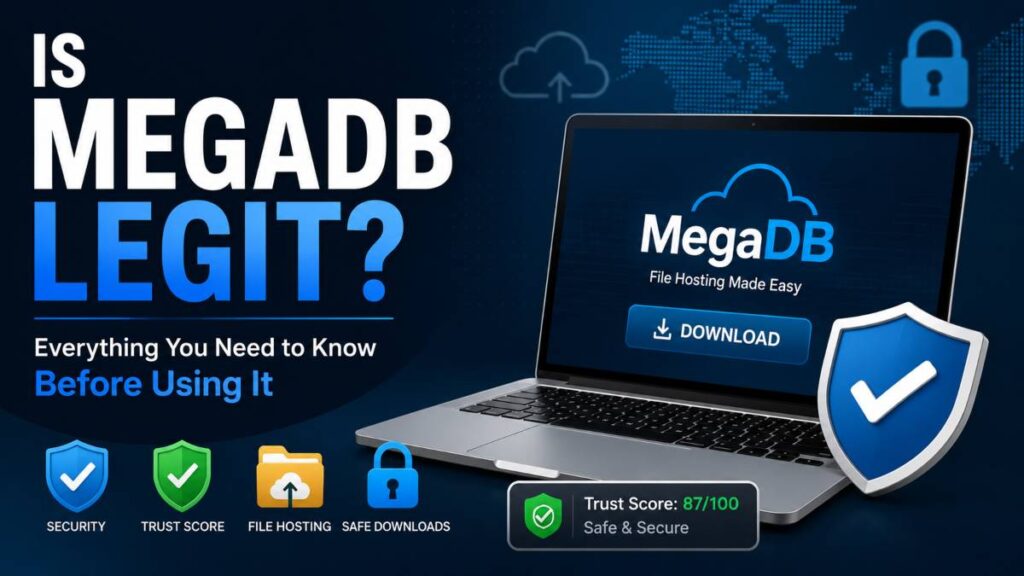
If you’ve landed here wondering, is MegaDB legit, you’re not alone. Many people come across MegaDB.net while downloading files and want to know whether the platform can be trusted. The short answer is yes, MegaDB.net appears to be a legitimate file hosting service based on available trust scores, security scans, domain history, and SSL protection.
That said, legitimacy doesn’t automatically mean every experience will be perfect. Some users report smooth downloads and no issues at all, while others mention slow speeds, security warnings, or concerns about files hosted on the platform. I’ve seen similar situations with many file-sharing websites over the years. A site itself may be safe, but the files uploaded by third parties can tell a different story.
In this guide, you’ll learn what MegaDB actually is, how safe it appears to be, what users are saying, potential risks to watch for, and whether it’s worth using for your downloads.
What Is MegaDB?
Understanding MegaDB.net
Before deciding whether to use the platform, it’s helpful to understand what MegaDB actually is.
MegaDB.net is a file hosting service that allows users to store and share downloadable files online. Think of it as a middleman between the person uploading a file and the person downloading it. Instead of hosting files directly on a website, creators can upload them to MegaDB and share a download link with others.
Many users first encounter MegaDB through SteamRip, a website known for distributing PC game files. In fact, MegaDB is commonly used as one of SteamRip’s file hosting partners. When users click a download link on SteamRip, they may be redirected to MegaDB to access the actual file.
This connection has led many people to assume MegaDB is a gaming website. It isn’t. MegaDB simply provides the storage and download infrastructure. The files themselves usually come from third-party uploaders or websites that use MegaDB’s hosting services.
Common Misunderstandings About MegaDB
One reason people ask questions about MegaDB’s legitimacy is that several similar names exist online, creating a lot of confusion.
MegaDB.net vs. MegaDB.com
Although the names look almost identical, these are separate websites. MegaDB.net is the file hosting platform most people are referring to when discussing SteamRip downloads and file sharing. MegaDB.com is a different domain entirely and should not be confused with MegaDB.net.
Because search results often show both domains, users sometimes read information about one website and mistakenly apply it to the other.
MegaDB vs. MegDB
Another source of confusion is MegDB, which is spelled differently and serves a completely different purpose. MegDB is associated with entertainment-related database content rather than file hosting.
At first glance, the names appear nearly identical, especially when viewed quickly in search results or forum discussions. This can lead users to believe they’re researching the same platform when they’re actually looking at unrelated services.
Why People Get Confused
Most confusion comes down to similar names, mixed search results, and discussions spread across forums, review sites, and social media. Someone searching for safety information may encounter references to MegaDB.net, MegaDB.com, and MegDB within minutes, making it difficult to know which platform is being discussed.
That’s why it’s important to verify the exact website before reading reviews or making judgments. A positive or negative review may not even be referring to the same service.
Is MegaDB Legit Based on Security and Trust Reports?
When people ask, is megadb legit, one of the first places to look is independent security and trust data. While no website can guarantee a perfect experience for every user, several indicators can help determine whether a platform appears trustworthy. Let’s look at the facts.
Trust Score Analysis
One of the strongest signals in MegaDB’s favor comes from its trust score. Gridinsoft, a well-known security monitoring platform, gives MegaDB.net a trust score of 87 out of 100.
A score in this range generally suggests that a website is considered safe for most users. Trust scores are calculated using factors such as domain history, website behavior, security settings, user activity, and reports from various threat-monitoring systems.
Think of a trust score like a credit score for a website. It doesn’t guarantee everything on the platform is risk-free, but it provides a useful snapshot of its overall reputation. An 87/100 rating places MegaDB in a relatively positive position compared to many lesser-known file hosting websites.
Domain History and Reputation
Another factor worth examining is how long the website has been around.
According to available domain records, MegaDB.net was registered in November 2021. While it isn’t one of the oldest file hosting services on the internet, it has been operating for several years without major reports of widespread fraud or shutdowns.
Website age alone doesn’t prove legitimacy, but it does provide context. Scam websites often appear and disappear quickly, sometimes lasting only a few months. A platform that remains active for years while maintaining a consistent user base tends to inspire more confidence.
Its continued use by online communities and file-sharing users also adds to its reputation, even though opinions about performance and download speeds remain mixed.
SSL Security and HTTPS Protection
One detail many users overlook is website encryption.
MegaDB.net uses a valid SSL certificate, which means the website operates through HTTPS rather than an unsecured connection. You can usually spot this by looking for the padlock icon in your browser’s address bar.
SSL encryption helps protect information transferred between your device and the website. While it doesn’t guarantee downloaded files are safe, it does help prevent third parties from intercepting data while you’re browsing or downloading content.
Most reputable websites use HTTPS today, and MegaDB meets that basic security expectation.
Security Scanner Results
Several website safety tools have also checked MegaDB.net for known threats.
Reports indicate that the domain is not currently flagged by multiple security engines, including several well-known malware and threat-detection systems. These scanners regularly analyze websites for suspicious behavior, phishing attempts, malware distribution, harmful scripts, and other security concerns.
It’s important to understand what these scans actually measure. They evaluate the website itself, not necessarily every file that users upload. Since MegaDB functions as a file hosting service, individual files may vary depending on their source.
For that reason, even when a platform receives favorable security ratings, it’s still smart to scan downloaded files with antivirus software before opening them. That’s a good habit for any file-sharing service, not just MegaDB.
Taken together, the trust score, domain history, SSL protection, and security scanner results suggest that MegaDB.net appears to be a legitimate platform. However, users should still practice safe downloading habits and verify files before using them.
What Do Real Users Say About MegaDB?
Security reports and trust scores tell part of the story, but real-world user experiences often reveal details that technical scans can’t. After reviewing discussions, reviews, and community feedback, it’s clear that opinions about MegaDB are mixed. Some users have no issues at all, while others report frustrations that are worth considering before using the platform.
Positive User Feedback
Many users describe MegaDB as a reliable file hosting service that does exactly what it’s supposed to do.
Across Reddit discussions and gaming communities, several users report downloading files through MegaDB without encountering malware, account issues, or suspicious activity. For these users, the platform serves as a straightforward way to access large files without major complications.
One common theme is its connection to SteamRip. Users familiar with SteamRip often view MegaDB as one of the regular file hosts used for game downloads. Because of this, many community members consider it a normal part of the download process rather than a website that raises immediate red flags.
Another positive point is that MegaDB generally remains available when some file-sharing services experience outages or broken links. Users who rely on download mirrors often appreciate having another hosting option available.
Negative Reviews and Complaints
Not every experience is positive, however.
One of the most frequent complaints involves download speeds. Some users report receiving fast downloads one day and extremely slow speeds the next. This inconsistency can be frustrating, especially when downloading large files.
Installation concerns also appear in some reviews. In most cases, these complaints relate to the downloaded files themselves rather than the MegaDB platform. Since MegaDB hosts content uploaded by third parties, the quality and safety of those files can vary.
A smaller group of users have also reported security warnings from antivirus programs or web browsers when attempting downloads. While these alerts do not automatically mean a threat exists, they can understandably make users cautious.
I’ve personally seen similar reactions with many file hosting services over the years. Sometimes an antivirus flags a file because of its behavior or source, even when no malware is present. Other times, the warning points to a genuine issue. That’s why it’s always wise to verify files before opening them.
Why User Experiences Differ
If you read enough reviews, you may wonder why one person describes MegaDB as perfectly safe while another claims it’s problematic.
The biggest reason is the source of the downloaded file. MegaDB provides the hosting platform, but it doesn’t necessarily create or verify every file uploaded by users. A trustworthy file and a risky file can exist on the same hosting service.
Regional server performance is another factor. Download speeds can vary depending on your location, internet connection, and the server handling the file. Someone in one country may experience excellent performance while another user sees much slower results.
Device security settings also play a role. Different antivirus programs, browser settings, and firewall configurations can produce different warnings or download experiences. A file that triggers an alert on one device may pass through another system without any issues.
When viewed as a whole, user feedback suggests that MegaDB itself appears functional and widely used, but the quality of the experience often depends on the files being downloaded, the user’s location, and the security tools running on their device.
Why Do Some Antivirus Programs Flag MegaDB?
One question that comes up repeatedly in online discussions is why certain antivirus programs or browsers sometimes display warnings when users try to download files through MegaDB.
At first glance, these alerts can be alarming. Nobody wants to see a message suggesting a file could be unsafe. However, a warning doesn’t always mean the website itself is dangerous. To understand what’s happening, it’s important to know how security tools evaluate websites and downloads.
Understanding Security Warnings
Security warnings can come from several sources, including your web browser, antivirus software, or operating system.
Browser Warnings
Modern browsers such as Chrome, Edge, and Firefox continuously monitor websites and downloads for suspicious activity. If a file matches patterns commonly associated with malware, unwanted software, or potentially risky downloads, the browser may display a warning before the download begins.
Sometimes these warnings are triggered because the file comes from a file-sharing platform rather than a well-known software publisher. Browsers tend to be more cautious when they cannot fully verify the origin of a file.
Antivirus Alerts
Antivirus software uses databases, behavioral analysis, and machine-learning systems to identify threats. When a file exhibits characteristics often seen in malicious programs, the antivirus may quarantine it or warn the user.
This doesn’t necessarily mean the file contains malware. In some cases, the antivirus is simply being cautious because the file is uncommon, recently uploaded, or lacks a strong reputation score.
Many users encounter these alerts when downloading game files, software installers, or compressed archives from file-hosting services like MegaDB.
False Positives vs Real Threats
Not every warning indicates an actual threat.
What Are False Positives?
A false positive occurs when security software incorrectly identifies a safe file as dangerous.
Think of it like a store security alarm going off when someone leaves with an item they already paid for. The system detected something unusual, but no wrongdoing actually occurred.
False positives happen more often than many people realize. Security tools are designed to err on the side of caution, which means they sometimes flag legitimate files that share characteristics with malware.
This is especially common with game files, cracked software, custom tools, and newly uploaded content that has not yet built a reputation with security databases.
When Should Users Be Concerned?
While false positives are common, it’s still important not to ignore warnings completely.
You should be more cautious if:
- Multiple antivirus engines flag the same file.
- The file comes from an unknown or untrusted source.
- The download requests unusual permissions.
- The file behaves unexpectedly after installation.
- Security communities report problems with the specific file.
If something feels suspicious, it’s better to pause and investigate rather than rush into opening the file.
How to Check Downloads Safely
Whether you’re downloading from MegaDB or any other file hosting service, a few simple habits can significantly reduce risk.
Scan Files Before Opening
One of the easiest safety steps is scanning every download before running it.
Most antivirus programs automatically scan downloaded files, but you can also perform a manual scan for extra peace of mind. This only takes a few seconds and can help identify potential threats before they cause problems.
Verify File Sources
The source of the file matters just as much as the platform hosting it.
Before downloading anything, check where the file originated. Trusted communities, established websites, and reputable uploaders generally carry less risk than unknown sources with little or no history.
Many security issues blamed on file hosts actually stem from the files uploaded by third parties rather than the hosting platform itself.
Keep Antivirus Software Updated
Security software is only as effective as its latest updates.
Antivirus companies continuously add new malware signatures and detection methods. Running outdated protection can leave your device vulnerable to newer threats.
Regular updates help your security software recognize emerging risks while reducing the chances of inaccurate warnings.
At the end of the day, antivirus alerts should be treated as useful signals rather than automatic proof that a website is unsafe. By understanding how these warnings work and following basic safety practices, you can make smarter decisions about the files you choose to download.
MegaDB Pros and Cons
Like most file hosting platforms, MegaDB has strengths and weaknesses. After reviewing security reports, user feedback, and available website data, it’s clear that the platform offers several benefits while also presenting a few drawbacks users should keep in mind.
The key is understanding both sides before deciding whether it’s the right option for your downloads.
MegaDB Pros and Cons at a Glance
| Pros | Cons |
|---|---|
| Established domain with several years of operating history | Mixed user reviews across forums and review platforms |
| Uses SSL encryption for secure connections | Some users report antivirus or browser warnings |
| Strong trust score from independent security reports | Download speeds can vary significantly |
| Supports large file hosting and sharing | User experience depends heavily on the uploaded file source |
| Widely used within certain online communities | Not every hosted file can be verified automatically |
| Accessible through standard web browsers | Performance may differ by region and server load |
Is MegaDB Safe for Downloading Files?
When evaluating any file hosting platform, the biggest question isn’t just whether the website itself is safe. It’s whether the files being downloaded can be trusted. This distinction matters because file hosting services act as storage platforms, while the content often comes from third-party uploaders.
If you’re still wondering is megadb legit, the available evidence suggests the platform itself appears legitimate. However, download safety depends on several additional factors that every user should consider before opening a file.
Safety Factors to Consider
A safe download experience starts with understanding where the file came from and how it has been shared.
File Source Verification
The first thing to check is the source of the file.
A download linked from a trusted website or well-known community is generally less risky than one shared on an unknown forum or random website. Before clicking the download button, take a moment to verify where the file originated and whether the source has a positive reputation.
This simple step can help you avoid many common security problems.
Reputation of Uploaders
Not all uploaders are equal.
Some uploaders have built trust within online communities by consistently sharing clean and reliable files. Others may have little history or no reputation at all. Whenever possible, look for reviews, comments, or community feedback about the uploader before downloading.
Many experienced users pay just as much attention to the uploader’s reputation as they do to the file hosting service itself.
Antivirus Scanning
Even if a file appears trustworthy, scanning it before opening is always a smart move.
Modern antivirus software can detect many threats before they have a chance to run on your system. Most security programs perform automatic scans, but manually scanning important downloads adds another layer of protection.
Think of it as a quick safety check that takes only a few seconds but could save you hours of frustration later.
Best Practices for Safe Downloads
No file hosting platform can guarantee that every uploaded file is safe. That’s why following a few basic habits can dramatically reduce risk.
Scan Every Download
Make it a rule to scan every downloaded file before opening or installing it.
This applies not only to MegaDB but to any file-sharing or cloud storage platform. A quick scan helps identify potential threats early and provides extra confidence before running a program or extracting an archive.
Avoid Suspicious Links
Be cautious of links that appear misleading, overly aggressive, or unrelated to the file you’re trying to download.
Many file hosting platforms display advertisements, redirects, or multiple download buttons. Taking an extra moment to confirm you’re clicking the correct link can prevent accidental downloads or unwanted software installations.
If something looks unusual, it’s usually worth investigating before proceeding.
Use Updated Security Software
Security tools work best when they’re current.
Antivirus vendors release updates regularly to detect newly discovered threats. Running outdated software can leave your device vulnerable to risks that newer versions are designed to catch.
Keeping your antivirus, browser, and operating system updated provides stronger protection against emerging threats and improves overall download safety.
Ultimately, MegaDB can be used safely when combined with good security habits. Verifying file sources, checking uploader reputation, and scanning downloads before opening them are simple steps that help create a safer experience regardless of which file hosting service you use.
MegaDB vs Other File Hosting Platforms
MegaDB isn’t the only option available for storing and sharing files online. Platforms like MEGA, MediaFire, and Google Drive have been around for years and attract millions of users worldwide. So how does MegaDB compare?
The answer depends on what matters most to you. Some users focus on security and reputation, while others care more about download speed, ease of use, or accessibility.
Let’s take a closer look.
MegaDB vs MEGA
MEGA is one of the most recognized names in cloud storage and file sharing. It has built a large user base and is often viewed as a mainstream alternative to traditional file hosting services.
Security
MEGA has a strong reputation for privacy and encryption. It offers end-to-end encryption features designed to give users greater control over their data.
MegaDB, on the other hand, focuses primarily on file hosting and delivery. While it uses SSL encryption to secure website connections, it does not offer the same level of advanced storage and privacy features commonly associated with MEGA.
For users who place privacy at the top of their priority list, MEGA generally has the advantage.
Features
MEGA provides cloud storage accounts, file synchronization, folder sharing, mobile apps, and collaboration tools.
MegaDB is much simpler. Its primary function is hosting files and making them available for download through shared links. For users who only need quick file access, this simplicity may be sufficient.
Those looking for a complete cloud storage solution will likely find MEGA more feature-rich.
Reputation
MEGA benefits from years of brand recognition and a large global user base. Most internet users have heard of it or used it at some point.
MegaDB is less well known and is often recognized mainly within specific file-sharing and gaming communities. While it appears legitimate, it doesn’t yet have the same level of public recognition as MEGA.
MegaDB vs MediaFire
MediaFire has long been a popular choice for sharing files online due to its straightforward interface and accessibility.
Ease of Use
MediaFire is generally considered beginner-friendly. Uploading, sharing, and downloading files requires very little technical knowledge.
MegaDB also offers a simple download process, but first-time visitors may find it less familiar because it is not as widely used as MediaFire.
For users who want a platform that feels instantly recognizable, MediaFire may have a slight edge.
Download Experience
Both platforms allow users to download files through direct links. However, user experiences can vary.
Some MegaDB users report excellent download speeds, while others mention slower performance during peak usage periods. MediaFire users occasionally report similar issues, but its larger infrastructure often provides a more consistent experience.
That said, download performance on either platform can depend on location, internet speed, and server conditions.
MegaDB vs Google Drive
Google Drive serves a different audience than traditional file hosting platforms, but it’s still a common alternative for sharing files online.
Trust and Reliability
Google Drive benefits from the reputation of Google, making it one of the most trusted file-sharing platforms available today.
Users generally feel comfortable downloading files from Google Drive because of its established reputation, extensive security measures, and long operating history.
MegaDB appears trustworthy based on available security data, but it doesn’t carry the same level of brand recognition or institutional trust.
User Accessibility
One of Google Drive’s biggest strengths is accessibility.
Most people already have a Google account, making file sharing and access relatively simple. Files can be viewed, edited, and managed across multiple devices without installing additional software.
MegaDB focuses more on direct file delivery rather than cloud-based collaboration. This makes it useful for hosting and downloading files, but less practical for users who need shared workspaces, document editing, or long-term file management.
Quick Comparison Table
| Feature | MegaDB | MEGA | MediaFire | Google Drive |
|---|---|---|---|---|
| Primary Purpose | File Hosting | Cloud Storage & File Sharing | File Sharing | Cloud Storage & Collaboration |
| SSL Security | Yes | Yes | Yes | Yes |
| Brand Recognition | Moderate | High | High | Very High |
| File Sharing | Yes | Yes | Yes | Yes |
| Cloud Storage Features | Limited | Extensive | Basic | Extensive |
| Collaboration Tools | No | Limited | No | Yes |
| User Accessibility | Good | Good | Very Good | Excellent |
| Overall Reputation | Positive but Mixed | Strong | Strong | Excellent |
Each platform serves a slightly different purpose. If you simply need access to hosted files, MegaDB can be a practical option. If you want advanced storage features, collaboration tools, or a platform with broader public recognition, MEGA, MediaFire, or Google Drive may be better suited to your needs.
Final Verdict: Is MegaDB Legit?
After reviewing the available security data, trust reports, and user feedback, MegaDB appears to be a legitimate file hosting platform rather than a scam or fraudulent website. Independent security checks show positive indicators, including a solid trust score, HTTPS protection, and several years of operating history.
User experiences paint a slightly more complex picture. Many people report downloading files without issues and view MegaDB as a reliable hosting service, particularly within gaming and file-sharing communities. At the same time, some users have encountered slow download speeds, occasional security warnings, or concerns related to specific files hosted on the platform.
The benefits of MegaDB include its accessibility, file hosting capabilities, SSL protection, and generally positive reputation among many users. The potential downsides include inconsistent performance and the fact that file safety often depends on the original uploader rather than the platform itself.
So, is megadb legit? Based on the evidence available, the answer is yes. MegaDB.net appears to be a legitimate file hosting service. However, like any platform that hosts third-party files, it should be used with reasonable caution.
The safest approach is simple: verify where your files come from, scan downloads before opening them, and keep your security software up to date. Following these basic practices can help you enjoy the convenience of MegaDB while minimizing potential risks.
For most users, MegaDB can be a useful download platform, provided they understand that safe downloading habits matter just as much as the website they’re using.
Read Also: Why Investing in Cyber Security is a Smart Business Move