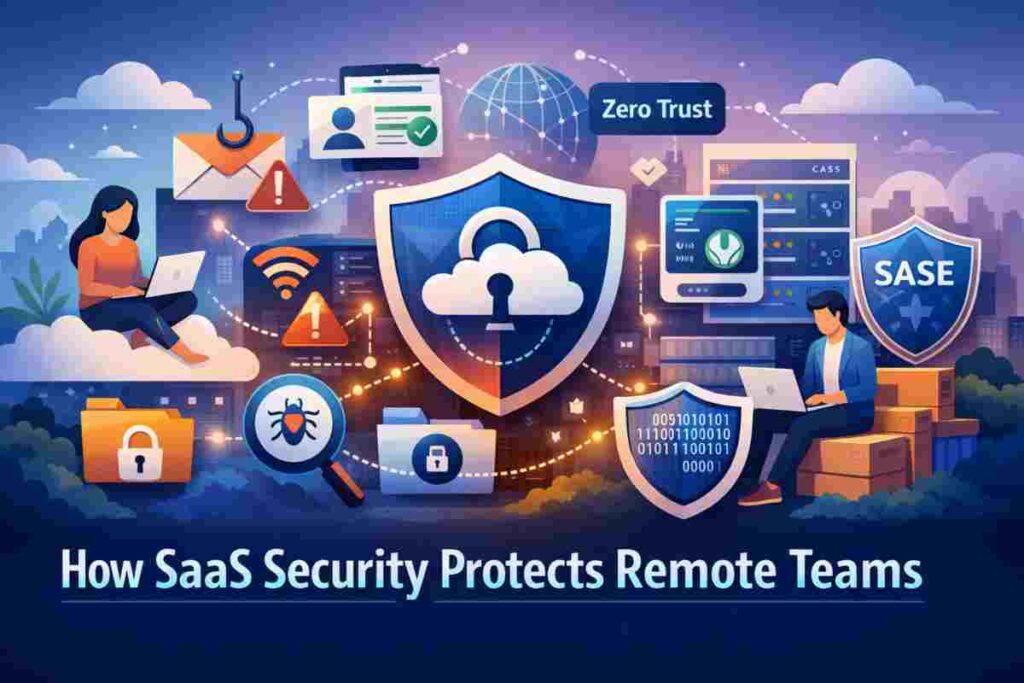
Remote work has changed how companies operate, but it has also created new security risks. Teams now log in from home networks, shared spaces, and personal devices. This shift makes SaaS security for remote teams a basic requirement rather than an optional layer.
SaaS security protects cloud apps by controlling who gets access, what they can do, and how data moves between users. Strong identity checks such as Multi Factor Authentication and Single Sign On help confirm that only approved users can enter company systems. This forms the first layer of remote workforce security.
Monitoring tools add another layer by tracking user activity and flagging unusual behavior. At the same time, data protection policies control file sharing, block unsafe downloads, and keep sensitive information safe.
Modern cloud security also focuses on constant verification instead of one time login checks. This approach helps remote teams work from anywhere while keeping company systems, data, and workflows protected without slowing daily tasks.
Why Remote Teams Face Higher Security Risks
Remote work gives teams flexibility, but it also creates security gaps that attackers look for. Employees connect through different networks, use various devices, and access many cloud apps each day. Without strong protection, these factors increase exposure to attacks and data loss. Understanding these risks helps companies build stronger protection for distributed staff.
Common Security Threats Remote Workers Face
Remote employees often connect through public WiFi in cafés, hotels, or shared offices. These networks can allow phishing attacks, fake login pages, and traffic interception. This makes public connections one of the most common remote work security risks.
Personal devices also create problems. Many employees use their own laptops or phones for work tasks. Without proper controls, these devices may carry outdated software or hidden malware. These BYOD security risks can allow attackers to enter company SaaS platforms.
Another concern involves accidental data exposure. Employees may share files through cloud tools without proper permission settings. This creates opportunities for data leaks and insider mistakes, which remain major SaaS threats for remote companies.
Shadow IT adds another layer of risk. Workers sometimes install unapproved apps to complete tasks faster. These tools operate outside IT visibility and may not meet security standards, increasing the chance of breaches.
Why Traditional Security Models Fail Remote Teams
Older security models depend on protecting a central office network. Once employees moved outside that environment, these methods became less reliable. This shift created new cloud security challenges because users now access systems from many locations.
Perimeter security cannot protect users who work far from the company network. VPN only strategies may also slow access and still miss risky behavior inside SaaS platforms. This weakens overall remote network security.
A distributed workforce also creates access management problems. IT teams must control permissions across many apps while keeping work smooth. Without cloud focused controls, companies struggle to maintain visibility, enforce policies, and respond quickly to threats.
Core SaaS Security Mechanisms That Protect Remote Teams
Remote teams depend on cloud apps for communication, project management, and file sharing. Without proper safeguards, these systems can become entry points for attackers. SaaS security works by building layers of protection around user access, data movement, and system activity. Instead of relying on one barrier, modern security uses continuous checks that follow users wherever they work.
These protections focus on three main areas: verifying identities, protecting data, and watching for unusual behavior. Together, these controls help companies maintain visibility across distributed environments while allowing employees to work without friction. This balance between safety and usability makes SaaS platforms suitable for remote operations.
One of the strongest parts of this model comes from access control systems that confirm identities before allowing entry into cloud platforms. When combined with monitoring and policy enforcement, these systems reduce the chances of unauthorized access and account misuse.
Identity and Access Management Controls
Identity controls form the backbone of SaaS protection. Identity access management SaaS systems make sure the right people can access the right tools at the right time. This reduces risk while keeping daily work smooth for remote staff.
Modern access systems verify more than just usernames and passwords. They evaluate device health, login location, and behavior patterns before allowing entry. This layered approach strengthens MFA security and reduces the chances of account takeover.
Organizations also use Zero Trust remote access models. This method assumes no user or device should be trusted automatically, even after login. Every access request must pass verification checks. This reduces the risk of attackers moving inside systems after gaining access.
Access policies also limit how much data each employee can reach. This helps contain damage if an account becomes compromised. These controls are especially useful for remote teams where access happens across many locations and devices.
Key Technologies
Multi Factor Authentication (MFA) adds extra login verification through codes or device approval. This makes stolen passwords far less useful.
Single Sign On (SSO) allows users to access multiple tools with one secure login. This reduces password fatigue and improves control over authentication.
Zero Trust requires continuous verification of users and devices instead of relying on one time approval.
Least privilege access ensures employees only access what they need for their roles. This reduces exposure and limits internal security risks.
Data Loss Prevention Strategies
Data Loss Prevention systems help companies maintain control over sensitive information used by remote staff. These tools watch how data moves across SaaS platforms and alert teams when risky behavior appears. This makes SaaS data protection stronger and more predictable.
Data monitoring allows security teams to track file activity, downloads, and sharing actions. If a user attempts to move sensitive files outside approved channels, the system can block the action or request verification. This type of DLP remote teams strategy helps reduce both human error and insider threats.
File sharing controls also play an important role. Companies can restrict public links, limit external sharing, and apply permission rules. Encryption adds another safety layer by protecting information both during transfer and storage. Even if data is intercepted, it remains unreadable without authorization.
SaaS compliance policies support these protections by enforcing data handling standards. Together, these controls strengthen cloud data security while allowing remote teams to collaborate without exposing critical business information.
Network and Threat Protection Technologies
Network level protection helps remote teams connect safely to SaaS platforms without exposing company systems to attacks. Modern security models such as SASE security combine networking and security controls into one cloud delivered system. This allows companies to apply the same rules to every user regardless of location.
Secure web gateways filter dangerous websites and block harmful downloads before they reach employee devices. This reduces the chances of malware infections and supports stronger remote network protection.
Ransomware protection tools also monitor unusual behavior such as rapid file changes or suspicious encryption activity. When detected early, these tools can stop attacks before major damage occurs.
Threat visibility is another important advantage. Cloud based monitoring platforms track user activity, detect anomalies, and provide alerts. This level of cloud threat monitoring helps security teams respond faster and maintain awareness across distributed environments.
Together, these technologies help remote organizations maintain strong protection while supporting fast and reliable access to cloud applications.
SaaS Security Technologies That Help Remote Teams Stay Safe
Remote teams depend on multiple cloud platforms to complete daily work. Managing security across these systems requires tools that give visibility, control, and fast response to risks. Modern SaaS security tools help companies monitor activity, control access, and fix weaknesses without interrupting workflows.
These technologies allow IT teams to see how employees use cloud apps, detect unusual actions, and enforce security policies from one place. This type of centralized control reduces blind spots and helps companies maintain consistent protection across a distributed workforce.
Many organizations now rely on specialized SaaS monitoring tools to detect risky behavior such as unauthorized logins, unusual downloads, or unknown applications connecting to company systems. These tools also help security teams correct configuration mistakes that could expose sensitive data.
Essential SaaS Security Tools
Several technologies form the foundation of SaaS protection strategies. Each tool focuses on a specific security area while working together to strengthen overall protection.
| Technology | Purpose | Protection Value |
|---|---|---|
| CASB | Cloud visibility | Threat detection |
| SASE | Network protection | Secure access |
| Secure browser | Web isolation | Malware protection |
| SSPM | SaaS posture control | Configuration fixes |
Cloud Access Security Brokers are among the most widely used CASB security solutions. They act as a control point between users and cloud applications. These platforms track activity, enforce policies, and detect abnormal behavior. This helps organizations prevent data leaks and identify threats early.
SASE platforms combine networking and security functions into a unified service. This allows companies to apply access rules, filter traffic, and protect users without relying on traditional VPN connections. As remote teams grow, this model helps maintain both speed and protection.
Secure enterprise browsers create protected environments for accessing web apps. They isolate browsing activity from local devices, which reduces malware risks and blocks unsafe extensions. This gives companies more control over how remote workers interact with SaaS platforms.
SaaS Security Posture Management platforms focus on configuration safety. These tools scan applications for risky settings, unused permissions, and policy gaps. They also help detect shadow applications and correct issues before they become security incidents.
When combined, these technologies create a strong security framework that helps remote teams work safely while giving organizations better control over their cloud environments.
Best Practices for SaaS Security in Remote Organizations
Strong SaaS protection depends on more than tools. Companies also need clear policies and daily security habits. Remote teams often work across many locations and devices, so security practices must be simple, repeatable, and easy to manage.
Organizations that succeed with SaaS protection usually focus on three areas: controlling access, building security awareness, and managing devices. These practices help reduce risk while keeping work smooth for employees.
Access Control Best Practices
Access control is the first step in strong SaaS access management. Companies should require Multi Factor Authentication across all SaaS platforms. This reduces the chance of unauthorized access caused by stolen passwords.
Regular access reviews also help maintain strong remote employee access control. Managers and IT teams should check user permissions to confirm employees only have access to the systems they need. Removing unused permissions lowers security exposure.
Automated offboarding is another critical practice. When employees leave or change roles, their access should be updated or removed right away. Automation helps prevent forgotten accounts from becoming security gaps.
Companies should also maintain clear role based access policies. This keeps permissions organized and reduces confusion as teams grow.
Security Training and Awareness
Technology alone cannot stop human mistakes. Employees must understand basic risks and how to respond to suspicious activity. Regular remote security training helps staff recognize phishing emails, fake login pages, and social engineering attempts.
Password habits also matter. Teams should use strong passwords, avoid reuse, and rely on password managers when possible. These simple habits support better cybersecurity awareness remote teams programs.
Device policies also improve safety. Employees should know which devices are approved, how updates should be handled, and what to do if a device is lost. Clear rules help prevent avoidable security incidents.
Short and practical training sessions often work better than long technical lessons. The goal is to build awareness that employees can apply in daily work.
Device and Application Security Policies
Device management policies help companies maintain control over remote endpoints. Mobile Device Management systems allow IT teams to enforce updates, apply security settings, and remove company data when needed. This strengthens endpoint security remote workers strategies.
Device compliance checks also help confirm systems meet company standards before access is granted. Devices with outdated software or missing protections can be restricted until problems are fixed.
Application policies are equally important for strong SaaS governance. Regular OAuth reviews help companies track which third party apps have access to company data. Removing unused integrations reduces unnecessary exposure.
Together, these policies create a safer SaaS environment while helping remote teams maintain secure and reliable access to their tools.
How SaaS Security Improves Remote Team Productivity
Security and productivity often appear to compete, but modern SaaS protection shows they can support each other. The right systems allow teams to work faster while maintaining safety. Many companies see clear SaaS productivity benefits after improving their cloud security approach.
Centralized dashboards give IT teams one place to watch user activity, manage access, and respond to risks. This reduces time spent switching between tools and allows faster decisions. With better visibility, teams can solve problems before they interrupt work.
Automation also improves daily operations. Automated alerts, access updates, and policy enforcement reduce manual tasks. This allows IT teams to focus on planning and improvement instead of routine maintenance.
Secure environments also support better teamwork. Protected file sharing, verified access, and monitored platforms allow employees to use secure collaboration tools without worrying about data exposure. When employees trust their systems, they can focus fully on their work.
Strong SaaS security also reduces pressure on IT departments. Fewer incidents mean fewer emergency fixes and less downtime. This creates a smoother experience for both technical teams and remote employees.
Conclusion
SaaS platforms allow remote teams to stay connected, but without proper safeguards they can expose companies to serious risks. A strong SaaS security strategy helps organizations maintain control over access, protect sensitive data, and monitor cloud activity.
Companies that invest in identity controls, data protection policies, and device management create stronger remote team protection. These practices help reduce security gaps while allowing employees to work with confidence from any location.
As remote work continues to grow, security planning becomes part of normal business operations. Organizations that build clear SaaS security practices today will be better prepared to support flexible work models while keeping their systems and information safe.
Frequently Asked Questions About SaaS Security for Remote Teams
What is SaaS security?
SaaS security refers to the policies, technologies, and controls used to protect cloud based software from unauthorized access, data leaks, and cyber attacks. The main goal is to keep company systems and information safe while employees work from different locations.
The SaaS security meaning also includes access control, activity tracking, and data protection. These measures help companies manage risks linked to cloud usage while allowing teams to work without interruption.
How does SaaS security protect remote employees?
SaaS security protects remote staff by verifying user identity, monitoring account activity, and blocking unsafe behavior. Security systems can detect unusual logins, prevent risky downloads, and limit access based on roles.
These controls strengthen remote team cybersecurity by reducing risks linked to remote connections and personal devices. With proper SaaS protection, employees can safely access work tools whether they are at home or traveling.
What are the biggest SaaS risks for remote teams?
Some of the most common risks include weak passwords, unsafe file sharing, unapproved applications, and phishing attacks. Personal devices without updates can also create entry points for attackers.
Another major concern involves lack of visibility. Without monitoring tools, companies may not notice risky behavior until damage occurs. Strong cloud application security helps reduce these risks by improving monitoring and control.
What is CASB in SaaS security?
CASB stands for Cloud Access Security Broker. It is a security layer that sits between users and SaaS applications. CASB platforms help companies track usage, enforce policies, and detect suspicious activity.
These tools improve visibility and help security teams control how data moves across cloud platforms. CASB systems are often used to prevent data leaks and detect account misuse.
How does Zero Trust help remote teams?
Zero Trust security works on the idea that no user or device should be trusted automatically. Every access request must be verified before access is allowed.
This model works well for remote teams because employees connect from many locations. Continuous verification helps prevent unauthorized access even if login details are exposed.
What SaaS security tools should companies use?
Companies often use a mix of tools such as CASB platforms, identity management systems, secure access platforms, and SaaS posture monitoring tools. Each tool focuses on a different part of security.
The right combination depends on company size, number of applications, and risk level. Using multiple layers of protection usually provides better security coverage for remote environments.