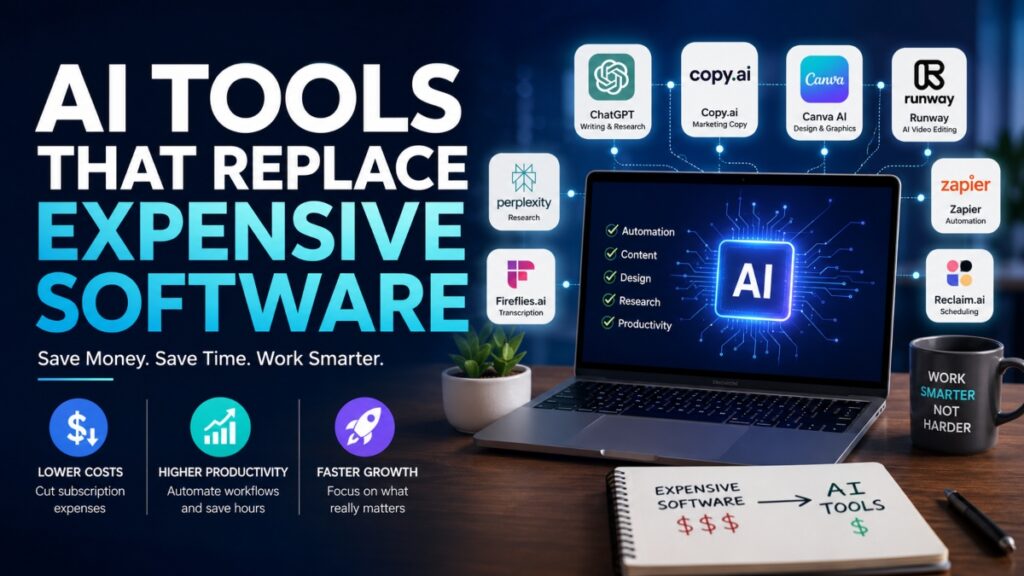
Software bills are starting to feel like rent. One tool handles design. Another manages meetings. A third writes content. Then come editing platforms, automation apps, research subscriptions, and project management systems quietly draining hundreds of dollars every month. For freelancers, startups, agencies, and remote teams, the pressure adds up fast.
That is exactly why businesses are turning toward AI software alternatives. Modern AI tools can now handle tasks that once required expensive software subscriptions or even full creative teams. Writing marketing copy, editing videos, generating presentations, organizing research, transcribing meetings, and automating workflows can now happen inside a single browser tab within minutes.
The biggest shift is not just speed. It is cost control without sacrificing quality. Many AI productivity tools offer free plans or low monthly pricing that makes traditional software stacks look bloated. A startup that once paid for multiple premium platforms can now reduce software costs by replacing them with smarter AI powered solutions built for efficiency.
What makes this change even more interesting is accessibility. You no longer need a massive budget or technical background to produce polished content, automate repetitive tasks, or streamline operations. Whether you run a solo business or manage a growing remote team, the latest AI tools are making high level productivity far more affordable than it used to be.
Why Businesses Are Replacing Traditional Software With AI Tools
Rising Costs of Software Subscriptions
Modern businesses run on subscriptions. One platform handles communication. Another manages design work. Then come tools for scheduling, automation, writing, editing, storage, analytics, and customer support. Individually, the monthly fees may look manageable. Together, they quietly become a major operational expense.
For startups and small teams, stacked SaaS costs can consume a serious portion of the budget before growth even begins. Many companies also end up paying for features they barely use. A design suite might include advanced functions nobody touches. A project management platform may charge premium rates for basic collaboration tools.
This has created a growing sense of software fatigue. Teams are tired of juggling endless logins, constant updates, overlapping features, and rising renewal prices. Instead of simplifying work, bloated software stacks often slow teams down and create unnecessary friction.
How AI Tools Reduce Time and Operational Costs
This is where affordable AI tools are changing the equation. Instead of relying on multiple platforms and outside specialists, businesses can now complete tasks faster with AI powered systems that combine writing, automation, research, design, and productivity features in one place. Many companies find that integrating professional AI consulting allows them to tailor these broad capabilities to their specific operational workflows.
AI workflow automation helps teams remove repetitive manual work that once consumed hours every week. Meeting summaries, content drafts, automated approval routing, customer responses, workflow approvals, and data organization can now happen almost instantly.
The financial difference is hard to ignore. A freelancer who once outsourced copywriting or graphic design can now handle a large part of that work internally. Agencies can speed up production without expanding headcount. Remote teams can manage operations with leaner software stacks and fewer delays.
What to Check Before Replacing Paid Software
Not every AI platform is a perfect replacement. Before switching to software subscription alternatives, businesses should review core features carefully.
Check whether the tool supports your existing integrations, export formats, and collaboration workflows. Security and compliance also matter, especially for industries handling sensitive customer or financial data.
The best AI tools save money without disrupting how teams communicate, share files, or manage projects. A lower monthly bill only matters if the workflow still runs smoothly.
Best AI Writing Tools That Replace Expensive Copywriting Software
Hiring writers, editors, and creative agencies can quickly become expensive, especially for startups and growing online businesses producing content every day. Blog posts, email campaigns, landing pages, product descriptions, and social media captions all demand time, consistency, and budget. That is why many companies are now turning to AI writing tools that deliver faster content production without draining marketing resources.
Modern AI tools for content creation are no longer limited to robotic paragraphs and generic headlines. The latest platforms can generate structured blog outlines, polished ad copy, SEO focused articles, email sequences, and branded messaging within minutes. For many businesses, these tools act as practical replacements for expensive copywriting software and outsourced writing support.
Copy.ai
Copy.ai has become a popular AI content generator for marketing teams that need quick, conversion focused copy. It works especially well for ad campaigns, sales emails, product descriptions, website headlines, and social captions.
Instead of paying an agency for every small campaign update, businesses can generate multiple content variations instantly and refine them internally. This makes Copy.ai useful for startups, ecommerce brands, and solo marketers working with tight budgets and fast deadlines.
Writesonic and Rytr
Writesonic and Rytr focus on affordability and simplicity. These AI writing tools are widely used for blog outlines, article drafts, advertising copy, and ecommerce product listings.
Freelancers and small businesses often prefer them because the learning curve is minimal and pricing remains accessible compared to premium writing platforms. They also help speed up brainstorming when content calendars start feeling empty.
GrammarlyGO
GrammarlyGO goes beyond grammar correction. It helps refine tone, rewrite awkward sentences, shorten bulky paragraphs, and polish professional communication.
For businesses that previously relied on premium editing services, GrammarlyGO offers a faster and cheaper alternative for day to day content refinement. It is particularly useful for remote teams that need consistent communication across emails, proposals, reports, and client documents.
| AI Tool | Replaces | Best Use | Pricing |
|---|---|---|---|
| Copy.ai | Agency copy support | Marketing copy and campaigns | Free and paid plans |
| Writesonic | Premium writing tools | Blog posts and ads | Budget friendly monthly plans |
| Rytr | Freelance writing assistance | Product descriptions and captions | Low cost subscription |
| GrammarlyGO | Editing services | Tone refinement and proofreading | Free and premium options |
AI Research Tools That Replace Paid Research Platforms
Research used to be expensive, slow, and heavily dependent on premium databases or specialized analysts. Businesses often paid large monthly fees just to access reports, summaries, trend tracking, or industry insights. Today, AI research tools are changing that process completely.
Modern AI business tools can now summarize documents, extract key points, compare sources, organize notes, and answer complex questions within seconds. For startups, agencies, consultants, and remote teams, this shift means faster decision making without the weight of expensive research subscriptions.
Perplexity
Perplexity has become one of the strongest options for fast, source linked research. Unlike traditional search engines that force users to open multiple tabs, Perplexity delivers summarized answers with cited sources attached directly to the response.
This makes it useful for market research, content planning, competitor analysis, and quick fact verification. Teams can collect information faster while still checking the original references when accuracy matters.
NotebookLM
NotebookLM focuses on document organization and insight extraction. Users can upload reports, PDFs, meeting notes, research papers, or internal files and then ask questions based on that material.
For businesses handling large amounts of information, NotebookLM acts like a private AI research assistant trained on company documents. It helps simplify long reports, identify patterns, and organize scattered information into usable summaries.
ChatGPT and Claude
ChatGPT and Claude are widely used for brainstorming, outlining, summarizing research, and generating strategic ideas. They help teams turn raw information into readable insights much faster than manual workflows.
Content marketers use them to identify trends and article angles. Agencies use them for campaign research. Startups use them to speed up planning sessions and customer analysis.
A simple workflow example looks like this. A marketing agency uploads client reports into NotebookLM, gathers industry updates through Perplexity, then uses ChatGPT or Claude to transform the findings into campaign ideas and presentation summaries. That process can replace a costly research platform while cutting hours of manual work every week.
For businesses searching for practical AI productivity software, these tools offer speed, flexibility, and lower operational costs without sacrificing research quality.
AI Video and Design Tools That Replace Creative Software
Creative work used to demand expensive editing suites, advanced technical skills, and hours of manual production. Video editing software alone could cost hundreds of dollars every year, while graphic design subscriptions, stock photo libraries, and presentation tools added even more pressure to business budgets. Now, AI video editing tools and AI design software are changing how content gets produced.
Instead of building everything from scratch, businesses can now generate videos, graphics, presentations, and marketing assets with simple prompts and automated workflows. For creators, agencies, startups, and remote teams, that means faster turnaround times and far lower production costs.
Runway
Runway has become one of the most talked about AI video editing tools for modern content creation. It can remove backgrounds, generate video clips, clean up audio, create visual effects, and automate editing tasks that once required advanced software knowledge.
For many businesses, Runway replaces large parts of traditional Premiere Pro workflows, especially for short form content, social videos, product promos, and rapid editing tasks. Instead of spending hours cutting clips manually, creators can produce polished edits within minutes.
Synthesia
Synthesia focuses on AI avatar videos designed for training content, onboarding materials, tutorials, and explainers. Users can create professional looking presentations with AI generated presenters speaking in multiple languages without hiring actors or renting studio space.
This makes Synthesia attractive for companies producing internal education videos, product walkthroughs, or customer support material at scale. It cuts production time dramatically while keeping costs manageable for growing teams.
Gamma.app and Canva AI
Gamma.app and Canva AI simplify visual content creation for non designers. A simple prompt can generate presentation slides, marketing layouts, pitch decks, social media graphics, and branded visuals within minutes.
Freelancers and startups use these tools to create client ready content without paying for large design retainers or advanced presentation software. Canva AI also helps with resizing graphics, generating images, and speeding up repetitive design work.
Midjourney and DALL·E
Midjourney and DALL·E have pushed the AI image generator market into mainstream business use. These platforms create custom visuals, concept art, product mockups, blog graphics, and marketing images based on text prompts.
For many brands, this reduces dependence on expensive stock image subscriptions and lowers the need for constant outsourced graphic work. Businesses can create original visuals faster while maintaining creative flexibility across campaigns.
A useful visual for this section would compare a traditional creative workflow against an AI powered workflow. One side could show multiple tools, editing hours, and outsourcing costs. The other could show a simplified AI driven process with faster production and lower monthly spending.
AI Productivity Tools That Replace Manual Workflows
A large part of modern work has nothing to do with creativity or strategy. It is repetitive administration. Scheduling meetings, writing summaries, updating spreadsheets, moving data between apps, sending reminders, and organizing workflows quietly consume hours every week. Businesses are now using AI productivity tools to eliminate much of that manual work and keep teams focused on higher value tasks.
The biggest advantage of AI workflow automation is speed. Instead of switching between multiple platforms and handling repetitive updates manually, teams can automate processes that once required constant attention. For startups, agencies, freelancers, and remote teams, this translates into lower operational costs and smoother daily workflows. Meeting documentation is usually the first place teams adopt AI here, purpose-built AI meeting note taker like Fathom capture full transcripts, summarise discussions, and surface action items in the background so participants can stay focused on the conversation instead of typing.
Fireflies.ai
Fireflies.ai helps businesses automate meeting documentation through AI meeting transcription and smart summaries. The platform records conversations, transcribes discussions, extracts action items, and creates searchable meeting notes automatically.
Instead of assigning someone to take notes during every call, teams can focus entirely on the discussion while Fireflies handles documentation in the background. It is especially useful for sales teams, remote companies, recruiters, and agencies running multiple client meetings every day.
The time savings become significant over time. Hours once spent writing summaries and follow up notes can now be redirected toward execution and client work.
Zapier and Make
Zapier and Make are among the most widely used AI workflow automation platforms for businesses that want powerful integrations without hiring developers.
These tools connect apps together and automate repetitive tasks across workflows. For example, a lead form submission can automatically create a CRM entry, send an email notification, update a spreadsheet, and schedule a follow up task instantly.
The appeal is simplicity. Non technical users can build automated systems through visual interfaces instead of coding complex integrations from scratch.
Reclaim.ai
Reclaim.ai focuses on calendar management and intelligent scheduling. It automatically blocks time for meetings, deep work, breaks, and recurring tasks based on priorities and availability.
For busy professionals juggling multiple responsibilities, this reduces scheduling chaos and helps protect focused work hours. Teams can manage calendars more efficiently without relying heavily on manual coordination or assistant support.
Moxby
Moxby replaces the habit of paying for a browser, a separate code editor, a docs app, a task manager, and a stack of automation tools by putting all of them in one work browser. Every surface, from a website to a doc, a task board, or a terminal, opens as a tab in the same window, so a team runs its whole day in one place instead of paying for and switching between five or six platforms.
What pushes it past a normal productivity app is that its AI agents can act inside the web apps you already use, not just describe the steps. You can record a task once while you do it and Moxby saves it as a workflow the agent reruns on its own, which takes over the repetitive multi-app work that usually eats the week. For a freelancer or a lean team, that combination of a unified workspace and built-in automation cuts both the software bill and the daily friction.
| Task | Traditional Software | AI Alternative | Estimated Savings |
|---|---|---|---|
| Meeting notes | Manual transcription services | Fireflies.ai | Several hours weekly |
| Workflow integrations | Custom development work | Zapier or Make | Reduced operational costs |
| Calendar scheduling | Manual coordination tools | Reclaim.ai | Faster scheduling management |
| Task automation | Multiple disconnected apps | AI workflow automation tools | Lower software overhead |
Real Examples of Businesses Saving Money With AI Tools
The biggest reason companies adopt AI software is simple. It saves money while speeding up production. From solo freelancers to growing remote teams, businesses are finding practical ways to reduce software costs with AI without sacrificing quality or efficiency.
Replacing a Design Subscription
A freelance social media manager previously paying for premium design software and outsourced graphics switched to Canva AI and Gamma.app to handle visual content internally.
Instead of hiring a designer for every campaign, the freelancer now generates presentation slides, Instagram graphics, client proposals, and branded visuals through AI assisted templates and prompt based creation tools.
The result was a major reduction in monthly spending. A design workflow that once cost more than $150 each month dropped to under $40 while production speed improved significantly. Tasks that previously took several hours could now be completed in under thirty minutes.
Replacing Research Costs
A small marketing agency looking to cut research expenses replaced a costly industry research subscription with a workflow built around Perplexity and AI summarization tools.
Team members use Perplexity to collect source linked information, summarize trends, and organize competitor insights quickly. The agency then refines those findings into campaign strategies and client reports using AI assistance.
This change reduced monthly research costs by hundreds of dollars while also speeding up content planning sessions. Instead of spending hours searching across multiple platforms, researchers could gather usable information in minutes.
Replacing Transcription Services
A remote consulting team previously relied on manual note taking and paid transcription support during client calls. After switching to Fireflies.ai, meetings became fully automated.
The platform records conversations, creates searchable transcripts, extracts action items, and organizes summaries instantly. Employees no longer spend extra time preparing meeting notes or follow up documents manually.
The business reduced recurring transcription expenses while recovering several productive hours each week. For small teams balancing multiple responsibilities, those time savings quickly translate into stronger output and lower operational pressure.
These examples show why AI tools for freelancers and AI tools for small businesses continue gaining momentum. The financial savings matter, but the real advantage often comes from faster workflows and reduced daily friction.
Limitations of AI Tools You Should Know Before Switching
AI platforms can save businesses time and money, but they are not flawless replacements for every professional tool or workflow. Before replacing existing systems, companies should understand the real AI software risks tied to automation, accuracy, and security.
Compliance and Security Concerns
One of the biggest limitations of AI tools appears in industries handling sensitive data. Healthcare companies managing HIPAA protected information, legal firms processing confidential records, and financial organizations dealing with regulated documentation often require enterprise grade security standards and audited systems.
Many AI platforms still operate through cloud based environments where uploaded information may pass through external servers. That creates concerns around privacy, compliance, and data control. Businesses working with sensitive material should carefully review security policies, encryption standards, user permissions, and compliance certifications before replacing traditional software.
In some cases, keeping established enterprise systems remains the safer option.
AI Still Needs Human Oversight
AI can accelerate workflows, but it still requires human judgment. Generated content may sound polished while containing inaccurate details, outdated information, or messaging that feels off brand.
Writers still need to refine tone and personality. Designers still guide creative direction. Marketing teams still verify facts and review messaging before publication.
This becomes especially important for businesses protecting a strong brand identity. AI can generate ideas quickly, but human creativity and strategic thinking remain essential for building trust and maintaining quality.
When Traditional Software Still Makes Sense
The AI vs traditional software debate is not always about complete replacement. Sometimes AI works best as an assistant rather than a full substitute.
Advanced video editing, high end color grading, complex animation work, and large scale production pipelines still depend heavily on professional creative software and experienced specialists. Enterprise collaboration systems with deep customization may also outperform lightweight AI alternatives for larger organizations.
The smartest approach is often hybrid adoption. Businesses can use AI to automate repetitive work while keeping traditional software for highly technical, regulated, or precision driven tasks where full control still matters most.
How to Choose the Right AI Software Alternative
Not every AI platform will fit your workflow, budget, or business goals. Some tools look impressive during demos but create problems once teams start using them daily. That is why choosing AI software requires more than comparing flashy features or low monthly pricing.
The best AI tools for business are the ones that improve workflow efficiency without disrupting collaboration, quality, or reliability.
Match Features Before Cancelling Software
Before replacing existing software, compare the core functions your team actually uses every day. A cheaper AI platform is not useful if it lacks critical export settings, integrations, collaboration tools, or workflow flexibility.
Many businesses rush into switching platforms only to realize later that important functions are missing. Start by identifying your non negotiable requirements and compare them carefully during your AI tool comparison process.
Test Free Plans First
Most modern AI tools offer free trials or entry level plans. Use them before making long term decisions.
Run small real world tasks through the platform instead of relying on marketing promises alone. Test how quickly content gets produced, how accurate the outputs feel, and whether the interface fits your workflow naturally.
A tool that works perfectly for a solo freelancer may feel limiting for a larger remote team handling multiple projects simultaneously.
Look at Scalability and Team Use
Businesses should also think beyond current needs. A tool that saves money today may become restrictive as operations grow.
Review how pricing changes with additional users, higher usage limits, or advanced collaboration features. Scalability matters just as much as affordability.
Use this checklist before switching platforms:
| Checklist Item | Why It Matters |
|---|---|
| Integrations | Ensures compatibility with existing tools |
| Export formats | Prevents workflow disruptions |
| Team seats | Supports collaboration and scaling |
| Security | Protects sensitive business data |
| Learning curve | Reduces onboarding frustration |
The strongest AI software alternatives are the ones that simplify work instead of creating new operational headaches.
Final Thoughts
AI tools are changing the way businesses handle daily operations, creative work, research, and productivity. What once required expensive software subscriptions, outside specialists, or complicated workflows can now be managed faster and at a much lower cost through modern AI platforms.
The real advantage is not replacing every traditional tool overnight. It is removing repetitive work, reducing subscription overload, and helping teams operate more efficiently without slowing down output quality. For freelancers, startups, agencies, and remote businesses, even a few smart AI upgrades can create meaningful savings over time.
The best approach is practical experimentation. Try free versions first and test them against your existing workflow before making major changes. Compare results carefully, especially for collaboration, accuracy, and ease of use.
Many businesses also see stronger results when stacking multiple AI tools together. One platform may handle automation while another focuses on design, research, or content production. When combined properly, these tools can create leaner workflows, faster production cycles, and far lower operational costs without sacrificing performance.