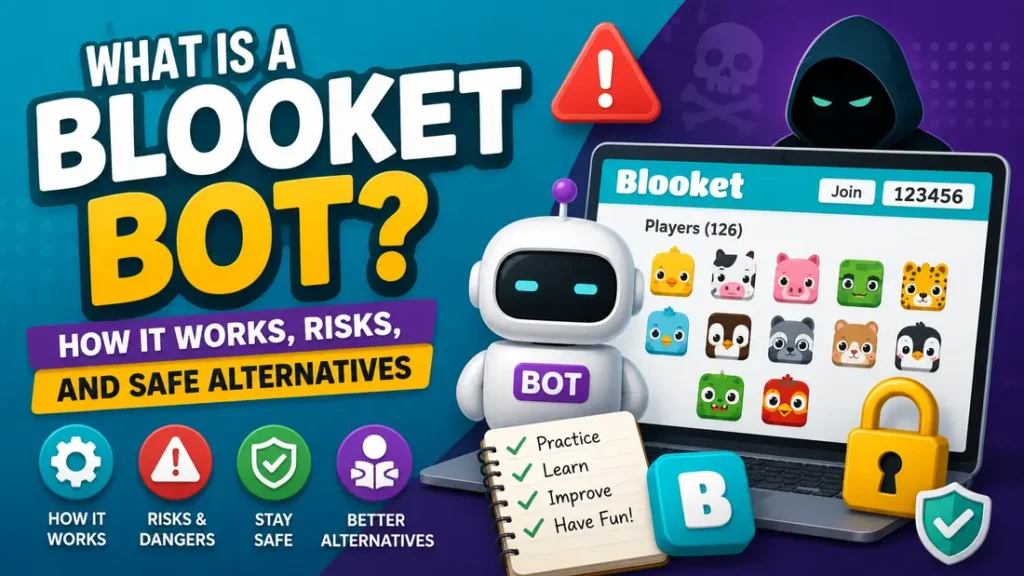
Picture a classroom Blooket game where everything seems normal, then suddenly the player list starts filling up with strange usernames. Nobody in the room is joining, yet the lobby keeps growing. That is where the term Blooket Bot usually enters the conversation.
So, what is a Blooket bot? In simple terms, it is an unofficial tool or script that automates actions normally performed by a real player. A bot may join a game, create fake players, answer questions automatically, or repeatedly enter and leave a lobby. These tools are made by third parties, not by Blooket itself, so there is no official Blooket bot feature.
Students may come across a Blooket bot tool while looking for game shortcuts, pranks, or ways to automate gameplay. Teachers are more likely to encounter Blooket bots when a live game suddenly gets flooded with unfamiliar players. This guide explains the Blooket bot meaning, how these tools work, the risks involved, and safer options for both students and teachers.
What Is a Blooket Bot?
A Blooket bot is an unofficial program, script, or online tool that uses automation to act like a player in a Blooket game. Instead of someone sitting at the keyboard and joining or answering questions themselves, the software handles some of those actions automatically. That can mean adding fake players to a lobby, sending repeated join requests, answering questions, or simply causing a game to become crowded and difficult to manage.
The simplest Blooket bot definition is this: it is an automated player that interacts with a Blooket game without normal human control.
The Blooket bot meaning can vary depending on the tool. Some bots are built mainly for flooding a game with fake players, while others claim to automate answers or help users collect rewards. Either way, these tools come from outside Blooket and are not part of the platform’s normal gameplay.
How a Blooket Bot Differs From a Real Player
A real player joins a game manually using the available joining method, enters a name, and takes part in the game. Blooket supports joining through a game code, QR code, or join link, and students can join a live game without having a Blooket account.
An automated Blooket player works differently. The software performs actions on its own and can sometimes create several fake player entries. You might see a lobby suddenly fill with unfamiliar names even though only a small group of students is actually in the room.
Some tools try to answer questions automatically, while others focus on flooding or disrupting the lobby. This is where Blooket automation can quickly turn from a curiosity into a classroom headache.
What Blooket Bots Are Not
There are a few common misunderstandings worth clearing up.
A Blooket bot is not an official Blooket feature. It is also not the same thing as normal gameplay automation provided by the platform. Seeing a bot in a game does not automatically mean someone’s Blooket account has been hacked either.
Bots are also not a guaranteed shortcut to free coins, rare Blooks, or better scores. Claims made by third-party tools can be exaggerated, and a free bot is not automatically a safe one.
For teachers, Blooket fake players are usually the biggest giveaway. When a normal classroom lobby suddenly looks packed with unfamiliar names, automation may be the reason.
How Do Blooket Bots Work?
At a basic level, a Blooket bot works by trying to act like a real player. A normal player joins a live game, enters a name, and takes part in the activity through a browser. A bot tries to automate some of those same interactions through a third party script or tool.
The process usually starts with a Blooket game code or another way to join a live session. The third party tool then attempts to interact with the game’s joining process. If it works, the tool may create one or more automated player sessions that appear in the host’s lobby.
Some tools go beyond simply joining. They may attempt to automate answers, repeat certain actions, or make players join and leave again and again. From the teacher’s point of view, this can look less like a normal class game and more like the lobby has suddenly developed a mind of its own.
Blooket’s rules prohibit unauthorized bots and software that automates control of games or other platform features. The rules also prohibit activity that abuses, interferes with, disrupts, or puts excessive load on the service. That means using a Blooket bot script is not simply another way to play the game. It can violate the platform’s rules.
Why Game Codes Make Bots Possible
Game codes make joining simple for legitimate players. A student receives the code, enters it through the joining page, chooses a name, and enters the game.
That same simple process is why third party automation tools often focus on the joining system. They try to reproduce actions that a person would normally perform manually. This does not mean every Blooket bot generator will work, though. The platform can change how its systems handle game sessions, requests, and player activity.
What Happens Inside a Blooket Lobby
When automation gets through, a teacher might notice several unusual signs:
- A large number of unfamiliar names appear at once
- The player count rises much faster than expected
- Players repeatedly join and leave
- Several accounts behave in almost identical ways
- Automated actions interfere with normal gameplay
A few odd usernames alone do not prove that bots are present. The bigger clue is usually a pattern of unusual activity.
Why Some Bots Stop Working
A Blooket bot system can stop working for several reasons. Blooket may change its website, update server-side controls, introduce rate limits, or remove a feature that an old script depended on. Browser updates can also break scripts that were built around older behavior.
This is why searches for whether a particular Blooket bot code or tool still works can produce mixed answers. A script that worked months ago may suddenly fail after a platform or browser update. In some cases, the tool itself may disappear or lose access to the function it was designed to automate.
Types of Blooket Bots
Not every Blooket bot is built to do the same thing. Some focus on filling a game with fake players, while others try to automate gameplay or create repeated disruptions. Knowing the main types makes it easier to understand what a teacher may see during a live session.
| Bot type | Main purpose | Typical effect |
|---|---|---|
| Flood bots | Add many automated players | Crowds or disrupts the lobby |
| Answer bots | Automate quiz responses | Creates an unfair advantage |
| Rejoin bots | Repeatedly enter or leave | Can disrupt a session |
| Name or chat spam bots | Generate disruptive identities or messages | Creates confusion |
| Silent bots | Join without normal gameplay | Inflates the player count |
Flood Bots
A Blooket flood bot is mainly associated with filling a lobby with automated players. Imagine a teacher has 20 students ready to play, then dozens of unfamiliar names suddenly appear on the screen. That is the kind of disruption flood tools are designed to create.
For a classroom, the problem is not just the extra names. A crowded lobby can make it harder to identify real students and may interfere with the start of the game.
Answer Bots
A Blooket answer bot takes automation a step further by attempting to answer quiz questions without normal human input. Some tools make Blooket auto answer claims, suggesting they can help a player answer questions faster or more accurately.
The obvious issue is fairness. Blooket is meant to involve students in answering questions and learning from the activity. Automated answers remove much of that process and can give one player an advantage that others do not have.
Rejoin and Spam Bots
Rejoin bots repeatedly attempt to enter or leave a game. Name and chat spam tools can also create a stream of unfamiliar usernames or unwanted messages.
For a host, repeated activity can become frustrating very quickly. Instead of watching students play, the teacher may have to spend time removing unwanted players and trying to restore order.
Reward and Token Claims
Some third party tools make big promises about unlimited coins, rare Blooks, or instant rewards. This is where a healthy dose of skepticism helps.
A Blooket coin bot is not a magic wallet. Claims about unlimited rewards should not be treated as guaranteed, especially when a tool asks for account details, downloads, or other access. The same applies to a Blooket bot flooder that promises effortless results.
In short, bot types may look different, but they share one thing: they replace normal player activity with automation and can create problems for both players and hosts.
Why Do People Use Blooket Bots?
The reasons people search for Blooket bots vary. For some students, it starts as a joke. For others, it may come from wanting an easier way to win or simply wondering what these tools can actually do. Whatever the reason, using automation can create problems that are easy to overlook.
Pranks and Game Disruption
One common reason is simple mischief. A Blooket bot prank may involve filling a classroom lobby with fake players or repeatedly sending unwanted activity into a live game.
It might sound funny for a moment, especially when friends are involved, but the joke can quickly become a headache for the teacher and everyone else trying to play.
Trying to Win Without Playing
Some people look for a Blooket auto answer tool because they want higher scores without answering questions themselves. These tools are often presented as a shortcut, particularly in searches for Blooket cheats or a Blooket bot hack.
The catch is that automated answers remove the actual challenge of the game. They can also create an unfair advantage over students who are playing normally.
Curiosity
Not every search comes from someone planning to disrupt a game. A student might see a bot in a video, hear about one from a classmate, or come across a post online and wonder how it works.
That curiosity is understandable. The safer approach is to learn what these tools do and what risks come with them rather than installing an unknown script.
Claims About Free Coins and Blooks
Promises of unlimited coins, rare Blooks, or instant rewards can also attract attention. But these claims deserve a careful look. Third party tools may exaggerate what they can provide, and some may use reward promises to get users to download software or hand over account information.
So, why use Blooket bots? The answer usually comes down to pranks, shortcuts, curiosity, or reward claims. None of those reasons makes the risks disappear.
Are Blooket Bots Allowed?
If you are wondering, is Blooket bot allowed? The short answer is no when it involves unauthorized automation. Blooket’s rules treat unauthorized bots as prohibited activity, so using one is not simply another way to customize your gameplay.
What Blooket’s Terms Say
Blooket’s Terms of Service prohibit unauthorized bots and other forms of cheating. The rules cover more than simply using a bot. They also restrict creating, promoting, advertising, distributing, making such tools available, or helping others use them.
The rules also prohibit activity that interferes with, disrupts, abuses, or puts excessive strain on the service. That matters for tools designed to flood a game with automated players or repeatedly send activity into a lobby.
So when it comes to Blooket bot rules, the platform’s position is fairly clear: unauthorized automation is not an approved feature of the game.
Can You Get Banned for Using One?
Yes, a Blooket bot ban is a possible consequence when someone breaks the platform’s rules. Blooket reserves the right to suspend or terminate access when users violate its Terms.
That does not mean every person who experiments with a bot will automatically receive a permanent ban. The exact response can depend on the situation and the platform’s enforcement decisions.
Still, risking an account over a classroom game is a poor trade. Losing access to an account, progress, or other game-related content can be far more annoying than whatever short-term benefit the bot promises.
Is Using a Blooket Bot Illegal?
This question needs a little care. Breaking Blooket’s rules is not automatically the same thing as breaking the law.
There are three separate issues to consider:
- Platform rules: Unauthorized bots can violate Blooket’s Terms.
- School rules: A school may have its own policies covering cheating, disruption, or unauthorized software.
- Legal questions: Certain actions involving unauthorized access, interference, or software could raise legal concerns depending on what someone actually does and where they live.
For most students, the immediate concern is the Blooket bot terms, account consequences, and school policies. A bot is not worth treating as a harmless shortcut, especially when normal gameplay is the safer option.
Is Blooket Bot Safe?
If you are asking, is Blooket bot safe, the safest answer is to be cautious. The risk is not limited to what the bot does inside a game. The bigger concern can be the third party website, script, extension, or download behind it.
Account and Platform Risks
Using unauthorized automation can put a Blooket account at risk of suspension or loss of access. Even if a bot appears to work for a short time, that does not mean it is safe to use.
There is also the classroom side of the problem. A flood of automated players can disrupt a live game, make the player list unreliable, and interfere with results. If a teacher is using Blooket to check what students know, bot activity can make those results difficult to trust.
In other words, the Blooket bot risks can affect both the person using the tool and everyone else in the game.
Malware and Suspicious Downloads
A bigger concern is what happens when a bot requires you to install something first. An unknown browser extension, executable file, or script from a random website could contain unwanted software.
Be especially careful with pages that imitate Blooket’s login screen. A site can look convincing while having nothing to do with the real platform.
A useful rule is simple: if a tool requires an unusual download just to join or play a game, stop and check it before continuing.
Phishing and Credential Theft
Never assume a third party bot needs your Blooket password.
A request for your password, cookies, session information, or other account data should be treated as a serious warning sign. Someone offering a “free” bot may actually be trying to collect login details.
This is where Blooket bot phishing becomes a real concern. Once someone has access to an account, the problem can extend well beyond a single game.
School Network Risks
Using unauthorized software on a school computer can create another set of problems. School devices often have restrictions on extensions, downloads, and scripts for good reason.
Installing a questionable Blooket bot could lead to the software being blocked, an IT review, or a teacher having to deal with another classroom disruption.
Why “Free” Does Not Mean Safe
A free tool can still come with a hidden cost. Before trusting any third party bot, watch for these red flags:
- Requests for your password
- Requests for cookies or session tokens
- Forced downloads
- Suspicious browser extensions
- Fake “verification” pages
- Claims of guaranteed coins or rewards
- Promises of an “unbannable” bot
These warning signs matter more than whether a website says its tool is fast, free, or powerful.
When it comes to Blooket bot security, the safest choice is to avoid unknown tools altogether. A classroom game is not worth risking an account, school device, or personal information.
How Can You Tell If a Blooket Game Has Bots?
For teachers, spotting unusual activity early can save a lot of hassle. A few strange usernames do not automatically mean a bot is involved, but several odd patterns appearing at the same time can be a strong reason to pause the game and check the lobby.
Sudden Player Count Spike
One of the easiest signs of Blooket bots is a player count that suddenly makes no sense. For example, a teacher may expect 25 students to join, only to see dozens or even hundreds of players appear within seconds.
A sudden jump does not prove there is a Blooket bot attack, but it is certainly worth checking before starting the game.
Similar or Randomized Names
Look at the player list. Automated accounts may use random strings, repeated prefixes, numbers, or names that follow an oddly similar pattern.
One unusual username is not much to worry about. A long list of names with nearly identical formats is more suspicious, especially when those players joined within a very short period.
Unusual Gameplay Behavior
Gameplay can provide another clue when trying to understand how to detect Blooket bots. Watch for patterns such as:
- Many players joining at almost exactly the same time
- Players repeatedly appearing and disappearing
- Several accounts behaving in nearly identical ways
- Unusually consistent answer patterns across multiple players
- Activity continuing even when students in the room are not doing anything
None of these signs should be treated as proof on its own.
Unexpected Lobby Activity
Good Blooket bot detection is usually about looking at the whole picture. A sudden player spike combined with repeated joins, strange names, and unusual gameplay is much more concerning than any one sign by itself.
If something feels off, the host can pause before starting the game, review the player list, remove unfamiliar entries where the available controls allow it, and restart the session if needed.
The main goal is not to play detective. It is to catch Blooket fake players early enough that they do not disrupt the rest of the class.
How Teachers Can Stop Blooket Bots
When a Blooket game gets flooded with fake players, the best response is usually simple and calm. There is no need to turn the classroom into a tech battle. A few sensible habits can make it much harder for unwanted players to interfere with a live session.
Keep the Game Code Private
Treat the game code like a classroom access key. Share it only with the students who are supposed to join, and avoid posting it somewhere that anyone outside the class can see.
Blooket lets students join through game codes, QR codes, and join links, so controlling who receives that information is a good first step.
Check the Lobby Before Starting
Take a quick look at the player list before launching the game. It only takes a few seconds and can catch problems before they become disruptive.
Watch for:
- Unexpected names
- Several names with similar patterns
- Far more players than expected
- Players that nobody in the room recognizes
For example, if you have 25 students in class and the lobby suddenly shows 60 players, stop and check what is happening rather than starting immediately.
Use Available Host Settings
Blooket provides host controls that can help teachers manage how students enter and participate in games. Depending on the game mode, available options can include controls related to late joining, random names, and student accounts.
Manual starting can also give you a moment to review the lobby before everyone begins. If your selected game offers player or account controls, use the options that best fit your class.
Settings can vary between game modes, so it is worth checking what is available before the session begins.
Stop and Restart a Flooded Game
If a lobby is already being overwhelmed, continuing the game may only make things harder.
A practical response is to stop the session, remove unwanted players when the available controls allow it, and start a fresh game. Use new joining information rather than continuing to share the old code.
This can be especially useful when students are waiting and you need to get the class back on track quickly.
Contact School IT When Needed
Sometimes the issue goes beyond one Blooket game. Contact your school’s IT team if:
- A school-managed device has suspicious software installed
- Several classes experience similar problems
- A student’s account may have been compromised
- An unknown extension or program was installed
- The issue continues across multiple sessions
IT staff can check school devices and networks without putting teachers or students in the position of trying to investigate unfamiliar software themselves.
Do Not Try to Fight Bots With Another Bot
It can be tempting to look for a counter-tool when someone disrupts your game. That usually creates more problems than it solves.
Teachers should stick with Blooket’s available controls and normal school IT procedures instead of installing unofficial scripts. The goal is to get students back to learning, not start an arms race between competing pieces of software.
What Should Students Do Instead?
If the goal is to get better at Blooket, there are much better options than relying on automation. A bot might promise quick answers or easy rewards, but it does not help you remember the material or improve your next game.
Practice With Solo Gameplay
Solo play is a simple way to get familiar with question sets without the pressure of competing against classmates. Use it to spot questions you keep missing and revisit topics that need more work.
It also gives you a chance to learn how different game modes feel before playing in a live classroom session.
Improve Speed and Accuracy
You do not need a shortcut to get better. A few small habits can make a real difference:
- Review question sets before playing
- Spend extra time on topics you find difficult
- Read each question carefully before choosing an answer
- Look for common question patterns
- Focus on accuracy before trying to answer faster
Over time, knowing the material naturally makes it easier to respond quickly.
Earn Rewards Through Normal Gameplay
If you enjoy collecting Blooks or other in-game rewards, stick with the options provided through regular gameplay. Third party tools that promise unlimited coins or rare items may not deliver what they claim and can create account or security problems.
Playing normally also keeps your progress tied to genuine activity rather than an unofficial tool.
Ask the Teacher for Help
Sometimes a student looks for a shortcut simply because they are struggling with the questions. If that sounds familiar, asking the teacher for clarification is a much better option.
A quick explanation or a little extra practice can help far more than an automated answer tool. The point of a classroom game is not just to finish first. It is to understand the material while having some fun along the way.
Blooket Bot vs Blooket Hack vs Blooket Cheat
People often use these terms interchangeably, but they can describe different things. Understanding the difference makes searches about Blooket cheats and automation a little less confusing.
| Term | Meaning |
|---|---|
| Blooket Bot | Software that automates player or gameplay actions |
| Blooket Hack | A broad term often used for unauthorized modification or access |
| Blooket Cheat | An unauthorized method used to gain an advantage |
| Blooket Flooder | A tool designed to add or manage many automated players |
A Blooket bot is mainly about automation. A cheat is a broader idea that can include different methods of gaining an unfair advantage. “Hack” is even broader and is often used online as a catch-all term, even when no actual hacking is involved.
Blooket’s rules address unauthorized bots, cheating, and other activity that interferes with the platform. So while the terminology varies, students should not assume that changing the name of a tool makes its use acceptable.
Common Myths About Blooket Bots
Blooket bots have picked up plenty of claims online. Some are based on real features, while others are simply marketing talk from third party websites. Here are a few common myths worth clearing up.
“Every Blooket Bot Still Works”
Reality: Third party tools can stop working when Blooket changes its website or server systems. Browser updates can also break older scripts. A tool that worked last year, or even a few months ago, may no longer behave the same way.
“A Free Bot Cannot Hurt My Account”
Reality: Free does not mean safe. A free bot can still ask for login details, push suspicious downloads, or expose an account to security problems.
The price tag tells you very little about what happens behind the scenes. Be especially careful with tools that request passwords, cookies, extensions, or unusual permissions.
“Bots Give Unlimited Coins”
Reality: Claims about unlimited coins, Blooks, or other rewards should be treated with caution. An unofficial tool cannot simply be assumed to have unlimited access to Blooket’s reward system.
Some sites may use impressive claims to encourage downloads or collect account information. If a promise sounds too good to be true, it deserves a closer look.
“A Bot Is the Same as Hacking Blooket”
Reality: Botting, cheating, and hacking can overlap, but they are not the same thing.
Botting generally refers to using software to automate actions. Cheating is a broader term for gaining an unfair advantage. Hacking usually refers to unauthorized access or modification. People may use these words loosely online, which can make the subject confusing.
“Teachers Cannot Stop Bots”
Reality: Teachers are not powerless. They can reduce disruption by keeping game information private, checking the lobby before starting, using available host settings, and restarting a session when necessary.
The best response is usually prevention and quick action, not trying to compete with the software.
Final Verdict: Should You Use a Blooket Bot?
A Blooket Bot may look like an easy shortcut, but the tradeoff is rarely worth it. These tools are unofficial, and using unauthorized automation can go against Blooket’s rules. Depending on what the tool does, there can also be account, security, and classroom-related problems.
The biggest concern is often not whether a bot works. It is what you risk by trusting an unknown third party tool. A download could be unsafe, an account could face restrictions, and a flood of automated players can turn a normal classroom game into a frustrating mess.
Students already have safer ways to improve. Practicing question sets, playing normally, reviewing weak areas, and asking teachers for help can build real skills while keeping gameplay fair.
Teachers also have useful ways to reduce disruption. Keeping game information private, checking the lobby, using available settings, and restarting a flooded session can help keep unwanted players out.
In the end, there is little reason to trade a few minutes of convenience for account trouble, security concerns, or a ruined classroom game. Normal play is the safer bet.
Frequently Asked Questions About Blooket Bots
What is a Blooket Bot?
A Blooket bot is an unofficial program or script that automates actions in a Blooket game. Depending on the tool, it may create fake players, join a lobby repeatedly, automate answers, or disrupt a live session. These tools are created by third parties rather than being an official Blooket feature.
Are Blooket Bots allowed?
No. Unauthorized bots are prohibited under Blooket’s Terms of Service. The rules also cover creating, promoting, distributing, or helping others use unauthorized bot tools. Using one should not be treated as a normal gameplay option.
Can you get banned for using a Blooket Bot?
Yes, account suspension or termination is possible when someone breaks Blooket’s rules. That does not mean every user will automatically receive a permanent ban, but using unauthorized automation does create a risk to the account.
Is Blooket Bot safe?
An unofficial bot is not automatically safe. Some tools may require downloads, browser extensions, passwords, cookies, or other account information. Unknown websites can also use fake login or verification pages to collect personal details. It is best to avoid tools that request sensitive account information.
Do Blooket bots give free coins?
Claims about free or unlimited coins, Blooks, and other rewards should be treated carefully. Third party tools may make promises that they cannot deliver. A reward claim is not proof that the tool can actually change your legitimate Blooket balance or provide permanent rewards.
How do teachers stop Blooket bots?
Teachers can take several simple steps:
- Keep the game code or joining information private
- Check the lobby before starting
- Remove unfamiliar players when available
- Use suitable host and account settings
- Restart a flooded game with fresh joining information
- Contact school IT if suspicious software or account activity is involved
How can you tell if someone is using a Blooket bot?
Look for several unusual signs rather than relying on one clue. A sudden player spike, groups of similar or random names, repeated joining and leaving, and unusually consistent gameplay can all raise suspicion.
None of these signs proves that a bot is being used on its own. A pattern of several unusual behaviors is more useful when checking a disrupted game.
Does Blooket have an official bot?
No authorized bot for automated gameplay is presented as a normal Blooket feature in its official materials. Tools that automate gameplay or imitate players should therefore be treated as third party software rather than part of the standard Blooket experience.
Can students join Blooket without an account?
Yes. Students can join live Blooket games without creating an account. They can use the joining information provided by the host, such as a game code, to enter the session.
What should I do if my Blooket game gets flooded?
Stop the session rather than allowing the disruption to continue. Check the lobby, remove unwanted players when the available controls allow it, and start a new game with fresh joining information.
If the problem continues, or if a school device or account may have been affected, contact your school’s IT team. This is a better approach than installing another unofficial tool to fight the problem.
Read Also: Is Xovfullmins Dangerous? What You Should Know Before Using It