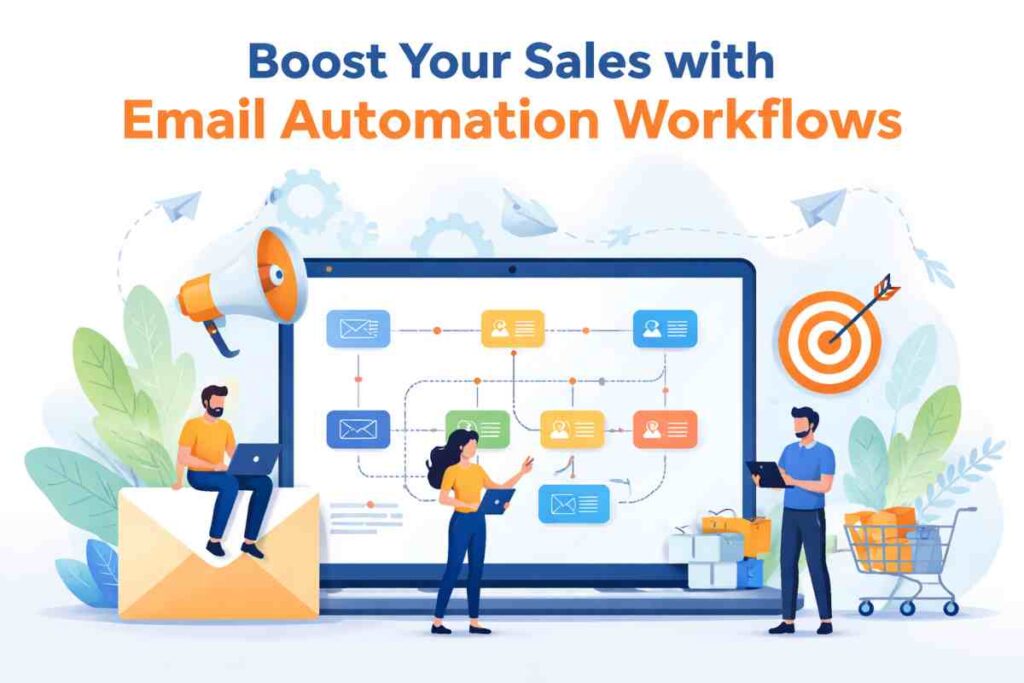
Email automation workflows are structured email sequences sent automatically after a user takes a specific action. These actions may include signing up for a newsletter, leaving items in a cart, downloading a guide, or completing a purchase. Instead of sending the same message to everyone, these workflows react to behavior, which makes each email more relevant and timely.
Unlike broadcast emails sent to an entire list at once, triggered emails respond to individual activity. This difference is what drives stronger results. When messages arrive at the right moment with the right message, readers are more likely to click, return, and buy.
Performance data supports this approach. Automated sequences can produce up to 30 times more revenue per recipient compared to one time campaigns. The reason is simple. These emails reach people when interest is already present, which shortens the path from interest to purchase.
Conversion gains also come from consistency. A planned sequence keeps your brand visible during key decision moments instead of relying on random contact. Each email moves the reader one step closer to action.
This guide covers five proven workflows used by high performing marketing teams. You will learn how welcome sequences, cart recovery emails, lead nurturing flows, re-engagement campaigns, and post purchase emails turn casual subscribers into repeat buyers.
What Are Email Automation Workflows?
Email automation workflows are pre-planned email sequences sent automatically when a user performs a specific action. Instead of manual sending, these systems run in the background and deliver messages based on rules you define. This makes communication feel timely and relevant without extra effort from marketing teams.
These workflows usually connect with email platforms, customer data systems, and website tracking tools. When someone signs up, browses products, or clicks a link, the system reacts instantly. This allows brands to maintain steady communication without sending unnecessary messages.
How Email Automation Sequences Work
Automation sequences rely on four main elements that make them effective:
Trigger based emails
These emails start when a user completes an action such as account creation, product views, or checkout exits.
User behavior tracking
Systems monitor clicks, browsing activity, purchases, and engagement patterns to decide what message should be sent next.
Timing logic
Workflows control when emails arrive. Some send instantly while others wait hours or days to maintain interest without overwhelming readers.
Personalization
Emails may include names, product suggestions, or past activity references. This makes messages feel relevant rather than generic.
Why Automated Emails Convert Better Than One Time Campaigns
Automated sequences often outperform batch campaigns because they reach users at the right moment.
Relevance improves response since messages match user actions.
Timing keeps your brand present during decision moments.
Personalization builds trust and improves click rates.
Purchase intent targeting focuses on users already considering a purchase.
Key Performance Data
Research shows automated workflows can generate up to 30 times more revenue per recipient than single send campaigns. Cart recovery sequences often recover a notable share of lost sales, while welcome sequences frequently produce strong first order rates. Engagement also improves, with higher open rates and stronger click activity compared to standard email blasts.
5 Email Automation Workflows That Increase Conversions
Strong email marketing results rarely come from random campaigns. They come from structured systems that guide subscribers from interest to purchase. This is where email automation workflows that boost conversions prove their value. Each workflow focuses on a specific stage of the customer journey, helping move people from curiosity to confidence and finally to action.
Well planned automation does more than send emails. It builds momentum. When subscribers receive useful messages at the right time, they stay engaged and move forward naturally. From first contact to repeat purchases, these workflows create consistent opportunities for revenue growth.
Below is one of the most important workflows every business should set up first. Choosing the right email autoresponder quietly shapes every step that follows, since the platform decides how reliably triggers fire, how cleanly handoffs between workflows happen, and how much manual upkeep the sequences demand over time.
Welcome Email Series
A welcome series is often the first real interaction after someone joins your list. This sequence sets expectations, introduces your value, and encourages the first purchase while attention is still fresh.
Why Welcome Emails Work
Welcome emails often reach open rates close to 50 percent because interest is highest right after signup. People still remember why they joined, which increases the chance they will read your message.
This stage also shapes the first impression. A clear introduction, simple messaging, and helpful information can build confidence quickly. When readers feel they made a good choice by joining, they are more likely to stay engaged.
Early trust building also plays a major role. When the first few emails deliver useful information instead of constant selling, readers become more comfortable with your brand.
Recommended Welcome Flow Structure
A simple structure keeps the sequence focused and effective:
Email 1: Send immediately with a welcome message and clear next step.
Email 2: Share helpful information about your product or service.
Email 3: Present a first purchase incentive or featured offer.
Email 4–5: Optional emails that include testimonials, brand story, or product tips.
Spacing these emails across several days keeps interest active without creating fatigue.
Optimization Ideas
Several improvements can strengthen results:
Segmentation allows different messages based on signup source or interests.
First purchase incentives such as discounts or free shipping can motivate early action.
Behavioral branching allows the workflow to change based on clicks or purchases, keeping the experience relevant for each subscriber.
Abandoned Cart Email Recovery
Cart recovery emails target shoppers who added products to their cart but left without completing checkout. This workflow brings them back while interest still exists and removes hesitation that may have stopped the purchase.
Many buyers leave because of distractions, unexpected costs, or simple indecision. A well timed reminder can bring them back before interest fades. This makes cart recovery one of the highest earning automation sequences in email marketing.
Why Cart Recovery Emails Drive Revenue
Research shows nearly 70 percent of online shopping carts get abandoned before checkout. That means most potential revenue disappears unless there is a system designed to recover it.
Cart recovery workflows often produce the highest revenue per recipient among automation sequences, with some averages reaching around $3.65 per email recipient. This happens because these users already showed strong buying intent. They only need a reminder or small push to complete the purchase.
These emails also work well because they focus on warm prospects rather than cold audiences. The purchase decision is already under consideration.
Ideal Abandonment Email Timing
Timing strongly affects recovery rates. A simple three email structure often produces steady results:
Email 1: Send within 1 to 3 hours as a reminder showing the exact items left behind.
Email 2: Send after 24 hours to reinforce interest and address hesitation.
Email 3: Send a final message with a small incentive such as a discount or free shipping.
This sequence keeps your offer visible without overwhelming the shopper.
Conversion Improvement Ideas
Several small adjustments can improve recovery performance:
Product images remind shoppers what they almost bought.
Dynamic discounts can encourage completion when price hesitation exists.
Social proof such as reviews can reduce doubt.
Urgency messaging such as limited stock or limited time offers can encourage faster decisions.
Lead Nurturing Email Sequences
Lead nurturing email sequences focus on people who showed interest but are not ready to buy yet. These workflows build confidence through helpful information, product education, and timely follow ups. Instead of pushing for immediate sales, they guide prospects step by step toward a decision.
This approach works well because most buyers need time before committing. A structured sequence keeps communication active while trust develops. When done correctly, nurturing emails can turn early interest into qualified opportunities.
When Lead Nurturing Workflows Trigger
Lead nurturing sequences usually start after mid-funnel actions that show buying interest. Common triggers include:
Resource downloads such as guides, checklists, or reports.
Webinar signups where prospects want deeper information.
Demo requests that indicate serious evaluation intent.
These signals help identify people who may convert with the right follow up communication.
Example Lead Nurturing Timeline
A simple timeline keeps the conversation structured:
Day 1: Send a thank you email with the requested resource and clear expectations.
Day 3: Share related educational content that answers common questions.
Day 7: Send a demo invitation or product walkthrough opportunity.
Day 10: Present a targeted offer or consultation invitation.
Spacing messages like this keeps interest active while avoiding message fatigue.
Lead Conversion Tactics
Several tactics can improve results within nurturing workflows:
Educational value emails help prospects understand benefits without pressure.
Case proof such as customer results or success stories can reduce hesitation.
Personalized recommendations based on user behavior can make offers feel more relevant and timely.
Re Engagement Email Campaigns
Re engagement email campaigns focus on subscribers who stopped opening emails or interacting with your brand. Instead of removing these contacts too quickly, a win back sequence gives them a reason to return. This protects list value while recovering potential revenue that might otherwise disappear. An email lookup tool can help verify email addresses before attempting re-engagement, increasing the chances of successful outreach.
Inactive subscribers often still have interest but may have become distracted, overwhelmed with emails, or simply forgot about your brand. A well planned re engagement sequence can restart the conversation and bring them back into your sales funnel.
When To Trigger Win Back Emails
Most re engagement workflows begin after a clear period of inactivity. A common benchmark is between 60 and 90 days without opens, clicks, or purchases.
This timeframe helps identify subscribers who are losing interest while still giving enough opportunity to recover them. Acting too late can reduce response rates, while acting too early may annoy active readers.
Re Engagement Email Structure
A simple structure helps restart interest without overwhelming the subscriber:
Miss you email: A simple check in message that invites the subscriber to reconnect.
Incentive email: A follow up offer such as a discount or exclusive deal to encourage action.
Preference update email: A message allowing subscribers to update interests or email frequency instead of unsubscribing.
This structure gives multiple chances for the subscriber to respond.
Re Engagement Strategies
Several strategies can improve win back results:
Past behavior targeting allows emails to reference categories or products previously viewed.
Product interest reminders can bring attention back to items similar to past activity.
Limited offers with clear deadlines can encourage quicker responses from inactive subscribers.
Post Purchase Email Workflows
Post purchase email workflows focus on customers after they complete an order. Many brands stop communication at this stage, but this is often when long term customer value is built. A thoughtful follow up sequence can turn a single purchase into repeat business.
These workflows also reduce buyer doubt. Order updates, helpful information, and follow up messages reassure customers they made the right decision. This keeps satisfaction high and opens the door for future sales.
Why Post Purchase Emails Increase Customer Value
Post purchase emails often reach open rates around 61 percent because customers expect updates about their orders. These messages feel important rather than promotional, which increases engagement.
They also create repeat purchase opportunities. When customers receive helpful follow ups, they remain connected to your brand. This increases the chance they will return when they need something again.
Consistent follow up also strengthens relationships. Customers who feel supported after purchase often show stronger loyalty compared to those who receive no communication.
Post Purchase Email Flow Example
A structured sequence keeps customers engaged after checkout:
Order confirmation: Immediate confirmation with purchase details and expectations.
Shipping updates: Delivery progress messages that maintain transparency.
Product education: Tips that help customers get better results from their purchase.
Review request: A follow up asking for feedback after delivery.
Upsell email: Suggestions for related products based on the original purchase.
Loyalty Building Ideas
Simple additions can strengthen long term retention:
Product tips help customers get more value from what they bought.
User generated content requests encourage customers to share photos or experiences. To maximize engagement, businesses can align their strategies with evolving digital trends. Understanding ott business models can further help in structuring platforms that encourage consistent user participation and scalable content sharing.
Referral offers reward customers who recommend your brand to others — automate the whole process with referral software such as Referral Rock, Referral Factory or Friendbuy.
Email Automation Workflow Best Practices
Even the best email automation workflows need regular improvement to produce steady results. Small adjustments in targeting, timing, and testing can improve engagement and drive more sales without increasing email volume. Strong workflows focus on sending the right message to the right person at the right moment.
The following practices help improve workflow performance while keeping communication relevant and effective.
Personalization Strategies That Increase Conversion Rates
Personalization helps emails feel relevant instead of generic. When messages reflect user actions, readers are more likely to respond. To maintain strong deliverability and ensure these personalized messages reach inboxes consistently, implementing an Email warmup process can help build sender reputation over time.
Behavior based targeting allows emails to react to actions such as product views, downloads, or previous clicks.
Purchase history usage helps suggest related products or upgrades based on what customers already bought.
Dynamic content allows parts of the same email to change depending on the reader. This may include product suggestions, location details, or interest categories. A personal email signature can also reinforce personalization by adding identity, context, and a more human touch to every message.
These improvements help each email feel written for the individual rather than a broad audience.
Email Timing Optimization
Timing affects whether emails get opened or ignored. Finding the right balance can improve engagement without increasing volume.
Send time testing helps identify when subscribers are most active. Testing different days and times often reveals patterns.
Trigger delays allow you to control when follow ups are sent after an action. A short delay can prevent messages from feeling automated.
Frequency balance prevents fatigue. Too many emails may cause unsubscribes, while too few may reduce awareness. Additionally, because high-frequency automation can sometimes trigger security filters, it is a best practice to regularly check Barracuda reputation.
Segmentation Strategies
Segmentation improves relevance by grouping subscribers based on behavior or profile data.
Buyer vs browser segments allow different messaging for customers and prospects.
New vs repeat customers help adjust messaging based on experience level.
Engagement segments separate active readers from inactive ones so messaging can match interest levels.
Clear segmentation keeps communication focused and useful.
Testing And Optimization Methods
Ongoing testing helps improve results over time.
Subject line testing helps improve open rates through small wording changes.
Send time testing helps confirm the best delivery windows.
Offer testing compares different discounts or benefits to see which produces stronger response.
Regular testing allows steady improvements without major changes to your automation structure.
How To Build Your First Email Automation Workflow
Building your first email automation workflow does not require a complex setup. A simple structure with clear triggers and useful emails can start producing results quickly. The goal is to create a path that guides subscribers from their first action toward a purchase. Sending these messages from a professional business email helps maintain high deliverability rates and ensures your brand looks authoritative from the very first interaction.”
Start simple, then improve based on performance data.
Basic Setup Process
The first step is to choose an automation platform that matches your business size and marketing needs. Most email platforms include visual workflow builders that make setup straightforward.
Next, define triggers that will start your workflow. These may include newsletter signups, product views, downloads, or completed purchases.
After that, build your email sequence. Focus on writing emails that answer questions, introduce your offer, and encourage the next step.
Then set delays between emails. Spacing messages across several days usually works better than sending everything too quickly.
Finally, launch testing. Send the workflow to a small group first, review performance, and adjust timing or messaging if needed.
Tools Commonly Used
Several platforms make workflow creation easier through drag and drop builders and analytics dashboards.
Klaviyo is widely used by ecommerce brands.
HubSpot works well for businesses that want marketing and sales tools in one place.
Venturz is specifically built for startups and small businesses looking for an all-in-one solution.
ActiveCampaign offers strong automation features for growing companies.
Mailchimp remains a popular choice for small businesses starting with automation.
Mailercloud is a free email marketing platform that delivers result.
Common Mistakes To Avoid
Some common errors can reduce workflow performance.
Too many emails can overwhelm subscribers and increase unsubscribe rates.
Poor timing can cause emails to arrive when interest is low.
No segmentation leads to irrelevant messages being sent to the wrong audience.
Generic messaging makes emails easy to ignore. Messages should always connect with user actions or interests.
Email Automation Workflow Metrics To Track
Tracking the right metrics helps you understand whether your email automation workflows are producing real business results. Without performance tracking, it becomes difficult to know what is working and what needs adjustment. Focusing on a few core numbers can reveal where conversions are growing and where opportunities exist. Many email marketing agencies rely on these specific data points to identify bottlenecks in subscriber engagement and refine the customer journey accordingly.
Regular monitoring also helps improve future campaigns through small adjustments rather than major changes.
Essential KPIs
Several key performance indicators show whether your workflows are moving subscribers toward purchase.
Conversion rate shows how many recipients completed a desired action such as a purchase or signup.
Revenue per subscriber measures how much income each contact generates through automation sequences.
Open rate shows how many recipients opened your emails. This usually reflects subject line strength and timing.
Click rate tracks how many readers interacted with your links. This indicates how engaging your content and offers are.
Unsubscribe rate helps identify if your workflow sends too many emails or sends messages that feel irrelevant.
Tracking these numbers together gives a clear picture of workflow health.
Performance Benchmarks
Benchmark data helps you compare your performance against typical results. Welcome email sequences often produce strong early revenue, with some averages around $2.65 per recipient. Cart recovery emails frequently produce some of the highest returns, averaging about $3.65 per recipient in many cases. Re engagement campaigns often recover around 10 to 20 percent of inactive subscribers, which helps recover lost opportunities without growing your list size.
Final Thoughts
Email automation workflows help turn email marketing into a predictable revenue channel instead of a guessing game. When emails respond to real customer actions, they feel timely, useful, and worth opening. This is what moves subscribers from interest to purchase.
The most effective strategies focus on the full customer journey. Welcome emails start the relationship. Cart recovery emails bring buyers back. Lead nurturing builds confidence. Re engagement restores attention. Post purchase emails create repeat customers.
Success comes from starting simple. Build one or two workflows first, track performance, then improve based on results. Small improvements in timing, targeting, and messaging often produce noticeable gains.
Businesses that treat email automation as a long term system rather than random campaigns usually see stronger engagement, better customer retention, and more consistent sales growth.
Read also: How Small Businesses Can Increase Sales Using CRM Automation