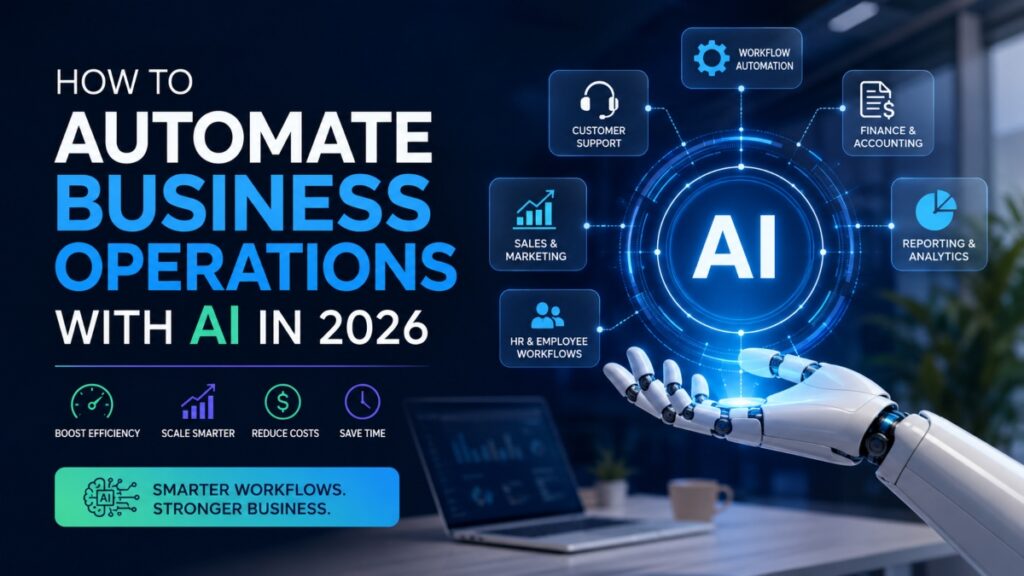
Businesses in 2026 are moving fast, and manual work is starting to feel expensive, slow, and outdated. Companies that automate business operations with AI are finding smarter ways to handle daily tasks, reduce errors, and keep teams focused on work that actually drives growth. From customer support to reporting and sales follow ups, AI business automation is helping organizations run with more speed and less friction.
The shift is not only about saving time. It is also about building systems that can scale without forcing companies to hire large teams for repetitive work. Modern workflow automation tools can process invoices, organize customer requests, schedule appointments, send reminders, and even generate reports with very little human input. What once took hours can now happen in minutes.
Another reason businesses are investing heavily in AI automation is consistency. Human teams get overwhelmed. Processes break. Important tasks slip through the cracks. AI powered systems help companies create repeatable workflows that stay organized even during periods of rapid growth.
In 2026, businesses are also becoming more comfortable with AI tools because they are easier to use than before. Many platforms now offer no code interfaces, smart integrations, and AI assistants that connect multiple apps together. This allows small businesses and large enterprises alike to improve operational efficiency, reduce costs, and respond faster to customer needs without building complex systems from scratch.
What AI Automation Means in 2026
AI automation in 2026 is no longer limited to basic task scheduling or simple software triggers. Businesses are now using systems developed by an AI development agency that can analyze information, recognize patterns, make recommendations, and take action with minimal human input. This shift is changing how companies manage operations, customer interactions, reporting, and internal workflows.
The biggest change is that automation is becoming more adaptive. Older systems followed fixed instructions. Modern AI workflow automation tools can respond to changing conditions, process unstructured data, and improve performance over time through machine learning. Instead of simply repeating tasks, these systems can support decisions and help teams work faster with better accuracy.
Difference Between Traditional Automation and AI Automation
Traditional automation relies on strict rules. If one action happens, the system performs another action. It works well for repetitive tasks with predictable outcomes, such as sending invoices or updating spreadsheets.
AI automation works differently. It uses intelligent automation systems that can understand context, sort information, and make recommendations based on data patterns. For example, an AI powered customer support platform can detect urgency in a message, route it to the correct department, and suggest a response within seconds.
Another major advantage is human decision support. AI systems do not simply replace manual work. They help employees make faster and smarter choices by summarizing data, identifying bottlenecks, and highlighting potential risks before they become larger problems.
What Hyperautomation Looks Like in Modern Businesses
Hyperautomation is becoming one of the biggest business technology trends in 2026. It combines AI agents, machine learning, robotic process automation, and connected workflows into one unified system.
Instead of automating one task at a time, businesses are connecting multiple processes across departments. A customer request can trigger sales updates, support actions, billing adjustments, and reporting workflows automatically across several platforms.
Modern AI workflow automation tools are also becoming more connected. Businesses can now link customer relationship software, accounting systems, communication apps, and analytics dashboards together through cross platform automation. This creates faster operations, fewer delays, and better visibility across the entire organization.
Why Businesses Are Automating Operations with AI
Businesses in 2026 are under pressure to move faster while keeping costs under control. Customers expect quick responses, employees expect smoother systems, and competition keeps getting tighter across almost every industry. This is why companies are investing heavily in AI powered operations that improve speed, consistency, and operational efficiency without creating extra complexity.
The biggest advantage is simple. AI allows businesses to remove repetitive manual work from everyday processes. Instead of spending hours updating records, organizing data, answering common questions, or generating reports, teams can shift their attention toward higher value work that needs creativity and strategy.
Faster Operations and Reduced Manual Work
Many companies lose valuable time handling routine administrative tasks. AI automation and an AI Call Assistant help reduce delays by processing information instantly and triggering actions automatically” Tasks like invoice approvals, appointment scheduling, email follow ups, and support ticket routing can now happen in real time.
This creates smoother workflows across departments and improves overall speed. Teams spend less time chasing updates and more time focusing on growth, customer relationships, and decision making.
Better Accuracy and Fewer Errors
Manual processes often create small mistakes that turn into expensive problems later. Missing data, duplicate entries, incorrect calculations, and delayed approvals can slow operations and frustrate customers.
AI systems help reduce these issues by following structured workflows and checking data automatically. Intelligent systems can also flag unusual activity, detect inconsistencies, and alert teams before mistakes become larger operational problems. This leads to more reliable processes and stronger operational visibility across the business.
Scalable Processes Without Expanding Headcount
One of the biggest reasons businesses adopt AI powered operations is business scalability. Growth usually increases workload, but hiring larger teams for every new task becomes expensive and difficult to manage.
Automation helps businesses handle larger volumes of work without dramatically increasing staffing costs. A company can process more customer requests, onboard more clients, and manage more transactions while keeping operations lean and organized. This improves automation ROI and allows businesses to grow more sustainably.
Improved Customer Experience
Customers notice when businesses respond quickly and stay organized. AI automation helps companies deliver faster support, personalized communication, and more consistent service across every interaction.
Chatbots can answer common questions instantly, automated systems can provide real time updates, and AI tools can route customer issues to the right department without delays. The result is a smoother customer experience that feels responsive and reliable instead of slow and fragmented.
Best Business Operations to Automate with AI
Not every business process needs automation, but some areas deliver faster results than others. In 2026, companies are focusing on repetitive tasks that consume time, create bottlenecks, or slow customer response times. The strongest AI process automation strategies usually begin with operations that happen daily and follow predictable patterns.
When businesses automate the right workflows first, they improve operational efficiency without creating confusion across teams. The goal is not to remove people from every process. The goal is to reduce repetitive work so employees can focus on decisions, creativity, and customer relationships.
Customer Support Automation
Customer support automation is one of the most common entry points for AI adoption because support teams handle large volumes of repetitive requests every day.
AI chatbots can answer common customer questions instantly, even outside business hours. This reduces wait times and gives support agents more time to handle complex issues that need human attention.
Businesses are also using AI workflow management systems for:
- Ticket routing based on urgency or department
- FAQ handling for common customer concerns
- Escalation workflows for sensitive requests
- Automated follow up messages
- Customer sentiment analysis
For example, if a customer sends a billing complaint, the AI system can detect the issue type, assign priority, and send the request directly to the correct support team within seconds.
This creates faster service and more organized support operations.
Sales and Marketing Automation
Sales and marketing teams spend enormous amounts of time managing repetitive outreach and lead tracking tasks. AI automation helps businesses move leads through the sales funnel more efficiently while keeping communication personalized.
Modern AI tools can analyze customer behavior, identify high intent leads, and recommend the best time to contact prospects.
Popular sales and marketing automation tasks include:
- Lead scoring based on customer behavior
- Email follow ups triggered automatically
- Outreach personalization using customer data
- Campaign automation across multiple channels
- Content recommendations for different audiences
- CRM updates without manual entry
For example, if a visitor downloads a pricing guide from a website, the system can automatically send a personalized email sequence, notify the sales team, and assign a lead score based on engagement.
This reduces manual tracking while improving conversion opportunities.
Finance and Accounting Automation
Finance departments often deal with repetitive processes that require accuracy and speed. When examining practical AI use cases in finance, it’s clear how AI automation helps businesses reduce manual data entry while improving visibility into financial operations.
Invoice processing is one of the biggest areas seeing rapid automation growth in 2026. AI tools can extract information from invoices, verify details, categorize expenses, and route approvals automatically.
Businesses are also automating:
- Payment reminders
- Expense categorization
- Payroll support tasks
- Financial reconciliation
- Fraud detection alerts
- Tax document organization
Fraud detection systems are becoming especially valuable because AI can analyze spending patterns and flag suspicious transactions much faster than manual review processes. Within financial oversight, verifying the Ultimate beneficial owner (UBO) helps strengthen transparency across business entities and transaction flows.
This improves financial accuracy while helping businesses reduce administrative workload.
HR and Employee Workflow Automation
Human resources teams manage large amounts of paperwork, employee requests, and repetitive internal processes. AI process automation helps HR departments create smoother employee experiences while reducing administrative pressure.
One of the most common use cases is onboarding automation. New employees can receive contracts, training materials, policy documents, and setup instructions automatically through connected workflows. Companies can also provide an app download QR code that allows new employees to install required workplace applications instantly during onboarding.
Other HR automation examples include:
- Internal support systems for employee questions
- Document collection and verification
- Interview scheduling
- Time off request approvals
- Employee feedback collection
- Policy and handbook search assistance
AI powered internal support tools can also answer common HR questions instantly, which reduces delays and improves communication across teams. Beyond internal queries, implementing AI Sourcing allows talent teams to identify top candidates more efficiently by automating the screening of passive profiles.
This creates a more organized onboarding experience while helping HR departments operate more efficiently.
Reporting and Business Analytics
Reporting is another area where businesses waste significant time every week. Teams often collect data manually from multiple systems before building reports that become outdated quickly.
AI powered reporting tools solve this problem by connecting data sources and generating real time insights automatically. Teams exploring Omni Analytics alternatives often prioritize platforms that offer similar depth in automated data visualization and cross-channel integration.
Businesses are now using predictive analytics and AI dashboards to:
- Monitor performance trends
- Forecast sales demand
- Detect operational bottlenecks
- Track customer behavior
- Identify revenue opportunities
- Measure workflow efficiency
Instead of waiting for monthly reports, decision makers can access live dashboards that update continuously throughout the day.
Predictive analytics tools are especially useful because they help businesses spot future risks and opportunities before they become obvious. A retail company, for example, can predict inventory shortages based on buying patterns and seasonal demand.
This allows businesses to make faster decisions with better visibility across operations.
The biggest advantage of AI workflow management is that it connects different departments together. Customer support, finance, sales, HR, and analytics systems can now share information automatically instead of operating in isolated silos. That creates smoother operations, faster communication, and stronger long term scalability for growing businesses.
Step by Step Process to Automate Business Operations with AI
Businesses often fail with automation because they move too quickly without understanding how their operations actually work. Successful AI automation is usually built step by step. The smartest companies focus on fixing inefficiencies first, then use technology to simplify and scale those processes.
The goal is not to automate everything overnight. The goal is to automate workflows with AI in a way that improves speed, accuracy, and long term stability without disrupting the business.
Audit Existing Workflows
The first step is understanding where time and resources are being wasted. Many businesses run outdated processes without realizing how much manual work happens behind the scenes.
Start by reviewing tasks that employees repeat every day or every week. These are usually the strongest automation opportunities.
Look for processes that involve:
- Repetitive data entry
- Manual approvals
- Copying information between systems
- Frequent customer requests
- Spreadsheet based reporting
- Scheduling and follow ups
It is also important to measure time waste. A process that consumes several employee hours every week may deliver strong automation value even if it seems small at first.
Another key step is locating bottlenecks. These are the points where workflows slow down because approvals, communication, or information transfer takes too long. AI systems work best when they remove friction from these areas.
Businesses should document:
- Average completion time
- Error frequency
- Delayed tasks
- Customer complaints connected to the workflow
- Cost of manual processing
This creates a clearer picture of which workflows deserve automation first.
Map and Standardize Processes
Once problem areas are identified, businesses need to organize workflows into clear and repeatable steps. AI automation works best when processes follow a structured path.
Workflow mapping helps teams visualize how tasks move from one stage to another. This includes identifying who handles each step, what information is needed, and where delays usually happen.
Many businesses use:
- Process documentation
- Workflow charts
- Decision trees
- Approval maps
Decision trees are especially useful because they help AI systems understand when to continue a task, when to escalate an issue, and when human input is required.
For example, a support ticket system may automatically respond to simple questions but escalate billing disputes directly to a manager.
Standardization matters because inconsistent workflows create inconsistent automation results. If employees handle the same task differently every time, the AI system struggles to operate efficiently.
The cleaner the process, the better the automation outcome.
Choose the Right AI Automation Tools
The next step is selecting technology that matches the company’s goals and technical capabilities. In 2026, businesses have access to a wide range of AI automation software designed for different use cases.
Smaller companies often prefer no code AI automation platforms because they allow teams to build workflows without advanced programming skills. These tools usually include drag and drop builders, prebuilt templates, and easy integrations with existing apps.
Businesses commonly use:
- No code automation platforms
- AI copilots
- RPA tools
- Workflow orchestration systems
- Analytics dashboards
- CRM tools and accounting integrations
AI copilots are especially useful for content generation, internal support, reporting assistance, and productivity tasks.
RPA tools handle repetitive rule based processes such as transferring data between applications or processing invoices automatically.
Integrations also matter. Automation systems should connect smoothly with existing software instead of forcing businesses to replace everything at once.
The best automation setup usually combines several tools working together across departments.
Start with One Pilot Workflow
One of the biggest mistakes businesses make is trying to automate too many processes at the same time. A smaller pilot project creates faster learning opportunities with lower risk.
Choose one workflow that:
- Happens frequently
- Has measurable outcomes
- Causes operational delays
- Produces repetitive manual work
Customer support triage, invoice processing, and appointment scheduling are strong starting points for many businesses.
Build the workflow inside a test environment first. This allows teams to identify problems before launching automation across the company.
A small rollout also gives employees time to adjust to the new system without overwhelming operations.
During the pilot phase, businesses should track:
- Time saved
- Error reduction
- Workflow speed
- Employee feedback
- Customer response times
Performance tracking helps determine whether the automation setup is delivering real business value.
Add Human Approval Layers
Even advanced AI systems still require human oversight. Businesses should never allow automation to operate without safeguards in areas involving sensitive decisions, customer disputes, or financial risk.
Human approval layers help businesses maintain quality control while reducing costly mistakes.
For example:
- Large financial transactions may require manager approval
- Legal documents may need human review
- Escalated customer complaints may require manual handling
- AI generated reports may need verification before distribution
Exception handling is also critical. AI systems should know when to pause workflows and request human intervention instead of making uncertain decisions automatically.
This reduces operational risk while creating more reliable automation systems.
Measure and Optimize Results
Automation is not a one time setup. Businesses need ongoing optimization to keep workflows efficient as operations grow and customer expectations change.
The strongest AI automation strategies rely heavily on data and performance measurement.
Key KPIs often include:
- Cost savings
- Workflow efficiency
- Processing speed
- Customer satisfaction
- Error reduction
- Employee productivity
- Revenue impact
AI systems also improve over time when businesses refine workflows based on performance data.
For example, if customer support tickets still experience delays, businesses may adjust routing rules or improve AI response accuracy.
Optimization should become a continuous process rather than a one time project. Businesses that regularly improve automation workflows usually achieve stronger operational efficiency, better scalability, and higher long term returns from AI investments.
Best AI Tools for Business Automation in 2026
Businesses in 2026 are no longer searching for basic automation software. They want systems that connect apps, reduce manual work, improve decision making, and support growth without creating technical headaches. The newest AI tools for business automation are built to handle workflows across customer service, marketing, finance, reporting, and internal operations.
Many companies are also shifting toward AI automation platforms that combine multiple capabilities in one place. Instead of managing disconnected tools, businesses now prefer connected ecosystems that automate tasks across departments. Recent industry reports show growing demand for AI agents, workflow orchestration, and cross platform integrations across modern operations. (The Wall Street Journal)
No Code Automation Platforms
No code platforms remain one of the fastest growing categories in AI automation because they allow non technical teams to build workflows without programming knowledge.
Popular platforms in 2026 include:
- Zapier
- Make
- n8n
- Gumloop
- Workato
These tools help businesses connect applications, automate approvals, move data between systems, and trigger actions automatically.
Zapier remains popular for simple workflow creation and broad app integrations. Make is often preferred for more advanced visual workflows with branching logic. n8n attracts businesses that want more customization and infrastructure control. (GPT for Work)
Many of these no code AI automation platforms now include AI powered workflow builders that generate automation steps through natural language instructions.
AI Writing and Productivity Assistants
AI copilots are becoming central to modern business operations. Teams use them for content creation, internal documentation, meeting summaries, research assistance, and productivity support.
Leading AI assistants in 2026 include:
- ChatGPT
- Claude
- Microsoft Copilot
- Jasper
- Notion AI
These tools help businesses reduce repetitive writing tasks while improving workflow speed. Microsoft Copilot continues to gain traction among businesses already using Microsoft 365 because it integrates directly into email, spreadsheets, presentations, and collaboration tools. (GPT for Work)
Claude and ChatGPT are also widely used for research, task automation, customer communication drafts, and internal knowledge support. (TechRadar)
AI Analytics and Reporting Tools
Analytics tools are becoming smarter and more proactive in 2026. Instead of waiting for teams to build reports manually, AI platforms can now identify trends, detect anomalies, and generate performance summaries automatically.
Businesses are using:
- Power BI with AI integrations
- Tableau AI
- Salesforce Einstein Analytics
- Looker AI
- Snowflake AI tools
These platforms improve predictive analytics by helping companies forecast demand, monitor operational performance, and identify bottlenecks faster. (Alai)
AI dashboards also improve visibility across departments by connecting customer data, sales metrics, operational performance, and financial reporting into one interface.
AI Customer Service Platforms
Customer support automation continues to expand rapidly because businesses want faster response times and more scalable support systems.
Popular AI customer service platforms include:
- Zendesk AI
- Intercom
- Freshdesk AI
- Salesforce Service Cloud
- eesel AI
These systems automate ticket routing, customer replies, FAQ handling, and escalation management. Some platforms now use AI agents that can resolve complete support conversations without human intervention for routine requests.
Businesses also use conversational AI to provide support across websites, messaging apps, and internal employee portals.
RPA and Workflow Automation Software
RPA software remains important for repetitive operational tasks involving structured workflows and legacy systems.
Leading workflow automation tools include:
- UiPath
- Automation Anywhere
- Blue Prism
- Workato
- Pipedream
These platforms handle tasks such as invoice processing, data extraction, document handling, and cross system synchronization. Businesses often combine RPA with AI workflow management tools to create more adaptive automation systems.
Modern AI automation platforms are also moving toward agent based workflows that can coordinate tasks across multiple applications automatically. Researchers and enterprise software companies are increasingly focused on AI agents that manage complex business processes with human oversight still in place for sensitive decisions.
Common Mistakes Businesses Make with AI Automation
AI automation can improve speed, consistency, and operational efficiency, but many businesses struggle because they approach automation without a clear strategy. In 2026, the companies seeing the strongest results are not necessarily the ones using the most advanced tools. They are the ones building reliable systems with realistic goals, strong oversight, and clean workflows.
Many automation failures happen because businesses rush implementation before fixing the problems already hiding inside their operations.
Automating Broken Processes
One of the biggest automation mistakes is trying to automate a process that already performs poorly. If a workflow is confusing, inconsistent, or overloaded with unnecessary steps, AI will simply repeat those problems faster.
For example, if customer support teams use unclear ticket categories or inconsistent approval procedures, automation systems may struggle to route requests correctly. This creates frustration instead of efficiency.
Businesses should simplify and standardize workflows before introducing automation tools. Clean processes produce stronger automation results and fewer operational issues over time.
Removing Human Oversight Too Early
AI systems are improving quickly, but they still make mistakes. Businesses that remove human review too early often create larger operational problems later.
Sensitive workflows involving legal decisions, financial approvals, customer disputes, or compliance issues still require human judgment. Responsible AI practices focus on balance rather than complete replacement.
Strong automation systems include:
- Human approval checkpoints
- Escalation procedures
- Exception handling rules
- Quality review systems
Human oversight is especially important when AI handles customer communication or financial transactions. A fully automated process without supervision can damage customer trust if errors go unnoticed.
Poor Data Quality
AI systems depend heavily on data accuracy. If businesses use outdated, incomplete, or inconsistent information, the automation results will also become unreliable.
Poor data quality often creates:
- Incorrect reporting
- Failed workflows
- Inaccurate customer communication
- Weak predictive analytics
- Bad recommendations
For example, an AI sales system trained on incomplete customer records may target the wrong audience or generate inaccurate lead scores.
Businesses should clean and organize data before scaling automation projects. Strong data governance improves both automation performance and long term operational visibility.
Ignoring Security and Compliance
Security remains one of the biggest automation risks in 2026. Many businesses connect multiple platforms together without fully understanding how sensitive data moves between systems.
AI powered workflows often handle:
- Customer records
- Payment information
- Employee documents
- Internal business data
- Financial transactions
Without proper safeguards, businesses increase the risk of data exposure, compliance violations, and unauthorized access.
AI governance is becoming more important because regulators and customers both expect companies to manage automation responsibly. Businesses should create clear policies around data usage, access permissions, audit tracking, and AI decision transparency.
Security should never become an afterthought during automation planning.
Trying to Automate Everything at Once
Another common mistake is attempting large scale automation too quickly. Businesses sometimes automate multiple departments at the same time without properly testing workflows first.
This usually creates confusion, integration problems, and employee resistance.
The strongest automation strategies begin with one high value process, then expand gradually after proving measurable results. A smaller rollout allows businesses to fix problems early and build confidence across teams.
Responsible AI adoption works best when businesses focus on steady improvement instead of chasing full automation immediately. The companies succeeding in 2026 are building controlled, scalable systems that support employees rather than overwhelm operations.
Future Trends in AI Business Automation
AI automation is moving far beyond simple task execution. In 2026, businesses are entering a phase where automation systems can coordinate workflows, analyze context, and support decision making across entire departments. The future of AI automation is becoming more connected, more adaptive, and far more integrated into daily operations.
Companies are no longer asking whether automation matters. The focus now is how quickly businesses can build smarter systems without losing control, visibility, or customer trust.
AI Agents Managing Multi Step Tasks
One of the biggest shifts in AI driven business operations is the rise of AI agents that can manage complete workflows instead of isolated tasks.
Traditional automation tools followed fixed instructions step by step. Modern AI agents can interpret requests, gather information, trigger actions across multiple systems, and adjust workflows based on changing conditions.
For example, an AI agent handling customer onboarding may:
- Collect submitted documents
- Verify account information
- Schedule follow up emails
- Notify internal teams
- Update CRM systems
- Escalate missing information automatically
Instead of relying on disconnected software tools, businesses are building systems where AI agents coordinate operations across departments with minimal manual input.
This creates faster execution and smoother operational flow across growing organizations.
Predictive Decision Systems
Businesses are also moving toward predictive systems that analyze patterns before problems appear. Instead of reacting to issues after they happen, companies now use AI to forecast trends, detect risks, and guide decisions earlier.
Predictive decision systems can help businesses:
- Forecast customer demand
- Predict inventory shortages
- Detect fraud patterns
- Identify declining customer engagement
- Anticipate operational delays
This changes how leadership teams manage strategy because decisions become more proactive instead of reactive.
AI driven business operations are becoming heavily data centered, with systems continuously analyzing performance and recommending actions in real time.
As predictive analytics becomes more accurate, businesses will rely less on manual reporting cycles and more on live operational intelligence.
Voice and Conversational Workflows
Voice based AI systems are becoming more common inside business operations. Employees are starting to interact with software through conversational commands instead of navigating complex dashboards manually.
Businesses are using conversational AI for:
- Internal support requests
- Meeting summaries
- Workflow approvals
- Customer service interactions
- Reporting queries
- Knowledge management
For example, a manager may ask an AI assistant for sales performance updates or inventory status using natural language instead of building reports manually.
Voice workflows are also helping businesses reduce friction for employees who need fast access to information without switching between multiple systems. The customer-facing side benefits too, where an AI voice agent lets callers resolve requests in a single turn instead of being transferred between departments.
This trend is pushing automation toward more human centered interactions.
Industry Specific AI Automation
The next phase of automation is becoming increasingly specialized by industry. Businesses want systems trained around their exact workflows, compliance requirements, and operational challenges.
Healthcare companies are building AI systems for patient scheduling and documentation management. Retail businesses are using automation for inventory forecasting and personalized shopping experiences. Financial firms are focusing heavily on fraud monitoring and compliance tracking.
Industry specific AI agents are expected to grow rapidly because businesses want automation tools that understand their operational environment instead of generic software built for broad use cases.
The future of AI automation will likely center around highly connected systems that combine predictive analytics, conversational interfaces, and specialized AI agents into unified operational ecosystems. Businesses that adapt early will have stronger visibility, faster workflows, and greater scalability as automation technology continues evolving.
Conclusion
AI automation is no longer limited to large enterprises with massive technology budgets. In 2026, businesses of every size can use smarter systems to improve workflow speed, reduce manual effort, and create more organized operations across departments. The key is knowing where to start and how to scale without creating unnecessary complexity.
The most successful companies are not trying to automate everything at once. They begin with repetitive work that slows teams down every day. Customer support requests, invoice processing, reporting, scheduling, and follow ups are often the best starting points because they produce fast and measurable improvements.
Businesses also need to remember that automation works best when humans stay involved in sensitive decisions. AI can process information quickly, but oversight still matters for customer relationships, financial approvals, compliance, and exception handling. Strong operational systems combine automation efficiency with human judgment.
Another important factor is consistency. AI workflows should be monitored regularly to measure performance, reduce errors, and improve results over time. Businesses that track workflow efficiency, customer satisfaction, and cost savings usually gain stronger long term value from automation investments.
The future belongs to companies that build practical, scalable systems instead of chasing automation for the sake of trends. Start small, improve one workflow at a time, and expand strategically as results become clear.
If you are ready to improve operational efficiency, this is a good time to book a consultation, try an automation audit, or test one workflow inside your business this month.