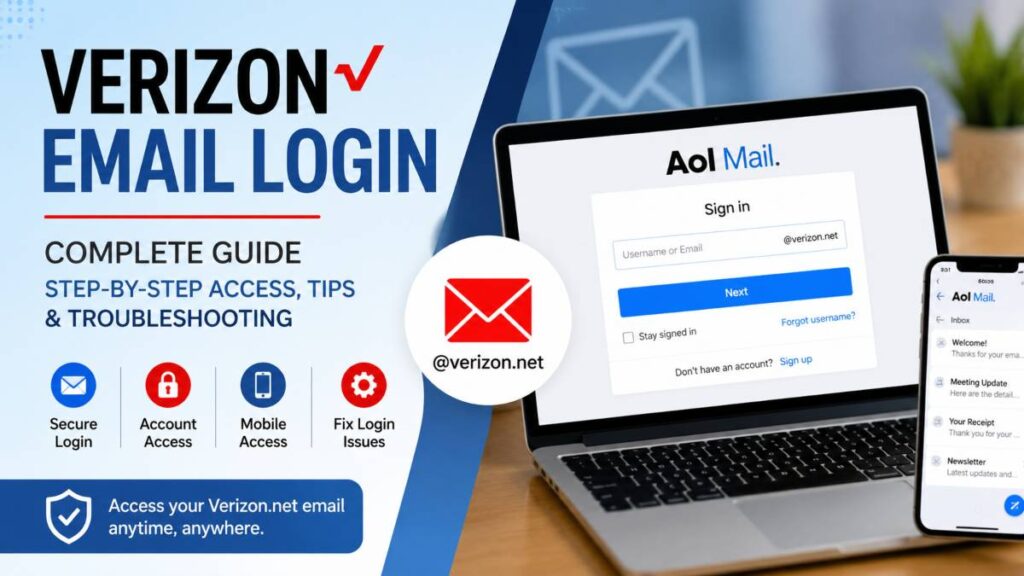
Verizon Email remains a trusted service for many people who still use a Verizon.net email address for personal or business communication. While Verizon no longer runs its own email platform, these accounts continue to work through AOL Mail. That means you can still access your inbox using your existing Verizon.net email address and password, but the sign in process now takes place on the AOL Mail login page.
This guide explains everything you need to know about Verizon email login in one place. You will learn where to sign in, how to access your inbox from a computer or mobile device, and what to do if you cannot log in. It also covers password recovery, common login errors, and the correct email settings for popular mail apps.
Whether you are returning to your Verizon.net account after a long time or simply need a quick refresher, this guide will help you sign in with confidence and keep your email accessible across all your devices.
How Verizon Email Login Works Today
Many people are surprised when they try to access their Verizon.net email and end up on an AOL Mail sign in page. This is completely normal. Verizon no longer operates its own email platform, so all active Verizon.net email accounts are now managed through AOL Mail. Your email address stays the same, but the service behind it has changed.
Why Verizon.net Email Moved to AOL
Verizon previously offered email accounts to its internet customers through the Verizon.net domain. After ending its email service, Verizon partnered with AOL to continue supporting existing users. As a result, anyone with an active Verizon.net email address signs in through AOL instead of a dedicated Verizon email website.
This change allows users to keep their email address, contacts, folders, and messages without creating a new account. As long as your account remains active, you can continue using it with your existing login details.
Which Login Page Should You Use
The safest way to access your Verizon email is by visiting webmail.verizon.com. This page redirects you to the official AOL Mail sign in screen, where you enter your full Verizon.net email address and password.
You can also go directly to the AOL Mail login page and use your Verizon.net email address as your username. Both methods provide access to the same inbox.
Avoid using outdated Verizon email links that no longer support webmail access. Older pages may lead to account management services instead of your inbox, which can create confusion during the sign in process. Using the official login page helps you reach your email quickly and securely.
How to Log In to Your Verizon Email Account
Accessing your Verizon email is simple once you know where to sign in. Since Verizon.net email accounts are now managed through AOL Mail, you must use the correct login page and enter your account details carefully. Follow these steps to reach your inbox without any confusion.
Step 1: Open the Correct Verizon Email Login Page
Start by visiting the official Verizon webmail page at webmail.verizon.com. This page redirects you to the official AOL Mail sign in screen, where Verizon.net email accounts are authenticated.
If you cannot remember the web address, open your preferred browser and search for Verizon email login or AOL Verizon Mail login. Choose the official AOL Mail result instead of third party websites that claim to offer Verizon email access.
Using the official login page helps protect your account and reduces the chance of entering your password on an unsafe website.
Step 2: Enter Your Verizon.net Email Address
On the sign in page, type your complete Verizon.net email address in the email field. For example, if your address is johndoe@verizon.net, enter the full address exactly as it appears.
Many login problems happen because of simple typing errors. Double check that you have included @verizon.net, removed any extra spaces, and spelled your username correctly. Even a small mistake can stop you from signing in successfully.
After confirming your email address, select Next to continue.
Step 3: Enter Your Password
On the next screen, enter the password connected to your Verizon.net email account. Passwords are case sensitive, so make sure the Caps Lock key is turned off unless your password requires capital letters.
If you use a password manager, confirm that it is filling in the correct password for your Verizon.net account. If you cannot remember your password, choose the Forgot password option on the login page and follow the recovery instructions to regain access.
For better account security, create a strong password that combines uppercase and lowercase letters, numbers, and special characters. Avoid using personal details that are easy to guess, and never share your password with anyone.
Step 4: Open Your Inbox
After entering the correct login details, your inbox will open automatically. From there, you can read new emails, reply to messages, and send emails to friends, family, or colleagues.
Your mailbox also gives you access to folders that help organize your messages, a contacts section for storing email addresses, and a search feature that makes it easy to locate older emails in seconds. You can also update your account settings, manage spam, and customize your inbox to match your preferences.
Once you are signed in, you can continue using your Verizon.net email just as you always have, even though it now runs through AOL Mail.
How to Access Verizon Email on Mobile Devices
You do not have to use a desktop computer to check your Verizon.net email. You can access your inbox from almost any smartphone or tablet by using the official AOL app or by adding your account to your device’s built in mail application. Both options let you read and send emails while you are away from your computer.
Using the AOL App
The AOL app is one of the easiest ways to access a Verizon.net email account because Verizon email is now hosted by AOL. The app is available for both Android and iPhone devices and supports Verizon.net email addresses.
After installing the AOL app from your device’s app store, open it and choose the option to sign in. Enter your full Verizon.net email address and your password, then follow the prompts to access your inbox.
The official app keeps your email synchronized across devices, so new messages, deleted emails, and folder changes appear automatically. It also includes spam protection, search tools, and notifications for incoming emails, making it a convenient choice for everyday use.
Setting Up Verizon Email in Other Mail Apps
If you prefer using your phone’s built in mail app or another email client, you can add your Verizon.net account by selecting the option to add an existing email account. Since Verizon.net email is hosted by AOL, use the AOL mail server settings during setup.
Use the following information when configuring your account:
- Incoming IMAP server: imap.mail.aol.com
- Outgoing SMTP server: smtp.mail.aol.com
- SSL: Turn on SSL for both incoming and outgoing mail.
- Username: Your full Verizon.net email address.
- Password: Your Verizon.net email account password.
Most mail applications detect these settings automatically, but entering them manually can solve setup problems if automatic configuration fails. After saving the settings, send a test email and receive a new message to confirm that everything is working correctly. Once the connection is verified, you can manage your Verizon email from your preferred mail app without signing in through a browser each time.
Verizon Email Login Problems and How to Fix Them
Most Verizon email login problems can be resolved with a few simple checks. Whether you cannot sign in, receive an error message, or have trouble accessing your inbox on a mobile device, the right solution often depends on identifying the cause. Below are some of the most common issues and the steps you can take to fix them.
Incorrect Password
An incorrect password is one of the most common reasons for login failure. Make sure you enter your password exactly as it was created since passwords are case sensitive. Check that the Caps Lock key is turned off and verify that your password manager, if you use one, is filling in the correct login details. If you recently changed your password, update it on all of your devices before trying again.
Forgot Your Verizon Email Password
If you cannot remember your password, select the Forgot password option on the AOL Mail sign in page. You will be asked to verify your identity using your recovery email address, phone number, or another verification method linked to your account. After confirming your identity, create a new password and use it the next time you sign in. Choose a password that is unique and easy for you to remember but difficult for others to guess.
Verizon Email Login Page Not Opening
If the login page does not load, first check your internet connection. Then try opening the page in another browser or use a private browsing window. Make sure you are visiting the official Verizon webmail page or the official AOL Mail login page. Old bookmarks and outdated links may no longer work, so updating your saved login page can save time.
Verizon Email Not Working on iPhone or Android
If your email works on a computer but not on your phone, check that your device is connected to the internet and that your email password is correct. If you use the built in mail app, confirm that the incoming and outgoing server settings match the current AOL configuration. You can also remove the account from your device and add it again to refresh the connection.
Account Not Found Error
An account not found message usually appears when the email address is entered incorrectly. Confirm that you typed your complete Verizon.net email address, including the domain name. Remove any extra spaces before or after the address and check for spelling mistakes before trying again.
Browser Cache and Cookie Issues
Your browser stores temporary files to help websites load faster, but these files can sometimes interfere with the login process. Clear your browser’s cache and cookies, close the browser, and reopen it before signing in again. If the issue continues, try another browser or another device to determine whether the problem is related to your current browser.
Verizon Email Login Security Tips
Keeping your Verizon.net email account secure is just as important as knowing how to sign in. A few simple habits can help protect your inbox from unauthorized access and reduce the risk of losing important emails or personal information.
Create a Strong Password
Choose a password that is unique to your Verizon.net email account. A good password should include a mix of uppercase letters, lowercase letters, numbers, and special characters. Avoid using names, birthdays, phone numbers, or other details that someone could easily guess. Changing your password from time to time also adds another layer of protection.
Turn On Two Step Verification When Available
If your account supports two step verification through AOL, enable this feature for extra security. After entering your password, you will be asked to confirm your identity with a verification code sent to your phone or another trusted device. This helps prevent unauthorized access even if someone learns your password.
Watch for Fake Login Pages
Always sign in through the official Verizon webmail page or the official AOL Mail login page. Before entering your email address and password, check that the website address is correct and that your browser shows a secure connection. Be cautious of links received through unexpected emails or text messages because they may lead to fake websites created to steal login details.
Keep Recovery Information Updated
Review your recovery email address and phone number regularly to make sure they are still current. If you ever forget your password or need to verify your identity, accurate recovery information makes it much easier to regain access to your account. Keeping these details up to date can save time and help prevent unnecessary login problems.
Verizon Email Login vs My Verizon Login
Many users assume that Verizon Email Login and My Verizon Login are the same, but they serve different purposes. Knowing which one you need can save time and help you reach the right service without confusion.
Verizon Email Login
Verizon Email Login is used to access your Verizon.net email account. Since Verizon no longer hosts its own email service, active Verizon.net accounts are now managed through AOL Mail. When you sign in, you use your full Verizon.net email address along with your password on the official AOL Mail login page.
After signing in, you can read new messages, send emails, organize folders, manage contacts, search your inbox, and update email settings. If you have trouble signing in, password recovery and account verification are also handled through the AOL system.
My Verizon Login
My Verizon Login is designed for managing your Verizon services rather than accessing your email. It allows customers to view and pay bills, monitor account activity, check data usage, manage mobile and internet plans, update account details, and review connected devices.
You can also change account preferences, review payment history, and access support tools through your My Verizon account. Signing in requires your My Verizon account credentials, which may be different from your Verizon.net email password.
If your goal is to check your inbox, use the Verizon Email Login through AOL Mail. If you want to manage your Verizon services or billing information, sign in to your My Verizon account instead. Using the correct login page helps you reach the service you need more quickly.
Quick Verizon Email Login Checklist
Before contacting support, take a few minutes to review this checklist. These simple steps can resolve many Verizon email login issues and help you regain access to your account more quickly.
- Use your complete Verizon.net email address when signing in. Leaving out the domain or making a typing mistake can prevent access.
- Sign in through the official AOL Mail login page or access it by visiting webmail.verizon.com, which redirects to the correct sign in screen.
- Enter the correct password and check that the Caps Lock key is not turned on. Passwords are case sensitive.
- If you cannot remember your password, use the Forgot password option to reset it and create a new one.
- Make sure your internet connection is stable before attempting to sign in. A weak or interrupted connection may stop the login page from loading properly.
- Update your web browser to the latest version. An outdated browser can sometimes cause compatibility or security issues.
- If you use a mail application instead of a browser, verify that the IMAP and SMTP server settings are correct and that SSL is enabled for both incoming and outgoing mail.
Running through this checklist can save time and solve many common login problems without the need for additional assistance.
Final Thoughts
Verizon.net email remains available for many existing users, even though Verizon no longer manages the email service directly. Today, AOL Mail handles Verizon.net accounts, allowing you to continue using the same email address to send, receive, and organize your messages.
To avoid login problems, always use the official Verizon webmail page or the official AOL Mail sign in page. Enter your full Verizon.net email address, use the correct password, and keep your recovery information up to date so you can regain access if needed.
Whether you check your inbox from a computer, an iPhone, an Android device, or another mail application, you have several reliable ways to stay connected. If something goes wrong, simple steps such as confirming your login details, resetting your password, checking your internet connection, or reviewing your mail settings can often resolve the issue. With the right login method and a few security habits, you can continue using your Verizon.net email account with confidence.
Frequently Asked Questions
How do I log in to my Verizon email account?
Visit the official Verizon webmail page or go directly to the AOL Mail sign in page. Enter your full Verizon.net email address and password, then follow the prompts to open your inbox. Since Verizon.net email is hosted by AOL, all active accounts use the AOL login system.
Why does Verizon email open the AOL login page?
Verizon no longer operates its own email platform for Verizon.net accounts. Existing email accounts are managed through AOL Mail, so users are automatically redirected to the AOL sign in page when accessing Verizon webmail.
Is Verizon.net email still active?
Yes. Many existing Verizon.net email accounts remain active. If your account was kept active after Verizon moved its email service to AOL, you can continue using the same email address and password.
What should I do if I forgot my Verizon email password?
Select the Forgot password option on the AOL Mail sign in page. Follow the account verification steps to confirm your identity, then create a new password before signing in again.
Can I use Verizon email on my iPhone?
Yes. You can access your Verizon.net email through the official AOL app or add the account to the built in Mail app using the correct AOL server settings.
Can I access Verizon email on Android?
Yes. Android users can sign in with the AOL app or configure the account in another email application by entering the proper IMAP and SMTP settings along with their Verizon.net email address and password.
What are the IMAP and SMTP settings for Verizon email?
Use imap.mail.aol.com as the incoming IMAP server and smtp.mail.aol.com as the outgoing SMTP server. Enable SSL for both servers and use your full Verizon.net email address and account password during setup.
What is the difference between Verizon email login and My Verizon login?
Verizon email login is used to access your Verizon.net inbox through AOL Mail. My Verizon login is used to manage your Verizon account, including billing, plans, payments, and account settings.
Why is my Verizon email login not working?
Login issues are often caused by an incorrect password, an incorrectly entered email address, outdated browser data, internet connection problems, or incorrect mail app settings. Checking each of these items usually resolves the problem.
Is Verizon email still supported?
Yes. Existing Verizon.net email accounts continue to work through AOL Mail. While Verizon no longer hosts the email service, eligible users can still access their accounts using the official AOL login page and supported mail applications.
Read More: How Immorpos35.3 Works