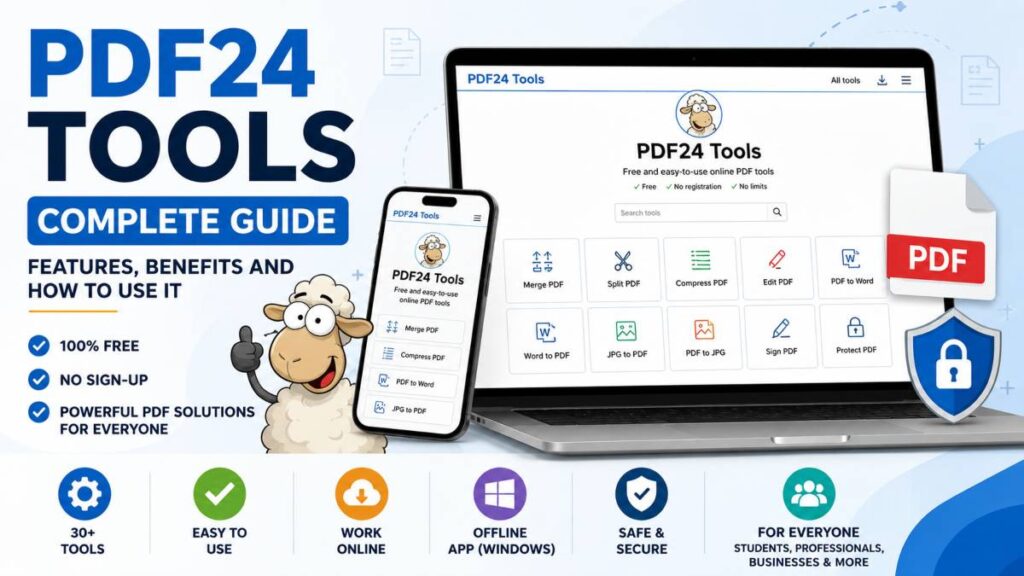
PDF24 Tools is a free collection of PDF utilities that helps people handle almost every common PDF task from one place. Whether you need to merge files, split pages, compress large documents, convert PDFs into other formats, or add a digital signature, the platform offers a simple way to get the job done. There is no account to create, no subscription to pay for, and no watermark added to your finished files.
The service includes two options. The online version works directly in your web browser on computers, tablets, and phones. Windows users can also install PDF24 Creator, a desktop application that allows PDF editing and conversion without an internet connection.
PDF24 Tools is suitable for students, office workers, freelancers, teachers, small businesses, and anyone who works with PDF documents on a regular basis. In this review, you will learn about its main features, pricing, privacy, supported platforms, strengths, limitations, and the simple steps needed to start using both the online tools and PDF24 Creator.
What Are PDF24 Tools?
PDF24 Tools is a collection of free PDF utilities that helps users complete a wide range of document tasks from a single platform. Instead of installing several applications, you can access tools for merging, splitting, compressing, converting, editing, signing, protecting, and organizing PDF files in just a few clicks. The service works directly in a web browser, making it accessible on Windows, macOS, Linux, Android, and iPhone without creating an account or paying a subscription fee. It is suitable for personal projects as well as business use, making it a practical choice for anyone who works with PDF documents regularly.
Overview of PDF24
PDF24 was created by a German software company and first appeared in 2006 under the name PDFDrucker. Over the years, it has grown into a complete PDF solution with more than thirty individual tools for handling almost every common PDF task. One of its biggest advantages is its free forever model. Users can access the complete collection without subscriptions, premium plans, usage limits, or watermarks. The platform continues to serve students, professionals, educators, freelancers, and businesses looking for an easy way to manage PDF files.
PDF24 Tools vs PDF24 Creator
PDF24 offers both an online service and a desktop application to suit different needs. PDF24 Tools is the browser based version that works on almost any device with an internet connection. It allows users to upload files, process them online, and download the finished documents within minutes.
PDF24 Creator is the Windows desktop application designed for users who prefer working without an internet connection. Since files remain on the local computer during processing, it is a suitable option for handling sensitive documents. Both versions are available at no cost and can be used for personal and commercial purposes, giving users the flexibility to choose the option that best fits their workflow.
Main Features of PDF24 Tools
One of the biggest reasons people choose PDF24 Tools is the wide collection of features available in one place. Instead of switching between different websites or installing multiple programs, users can complete everyday PDF tasks through a single platform. Whether you need to edit a document, convert file formats, secure sensitive information, or create a new PDF, the service offers dedicated tools that are simple to use. Each tool focuses on a specific task, which helps keep the process quick and straightforward.
PDF Editing Tools
PDF24 Tools includes a complete set of editing features for managing PDF documents. The Edit PDF tool allows users to add text, insert images, draw shapes, and make basic changes without complicated software.
The Merge PDF tool combines several PDF files into one document while keeping pages in the preferred order. If only certain pages are needed, the Split PDF tool separates a document into individual pages or custom page ranges.
Users can also rearrange pages by dragging them into a new order, making it easy to organize reports, presentations, or contracts. Pages that are no longer needed can be removed without affecting the rest of the document.
The Rotate Pages feature corrects pages that appear sideways or upside down after scanning. Another useful option lets users add page numbers automatically, helping create professional reports, manuals, or business documents.
PDF24 Tools also supports adding text or image watermarks to protect ownership or display confidential labels. When comparing two versions of the same file, the Compare PDFs tool helps identify changes between documents. The Overlay PDF feature places one PDF over another, making it useful for combining templates, forms, or document revisions.
PDF Conversion Tools
File conversion is one of the strongest parts of PDF24 Tools. Users can convert PDF files into Microsoft Word documents for editing while keeping much of the original formatting. It also converts Word documents into PDF format for easier sharing and printing.
The platform supports Excel and PowerPoint conversions, allowing spreadsheets and presentations to become PDF files or turning PDFs back into editable formats when needed.
Image conversion is also available. Users can convert PDF pages into image files or combine JPG, PNG, and other image formats into a single PDF document. This feature is helpful for scanned papers, photographs, receipts, and presentations.
Another useful option converts webpages into PDF files by entering a website address. This allows users to save articles, reports, invoices, or online content for future reference. EPUB support gives readers another option for converting documents into formats suitable for digital reading.
OCR and Text Recognition
PDF24 Tools includes Optical Character Recognition, commonly known as OCR. This feature turns scanned documents into searchable and editable PDFs. Instead of working with image only files, users can search for specific words, copy text, and edit document content more easily.
OCR is especially useful for scanned contracts, printed books, invoices, business records, school notes, and archived documents. It saves time by removing the need to type information manually while improving document accessibility.
Security Tools
Keeping documents secure is another area where PDF24 Tools performs well. Users can add password protection to PDF files before sharing them with others. This helps prevent unauthorized access to confidential information.
If users own a protected document and need unrestricted access, the Unlock PDF tool removes password protection from supported files. The Redaction tool permanently removes sensitive information before documents are shared with clients, coworkers, or the public.
Another useful feature extracts images stored inside PDF documents. Instead of taking screenshots, users can save the original embedded images directly from the file for later use.
Document Creation Tools
PDF24 Tools also helps users create new PDF documents from different sources. Files can be turned into PDFs within a few steps, making it suitable for reports, presentations, forms, and business records.
The Webpage to PDF tool captures an entire webpage and saves it as a PDF document. This makes it easier to keep copies of online articles, invoices, receipts, and reference material.
Users can also convert multiple images into a single PDF, which is useful for photo collections, scanned paperwork, certificates, and classroom materials. By combining creation, editing, conversion, and security features into one platform, PDF24 Tools offers a practical solution for handling almost every everyday PDF task without extra cost.
PDF24 Creator: Offline PDF Software
While the online version of PDF24 is suitable for most everyday tasks, some users prefer working directly on their computers. This is where PDF24 Creator becomes a valuable option. It gives Windows users access to the same collection of PDF utilities without relying on an internet connection. This makes it a practical choice for people who regularly work with important documents or large files.
What Is PDF24 Creator?
PDF24 Creator is a free Windows application that brings many of the online PDF24 Tools to your desktop. After installation, users can edit, merge, split, compress, convert, sign, and organize PDF files from their computer. Since everything runs through the desktop software, there is no need to upload files to an online service before processing them.
The software is available at no cost for both personal and commercial use. There are no subscriptions, feature restrictions, or watermarks added to completed documents. Its simple interface makes it suitable for beginners while still offering enough functions for offices, schools, freelancers, and businesses that handle PDF files every day.
Benefits of Offline Processing
One of the biggest advantages of PDF24 Creator is that it works without an internet connection. Users can continue editing and converting documents while traveling, working in secure environments, or dealing with unreliable network access.
Another benefit is local processing. Every task is completed directly on the computer, allowing files to remain on the device instead of being uploaded to external servers. This offers an extra level of privacy for contracts, financial records, legal papers, medical documents, and other confidential files.
Performance is another strong point. Large PDF files often process more quickly because the software uses the computer’s own resources rather than depending on upload and download speeds. For users who handle high volumes of documents or frequently work with large files, PDF24 Creator can provide a smoother and more efficient workflow while keeping complete control over their data.
Online PDF24 Tools vs PDF24 Creator
PDF24 offers two ways to manage PDF files. The online version works through a web browser and is available on almost any device with internet access. PDF24 Creator, on the other hand, is a desktop application built for Windows users who prefer processing files directly on their computers. Both options include many of the same PDF features, but each is better suited to different situations.
The online tools are convenient when you need quick access without installing software. You simply open the website, choose a tool, upload your files, and download the finished document. This makes it a great option for occasional users or anyone working across multiple devices.
PDF24 Creator is better suited for people who work with PDF files every day. Since documents are processed locally, users can continue working without an internet connection while keeping sensitive files on their own computer. It can also handle larger documents more smoothly because processing depends on the computer instead of upload and download speeds.
The table below highlights the main differences between the two versions.
| Feature | PDF24 Tools | PDF24 Creator |
|---|---|---|
| Installation | No installation required | Requires installation on Windows |
| Internet Requirement | Internet connection required | Works without an internet connection after installation |
| Supported Devices | Windows, macOS, Linux, Android, iPhone, and tablets through a browser | Windows computers only |
| Privacy | Files are uploaded securely and removed after processing | Files remain on the local computer during processing |
| Performance | Suitable for everyday PDF tasks and smaller to medium sized documents | Suitable for frequent work and large PDF files |
| Best Use Cases | Quick editing, conversion, compression, and file management from any device | Offline work, confidential documents, business workflows, and high volume PDF processing |
Choosing between the two depends on how you plan to use PDF24. If you need flexibility across different devices, the browser version is the easiest choice. If privacy, offline access, and handling large numbers of documents are more important, PDF24 Creator offers greater convenience. Many users switch between both versions depending on the task, making the PDF24 suite suitable for a wide range of personal and professional needs.
Pricing Licensing and Usage Limits
One of the strongest reasons many people choose PDF24 Tools is its simple pricing model. Unlike many PDF services that lock useful features behind paid plans, PDF24 gives users access to its complete collection of tools without asking for a subscription or account. Whether you need to edit a document once or work with PDF files every day, the platform offers the same experience to everyone.
Is PDF24 Really Free?
Yes. PDF24 Tools is completely free for both personal and commercial use. There is no subscription fee, monthly payment, or premium version that unlocks additional features. Every tool, including editing, conversion, compression, signing, and file protection, is available without creating an account.
Businesses, freelancers, schools, and individual users can use the service without worrying about licensing costs. Windows users can also download PDF24 Creator at no charge and enjoy the same cost free experience while working offline. This makes PDF24 a practical option for anyone looking for a reliable PDF solution without ongoing expenses.
Are There Any Limits?
Another advantage of PDF24 Tools is the absence of common usage restrictions found on many online PDF platforms. Users are not limited by the number of documents they can process each day, making the service suitable for both occasional and frequent use.
The platform also does not place artificial restrictions on file size or the number of files that can be uploaded for supported tools. This allows users to handle everything from small documents to much larger PDF files without paying for additional capacity.
Completed documents are delivered without watermarks, helping users maintain a clean and professional appearance. Since there are no hidden costs or locked features, PDF24 Tools offers one of the most generous free PDF services available for everyday document management.
Privacy and Security
Privacy is an important consideration when using any online document service, especially when files contain personal or business information. PDF24 Tools includes several measures to help protect uploaded documents during processing. While the online version is suitable for most everyday tasks, users working with highly sensitive information may prefer the desktop application for greater control over their files.
How PDF24 Handles Uploaded Files
When you upload a document to PDF24 Tools, the file is transferred through an encrypted connection to help protect data while it travels between your device and the service. This reduces the risk of unauthorized access during the upload and download process.
Uploaded files are stored only for a limited period while the selected task is being completed. After processing, PDF24 automatically removes files from its servers after a short time. This temporary storage approach helps reduce the amount of user data kept by the service.
Another advantage is that PDF24 Tools does not require users to create an account before using its features. Since there is no registration process, you can edit, convert, merge, compress, or organize PDF files without providing personal account information.
When Should You Use the Offline Version?
Although the online service includes security measures, some situations call for an extra level of privacy. If you regularly work with confidential contracts, legal documents, financial records, medical files, customer information, or internal business reports, PDF24 Creator is the better choice.
Because the desktop application processes files directly on your Windows computer, documents remain on your local device throughout the entire process. This is useful for organizations with strict privacy policies or users who prefer not to upload sensitive information to external servers. By keeping file processing local, PDF24 Creator gives users greater control over confidential documents while offering the same collection of PDF management features.
Additional PDF24 Products
PDF24 is more than a collection of PDF editing and conversion tools. The platform also includes extra products that help users manage documents more conveniently during everyday work. These services expand the PDF24 ecosystem and make common document tasks easier without requiring expensive software or additional subscriptions.
PDF24 Fax
PDF24 Fax is an online fax service that allows users to send and receive faxes without owning a traditional fax machine. Everything is handled through the internet, making it a practical option for businesses, professionals, and organizations that still rely on fax communication.
This service is useful for sending signed agreements, official forms, business documents, and paperwork that must be delivered through fax. Since the process takes place online, users can manage fax communication from their computer without purchasing dedicated hardware. It offers a simple way to continue using fax where it is still required.
PDF24 Chrome Extension
The PDF24 Chrome Extension brings many PDF24 Tools directly into the Chrome browser for faster access. Instead of opening the main website each time, users can launch popular PDF utilities from the browser with only a few clicks.
The extension also works closely with websites, making it easy to save web pages as PDF documents for offline reading, record keeping, or sharing. This is useful for articles, invoices, receipts, reports, and other online content.
Another helpful feature is the collection of built in shortcuts that provide quick access to tasks such as compressing PDFs, merging files, converting documents, signing PDFs, and opening frequently used tools. For people who work in Chrome throughout the day, the extension offers a more convenient workflow while keeping important PDF features close at hand.
Advantages and Drawbacks of PDF24 Tools
PDF24 Tools has become a popular choice because it offers many useful PDF features without asking users to pay for access. It is suitable for students, professionals, businesses, and anyone who needs quick document management. Like any software, it has strengths as well as a few limitations. Understanding both sides can help you decide whether it matches your needs.
Advantages
One of the biggest advantages of PDF24 Tools is that it is completely free. Users can access editing, conversion, compression, security, and document organization features without paying a subscription or purchasing a license.
Another major benefit is the large collection of tools available in one place. Instead of visiting several websites for different tasks, users can merge files, split pages, convert formats, add signatures, organize documents, and perform many other PDF operations from a single platform.
The interface is simple and easy to understand, making it suitable for beginners as well as experienced users. Most tools require only a few steps to complete a task, which helps save time during everyday work.
PDF24 Tools also works on multiple platforms through its browser version. Windows, macOS, Linux, Android, and iPhone users can access the online tools without installing software. Finished documents are provided without watermarks, helping maintain a clean and professional appearance. Another welcome feature is that no account is required, allowing users to start working with their files immediately.
Drawbacks
Although PDF24 offers many useful features, there are a few limitations to consider. PDF24 Creator is available only for Windows, which means macOS and Linux users cannot install the desktop application for offline processing.
The editing features are suitable for everyday document management, but users who need advanced page design, detailed document formatting, or complex form creation may find professional PDF software more suitable for those specialized tasks.
Another point to remember is that the online version processes uploaded files through PDF24 servers before returning the completed document. While the service uses encrypted connections and removes uploaded files after processing, some individuals and organizations may still prefer using PDF24 Creator to keep confidential documents on their own computer throughout the entire workflow.
How to Use PDF24 Tools
PDF24 Tools is designed to make PDF management simple, even for first time users. The interface is clean, and each utility focuses on one task, so you can complete your work without unnecessary steps. Whether you want to merge documents, compress a large file, convert a PDF, or add a signature, the process is almost the same for every tool.
Step 1: Choose a Tool
Visit the PDF24 Tools website and browse the available utilities. Select the feature that matches your task, such as Merge PDF, Compress PDF, PDF to Word, Edit PDF, or Protect PDF. Each tool opens on its own page with clear instructions to help you get started.
Step 2: Upload Your Files
Add your document by clicking the upload button or simply dragging and dropping the file into the upload area. Depending on the selected tool, you can upload one document or several files at the same time. Once the upload is complete, your files are ready for processing.
Step 3: Select Options
Some tools allow you to adjust settings before processing begins. For example, you can choose a compression level, rearrange pages, select page ranges, rotate pages, or choose the output format during file conversion. Review your selections to make sure the final document meets your requirements.
Step 4: Process and Download
Click the processing button to begin the selected task. PDF24 Tools will complete the operation and prepare your new document for download. Save the finished file to your device and check that everything looks correct before sharing or printing it.
Simple Numbered Guide
- Open the PDF24 Tools website.
- Select the PDF tool you need.
- Upload your file or files.
- Adjust the available settings.
- Process the document.
- Download the finished PDF or converted file.
Tip: Adding screenshots of each step can make this guide easier to follow and improve the reading experience, especially for new users.
Who Should Use PDF24 Tools?
PDF24 Tools is suitable for a wide range of users because it combines many essential PDF features into one free platform. Whether you need to edit a single document or manage PDF files every day, the service offers practical tools for different types of work without requiring special technical skills.
Students can use PDF24 Tools to merge lecture notes, compress assignments before uploading them, convert documents into PDF format, or organize research materials. Teachers may find it useful for preparing worksheets, combining lesson plans, adding page numbers, or converting classroom resources into shareable PDF files.
Office workers often handle contracts, reports, invoices, and presentations. PDF24 Tools helps organize these documents by allowing users to edit files, rearrange pages, convert formats, and protect sensitive information with password protection when needed.
Freelancers can prepare client documents, sign agreements, compress large files for email, and convert proposals into professional PDF documents. Small businesses can also benefit from the wide range of tools without adding software costs to their budget. Since commercial use is allowed, teams can use the platform for everyday document management.
Remote teams that regularly exchange files can use PDF24 Tools to standardize documents, reduce file sizes, and convert files into formats that are easier to share across different devices.
Windows users who need additional privacy or offline access can install PDF24 Creator to process files directly on their computers without an internet connection. Casual users who only need occasional PDF editing or conversion will also appreciate the browser version because it requires no installation or account. For occasional device-maintenance needs, users may also find speaker cleaner useful. With both online and desktop options available, PDF24 provides a flexible solution for almost anyone working with PDF documents.
PDF24 Tools Alternatives
PDF24 Tools offers an impressive collection of free PDF utilities, but it is not the only option available. Several other PDF platforms provide editing, conversion, compression, and document management features. The right choice depends on your budget, preferred device, and the type of work you perform most often.
Adobe Acrobat is one of the best known PDF solutions. It includes advanced editing, form creation, document review, and business features that are suitable for professional environments. However, many of its most useful functions require a paid subscription, making it less appealing for users who only need everyday PDF tasks.
PDFgear is another strong option. It offers a generous free version with online and desktop tools, making it a good choice for students, office workers, and home users. It also includes OCR support and a clean interface that is easy to learn.
Smallpdf focuses on browser based document management. Its simple design makes common PDF tasks quick and convenient, although some features and usage levels are restricted unless you subscribe to a paid plan.
iLovePDF is also popular for online PDF editing and conversion. It supports many common document tasks and includes OCR, but some advanced features and higher usage levels are available only through premium plans.
The comparison below highlights the main differences between these popular PDF tools.
| Tool | Free Version | Offline Support | OCR | Best For |
|---|---|---|---|---|
| PDF24 Tools | ✓ | ✓ | ✓ | Everyday PDF tasks |
| Adobe Acrobat | Limited | ✓ | ✓ | Professional editing |
| PDFgear | ✓ | ✓ | ✓ | General users |
| Smallpdf | Limited | ✗ | ✓ | Browser editing |
| iLovePDF | Limited | Limited | ✓ | Quick online tasks |
For users looking for a free solution without registration, watermarks, or daily usage restrictions, PDF24 Tools stands out as one of the strongest choices. It combines a large collection of PDF utilities with both online access and a Windows desktop application. Those who require advanced document editing, detailed form design, or enterprise level collaboration may prefer Adobe Acrobat, while PDFgear, Smallpdf, and iLovePDF remain excellent alternatives for users with different workflows and feature requirements.
Final Verdict
PDF24 Tools is an excellent choice for anyone looking for a reliable and free way to manage PDF documents. It combines a wide collection of features into a single platform, allowing users to edit, merge, split, compress, convert, sign, organize, and protect PDF files without creating an account or paying a subscription. The availability of both an online service and the PDF24 Creator desktop application gives users the flexibility to work in the way that suits them best.
Its biggest strengths include unlimited access to all tools, support for personal and commercial use, documents without watermarks, and compatibility with many devices through the browser version. Windows users also benefit from offline processing with PDF24 Creator, which offers greater privacy and convenience when working with confidential or large files.
There are a few limitations to keep in mind. The desktop application is available only for Windows, and users who require advanced document design or complex editing features may find dedicated professional PDF software more suitable. The online version also processes files through secure servers, which may not be the preferred option for highly sensitive documents.
Overall, PDF24 Tools is well suited for students, teachers, office workers, freelancers, small businesses, remote teams, and casual users who need dependable PDF utilities without extra costs. For everyday document management, it delivers an excellent balance of features, ease of use, and flexibility while remaining completely free.
Frequently Asked Questions
What are PDF24 Tools?
PDF24 Tools is a free collection of online PDF utilities that helps users edit, merge, split, compress, convert, sign, protect, and organize PDF documents. The tools work through a web browser and support many common document tasks without requiring software installation. Windows users can also install PDF24 Creator for offline use.
Is PDF24 completely free?
Yes. PDF24 is completely free for personal and commercial use. There are no subscription fees, paid plans, or hidden charges. All available tools can be used without purchasing a license, making it one of the most accessible PDF solutions available.
Do I need an account to use PDF24?
No. PDF24 does not require users to create an account before using its online tools. You can visit the website, choose the required feature, upload your files, and download the finished document without registering.
Is PDF24 Creator available for macOS?
No. PDF24 Creator is currently available only for Windows computers. Users with macOS, Linux, Android, or iPhone devices can still access the full collection of online PDF24 Tools through their web browser.
Can PDF24 convert PDF files to Word?
Yes. PDF24 includes a PDF to Word converter that allows users to turn PDF documents into editable Word files. It also supports many other conversions, including Word to PDF, Excel, PowerPoint, images, and several additional file formats.
Is PDF24 safe for confidential documents?
PDF24 uses encrypted connections when files are uploaded through its online service, and uploaded documents are removed from the servers after processing. For highly confidential files, PDF24 Creator is the better option because all processing takes place on your Windows computer.
What is the difference between PDF24 Tools and PDF24 Creator?
PDF24 Tools is the browser based version that works on many devices with an internet connection. PDF24 Creator is a Windows desktop application that offers offline PDF processing. Both include many of the same features, but the desktop version keeps files on your local computer.
Does PDF24 add watermarks?
No. PDF24 does not place watermarks on completed documents. Whether you merge files, compress PDFs, convert formats, or edit documents, the finished files remain clean and ready for personal or professional use.
Can businesses use PDF24 for commercial work?
Yes. Businesses, freelancers, schools, and organizations can use PDF24 for commercial purposes without paying licensing fees. This makes it a practical solution for companies that manage PDF documents on a regular basis.
Does PDF24 support OCR?
Yes. PDF24 includes Optical Character Recognition, or OCR, which converts scanned PDF documents into searchable and editable files. This feature is useful for digitizing printed paperwork, contracts, invoices, books, and other scanned documents.
Read More: What Is Moxhit4.6.1 Software About?