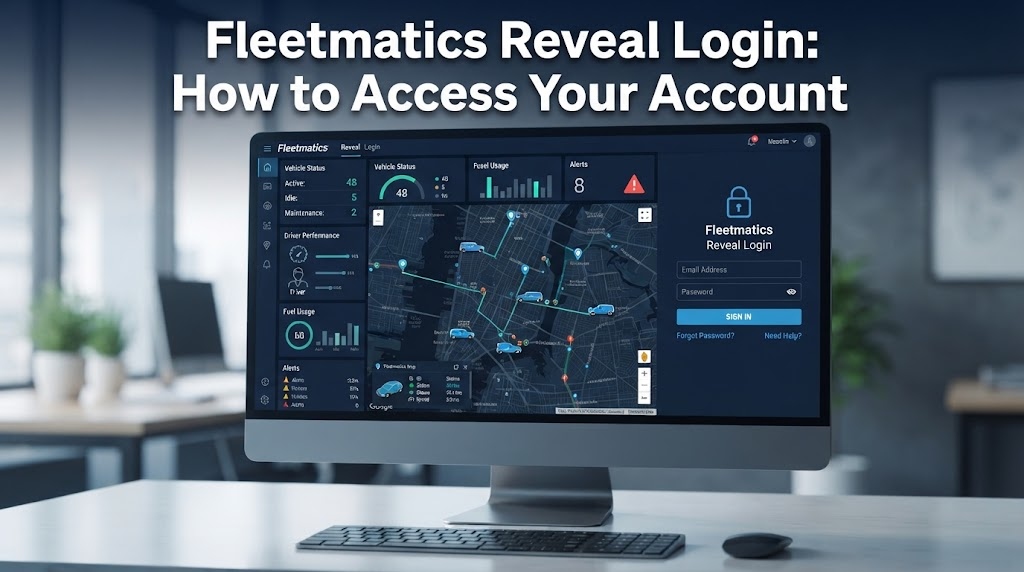
If you are searching for Fleetmatics Reveal login, you may notice that the familiar Fleetmatics name is no longer used on the current login portal. Fleetmatics Reveal became part of Verizon Connect, and the service is now known as Verizon Connect Reveal. This change in branding can make it difficult for existing users to know where to sign in.
The current Verizon Connect Reveal login process gives former Fleetmatics users access to their fleet management account, vehicle tracking information, reports, and other account features. In this guide, you will learn where to find the correct login portal, how to sign in, what to do if you forget your password, and how to handle common login problems. You will also find information about Verizon Connect support if you need additional help.
Does Fleetmatics Reveal Still Exist?
Yes, Fleetmatics Reveal still exists as a service, but the Fleetmatics name is no longer used as the main brand. The platform is now known as Verizon Connect Reveal. This is why users searching for Fleetmatics Reveal or Fleetmatics login may be directed to the Verizon Connect website instead.
Fleetmatics Reveal Became Verizon Connect Reveal
Verizon acquired Fleetmatics in 2016 as part of its expansion into fleet management and vehicle tracking services. Verizon later brought its fleet management products together under the Verizon Connect brand. As part of this change, Fleetmatics Reveal became Verizon Connect Reveal.
The service continues to provide fleet tracking tools that help businesses monitor vehicles, review driver activity, access reports, and manage fleet information through an online platform. For existing users, the main difference is the branding and login experience.
What Happened to the Old Fleetmatics Login?
People who search for the old Fleetmatics login may still find older references, saved bookmarks, or legacy URLs that use the Fleetmatics name. This can create confusion when trying to access an existing account.
For current account access, Verizon Connect is the better place to start. Former Fleetmatics Reveal users should look for the Verizon Connect Reveal login option rather than searching for a separate Fleetmatics account portal. Using the current Verizon Connect login route can help users reach the correct service without relying on outdated Fleetmatics references.
Fleetmatics Reveal Login URL
If you are looking for the Fleetmatics Reveal login URL, the current route is through Verizon Connect. Fleetmatics Reveal is now known as Verizon Connect Reveal, so users should use the official Verizon Connect login page to access their account.
Current Verizon Connect Reveal Login
Go to the official Verizon Connect login page and look for the Verizon Connect Reveal option. This is the current login route for users who previously used Fleetmatics Reveal.
You can use your registered email address and password to access your account. If you have forgotten your password, use the password recovery option available on the login screen.
What If You Have an Old Fleetmatics Login Link?
Some users may still have an older Fleetmatics login link saved in their browser or bookmarks. Older references may direct users toward the current Verizon Connect experience, but it is better to start with the official Verizon Connect portal.
Using the current portal helps former Fleetmatics users find the correct Reveal login page and avoid relying on outdated account links.
How to Log In to Fleetmatics Reveal
Logging in to Fleetmatics Reveal is now handled through the Verizon Connect platform. If you previously used Fleetmatics Reveal, you can follow these steps to reach your account through the current Verizon Connect Reveal login.
Step 1: Open the Verizon Connect Login Page
Visit the official Verizon Connect login portal. This is the main place to begin when accessing a former Fleetmatics Reveal account.
Step 2: Select Verizon Connect Reveal
On the login page, look for the Verizon Connect Reveal option. Select Reveal if your account was previously connected to Fleetmatics Reveal. Be careful not to choose another Verizon Connect product with a separate account area.
Step 3: Enter Your Email and Password
Enter the registered email address linked to your Fleetmatics account. Then enter your password and select the sign in option. If additional account verification is enabled, you may also need to enter a verification code before access is granted.
First Time Login for New Users
New users may receive a welcome or invitation email with instructions for setting up account access. Follow the provided instructions to create your password and activate the account. If you never received your Fleetmatics login credentials, contact your fleet administrator or Verizon Connect support for assistance.
Following the current Verizon Connect Reveal login process can help former Fleetmatics users reach the correct account without relying on outdated login information.
How to Reset Your Fleetmatics Reveal Password
If you have forgotten your Fleetmatics login password, you can use the password recovery software option on the Verizon Connect Reveal login page. Since Fleetmatics Reveal is now part of Verizon Connect Reveal, the password reset process is handled through the current Verizon Connect login system.
Reset a Forgotten Password
Follow these steps for a Fleetmatics password reset:
- Open the Verizon Connect Reveal login page.
- Select the password recovery or forgot password option.
- Enter the email address linked to your Fleetmatics account.
- Check your inbox for the password reset message.
- Open the message and follow the instructions to create a new password.
- Return to the Reveal login page and sign in with your updated password.
What If the Password Reset Email Does Not Arrive?
If you do not receive the reset email, first check your spam or junk folder. Make sure you entered the same email address connected to your account. You can also wait a few minutes and try the reset process again.
If the message still does not arrive, contact your fleet administrator to confirm your account details. You can also reach out to Verizon Connect support for further assistance with your Reveal password reset or account access.
Common Fleetmatics Reveal Login Problems
Fleetmatics login problems can happen for several reasons, from incorrect account details to using the wrong Verizon Connect portal. If your Fleetmatics Reveal login is not working, check the following issues before contacting support.
Incorrect Username or Password
Start by checking that your registered email address is entered correctly. A small spelling mistake can prevent access to your account. Make sure your password is also correct and check that Caps Lock is not turned on.
If you cannot remember your password, use the password recovery option on the Reveal login page to create a new one.
Password Reset Email Is Missing
If your password reset message does not appear, check your spam or junk folder. Confirm that you entered the email address linked to your Fleetmatics account.
If the message still does not arrive, your account details or account status may need to be checked. Contact your fleet administrator for help if needed.
You Are Using the Wrong Verizon Connect Portal
Verizon Connect provides different products, including Verizon Connect Reveal, Verizon Connect Fleet, and Verizon Connect Work. Each product can have its own account area.
If your account was previously connected to Fleetmatics Reveal, select Verizon Connect Reveal when signing in. Choosing another product can lead to login problems even when your email and password are correct.
Your Account or Invitation Is Not Working
New users may need an invitation before they can access the platform. If your invitation has not arrived or the account setup is not working, ask your fleet administrator to verify your account details or send the invitation again.
Two Factor Authentication Problems
Some accounts may require an additional verification step after entering the password. If two factor authentication is enabled, complete the required verification before accessing your dashboard.
If you cannot complete this step, check that you have access to the required verification method. For continued Fleetmatics account access problems, contact your administrator or Verizon Connect support.
How to Get Fleetmatics Reveal Support
If you still cannot access your account after checking your login details and resetting your password, the right support channel can help resolve the issue. Since Fleetmatics Reveal is now Verizon Connect Reveal, users should use current Verizon Connect resources for account and login assistance.
Verizon Connect Help Center
The official Verizon Connect Help Center provides resources for Reveal users. You can use it to find information about login questions, password recovery, account access, and other Reveal related problems.
Contact Your Fleet Administrator
Your fleet administrator may be able to resolve account issues directly. They can check your account details, confirm your access, resend an invitation, or help with account setup. This is often useful when your login credentials or account permissions are not working.
Verizon Connect Support
If the issue continues after checking the help resources and speaking with your fleet administrator, contact Verizon Connect support. The support team can provide assistance with Reveal login problems and other account access questions.
For the most reliable help, use the official Verizon Connect support and help resources rather than relying on older Fleetmatics contact details.
What Is Verizon Connect Reveal?
Verizon Connect Reveal is a fleet management platform designed to help businesses monitor vehicles, drivers, and fleet activity from an online dashboard. It is the current name associated with the service that was previously known as Fleetmatics Reveal.
Fleet Tracking and Vehicle Visibility
The platform provides GPS fleet tracking features that give businesses a view of vehicle locations and fleet activity. Managers can use the system to monitor vehicles, review driver information, and access fleet reports through their account.
This type of vehicle tracking can help fleet teams keep track of where vehicles are located and review information related to day to day fleet operations.
Features Associated With Reveal
Verizon Connect Reveal includes features associated with fleet tracking and management, such as real time GPS tracking, geofencing, driver scorecards, and reports. These tools give fleet managers access to information about vehicles and drivers through the Reveal platform.
For former Fleetmatics users, the main point to remember is that Fleetmatics Reveal is now associated with Verizon Connect Reveal. If you are trying to access an old Fleetmatics account, the Verizon Connect Reveal login is the route to look for.
Final Takeaway
Finding the Fleetmatics Reveal login can be confusing because the service now uses the Verizon Connect Reveal name. Former Fleetmatics users should use the current Verizon Connect login portal to access their Reveal account rather than relying on older Fleetmatics references.
If you cannot sign in, check your email and password first, then use the password recovery option if needed. Login problems can also result from selecting the wrong Verizon Connect product or having an account access issue. New users who have not received their login details should contact their fleet administrator.
For ongoing account problems, the Verizon Connect Help Center and official support team are the best places to get assistance. Once you know that Fleetmatics Reveal is now part of Verizon Connect Reveal, finding the correct login route becomes much simpler.
Fleetmatics Reveal Login FAQs
What is the Fleetmatics Reveal login URL?
The current route for Fleetmatics Reveal users is the official Verizon Connect login page. Fleetmatics Reveal became Verizon Connect Reveal, so users looking for the old Fleetmatics login should look for the Reveal option within the Verizon Connect portal.
Is Fleetmatics Reveal the same as Verizon Connect Reveal?
Yes. Fleetmatics Reveal became Verizon Connect Reveal after Verizon brought Fleetmatics products under the Verizon Connect brand. The name changed, but existing users should look for the current Verizon Connect Reveal login when accessing their account.
How do I log in to my old Fleetmatics account?
Go to the Verizon Connect login page and select Verizon Connect Reveal. Enter the email address and password linked to your former Fleetmatics account. If additional verification is enabled, complete that step before accessing your account.
How do I reset my Fleetmatics Reveal password?
Open the Reveal login page and select the password recovery option. Enter the email address connected to your account and check your inbox for the reset instructions. Follow the instructions to create a new password, then return to the login page.
Why is my Fleetmatics Reveal login not working?
Check that your email address and password are correct and make sure Caps Lock is not active. Confirm that you selected Verizon Connect Reveal rather than another Verizon Connect product. If your password is not working, use the password recovery option. Account status or access settings may also need to be checked by your fleet administrator.
What should I do if I never received my Fleetmatics login details?
Contact your fleet administrator and ask them to confirm your account information and access. They may be able to resend your invitation or help complete the account setup. You can also contact Verizon Connect support if further assistance is required.
Can I still use the old Fleetmatics Reveal login page?
Older Fleetmatics references and saved links may still appear online. However, the current account access route is through Verizon Connect Reveal. Starting from the official Verizon Connect login page is the safer option when you need to access your account.
Is Verizon Connect Reveal still available?
Yes. Verizon Connect Reveal is the current service associated with Fleetmatics Reveal. Users searching for Fleetmatics Reveal login should therefore use the current Verizon Connect Reveal login process rather than looking for a separate Fleetmatics platform.
Read More: Tool Guide ZardGadjets