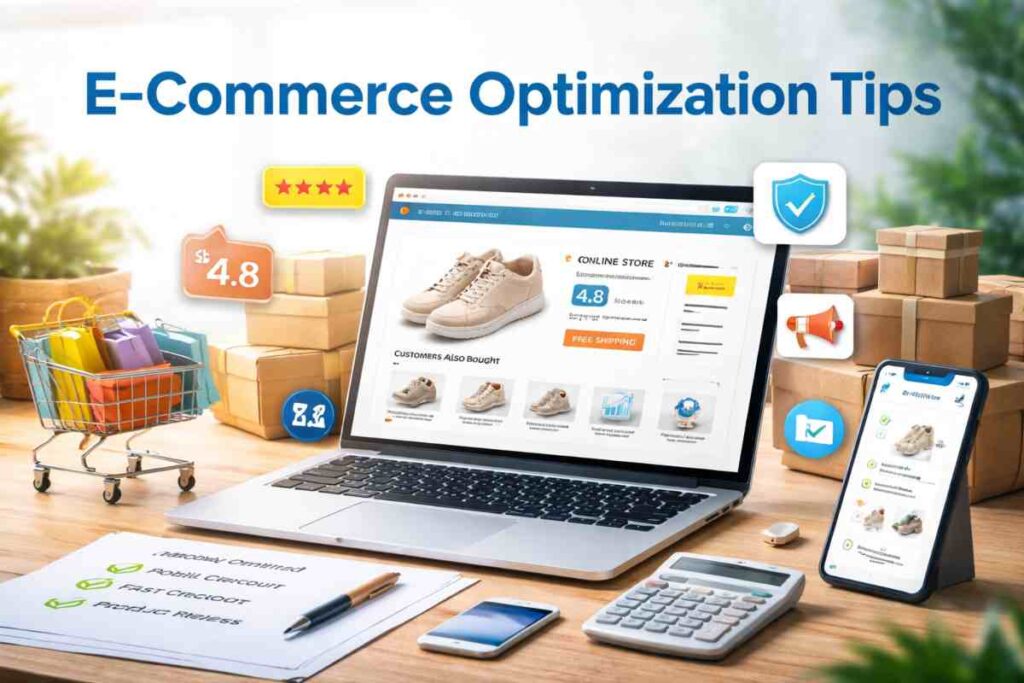
A successful online store is not just about products. It is about how easy it feels to browse, trust, and buy. When visitors land on your website, their experience decides whether they stay or leave. Clear layout, fast pages, and a smooth buying process can turn casual visitors into paying customers.
Modern shoppers expect more than just a product catalog. They want fast loading pages, simple menus, clear product details, secure payments, and a checkout that takes seconds instead of minutes. If any step feels confusing or slow, many users will leave without buying.
The right e-commerce features remove this friction. Smart search helps users find products faster. Strong product pages answer buyer questions. Reviews build trust. Personalized suggestions increase order size. A simple checkout reduces drop offs.
This guide covers the most important features that help online stores convert more visitors into customers. Each feature focuses on improving the shopping experience while also supporting higher revenue.
Let’s start with the features that make the biggest difference.
Fast Mobile Friendly Design
A large share of online shopping now happens on phones. If your store does not work smoothly on smaller screens, you risk losing a major part of your potential buyers. A strong mobile ecommerce design helps visitors browse products, read details, and complete purchases without frustration.
A store that feels quick and simple on mobile often sees better engagement, longer visits, and more completed orders. This is why every modern store needs a responsive ecommerce website that adjusts naturally to different screen sizes.
Why mobile performance affects conversions
Mobile users usually shop while multitasking. They compare prices, check reviews, and make quick decisions. If your site loads slowly or feels hard to use, they will leave and choose another store.
Speed also affects trust. A fast website feels reliable while a slow one can make visitors question the store. Strong website speed optimization also supports better search visibility, which brings more potential buyers to your store.
Simply put, better mobile performance often leads to better sales because it removes barriers between interest and purchase.
Key improvements to implement
Responsive layout
Your layout should adjust to every screen size. Text must be easy to read and buttons must be easy to tap.
Image compression
Large images slow websites. Optimizing images keeps quality high while improving load time.
Speed optimization
Reduce unnecessary scripts, use caching, and choose reliable hosting to keep pages fast.
Simple interface
Keep menus clear and avoid clutter. A clean design helps shoppers focus on products and complete purchases faster.
Simple Navigation and Smart Product Search
Visitors should never feel lost when they enter your store. If customers cannot find what they want within a few seconds, many will simply leave. This is why strong navigation remains one of the most important parts of store performance. Following proven ecommerce navigation best practices helps shoppers move from homepage to product page without confusion.
A well planned navigation system guides users step by step. It reduces frustration, improves browsing time, and increases the chances of a purchase. When customers can move through your store without effort, they are more likely to complete orders.
Why navigation affects buying decisions
Buying decisions often depend on how quickly someone finds the right product. If users must click through too many pages or struggle with messy menus, interest can fade quickly.
Clear navigation builds confidence. It shows your store is organized and reliable. When visitors feel in control of their browsing experience, they tend to explore more products and add more items to their cart.
Good structure also helps search engines understand your store, which supports better visibility and traffic.
Search features that help customers buy faster
Filters
Strong product filtering ecommerce features allow shoppers to narrow options by price, size, rating, or category. This saves time and improves satisfaction.
Autocomplete search
Smart search suggestions show products as users type. This improves site search optimization and helps visitors reach products faster.
Category structure
Clear categories and subcategories make browsing simple. Each product should belong to a logical group.
Sticky navigation
A fixed menu that stays visible while scrolling allows users to move between sections without going back. This keeps the shopping flow smooth and uninterrupted.
High Converting Product Pages
Your product page is where browsing turns into buying. Even if your store attracts strong traffic, weak product pages can stop sales from happening. Strong product page optimization helps answer customer questions, remove doubt, and make the buying decision easier.
Well built conversion focused product pages combine clear information, strong visuals, and trust signals. When done right, they reduce hesitation and increase add to cart actions.
Elements every product page needs
High quality images
Images help customers judge the product since they cannot touch it. Use multiple photos showing different angles. Zoom features and lifestyle images also help buyers picture how the product fits their needs.
Clear descriptions
Descriptions should explain what the product is, who it is for, and why it is useful. Focus on benefits along with features. Good ecommerce product page design keeps text easy to scan with short paragraphs and bullet points.
Product variants
Allow customers to select sizes, colors, or other options without confusion. Variant selection should be simple and visible near the purchase button.
Strong call to action
Your add to cart button should stand out. Use clear wording and place it where users can see it without scrolling too much.
Trust elements that improve conversions
Reviews
Customer feedback helps new buyers feel more confident. Star ratings and short reviews near the price often help users decide faster.
Guarantees
Money back promises or product guarantees reduce buyer hesitation. When customers know they can return a product, they feel safer placing an order.
Shipping details
Clear delivery timelines and shipping costs prevent last minute surprises. Showing this information early helps customers decide without second thoughts.
When these elements work together, product pages become powerful sales tools rather than simple product displays.
Customer Reviews and Trust Signals
Trust decides whether a visitor becomes a customer. When people shop online, they cannot see the seller or check the product in person. Because of this, they look for signals that show the store is reliable. This is where customer reviews ecommerce features become very valuable.
Adding strong social proof ecommerce elements can help reduce doubt and make buyers feel more comfortable about placing an order. When shoppers see that others had a good experience, they feel more confident doing the same.
Why social proof increases purchases
People often rely on the experience of other buyers before making a decision. Positive feedback works like digital word of mouth. It shows that real customers already trusted your store.
Reviews also answer practical questions that product descriptions may not cover. Buyers often check reviews to learn about product quality, sizing, durability, or delivery experience. This extra layer of reassurance often leads to faster buying decisions.
Even a mix of positive and neutral feedback can help because it shows authenticity rather than perfection.
Types of trust signals
Reviews
Written feedback from customers helps new buyers understand real experiences with the product.
Ratings
Star ratings provide quick visual proof of product satisfaction and help users compare options quickly.
Security badges
Visible trust badges ecommerce such as secure payment icons can reassure buyers that their payment details are safe.
Verified buyer tags
Labels that show purchases came from real customers increase credibility and reduce doubts about fake feedback.
Adding these trust signals can make your store feel dependable and encourage more completed purchases.
Personalized Product Recommendations
Personalization helps online stores show the right products to the right customers at the right time. Instead of showing random items, smart product recommendation engines suggest products based on browsing behavior, past purchases, and customer interests.
This approach makes shopping feel more relevant and convenient. It also helps stores introduce products customers may not have noticed on their own. With better AI ecommerce personalization, stores can create a shopping experience that feels tailored instead of generic.
How recommendations increase order value
When customers see related or complementary products, they often add more items to their purchase. For example, someone buying a phone may also buy a case or screen protector if they are suggested at the right moment.
This strategy helps increase average order value ecommerce stores depend on. Instead of focusing only on getting more customers, stores can also grow revenue from each order.
Personalized suggestions also reduce the effort customers need to search for related products. When useful items appear naturally during browsing, customers are more likely to add them to their cart.
Where to place recommendations
Product pages
Show related items, similar products, or frequently purchased together suggestions to encourage additional purchases.
Cart page
Suggest small add ons before checkout. This is a strong place to increase total order value.
Checkout page
Carefully placed last minute suggestions can still work if they do not interrupt the purchase process.
When placed correctly, personalized recommendations can quietly increase revenue while improving the shopping experience.
Optimized Checkout and Payment Options
The checkout is the final step between interest and purchase. Even small problems here can cause lost sales. Many stores spend time improving product pages but ignore checkout flow. Strong checkout optimization ecommerce strategies help make sure customers who reach this stage actually complete their purchase.
A long or confusing checkout can quickly change a buying decision. If customers face delays, forced registrations, or limited payment methods ecommerce stores support, they may leave without completing the order.
Common checkout mistakes that reduce sales
One common mistake is forcing account creation. Many shoppers prefer quick purchases and do not want to fill long forms. Another issue is unexpected costs such as shipping fees appearing too late. These surprises often cause customers to abandon their carts.
Slow loading checkout pages can also damage trust. Customers expect a fast and smooth experience. Complicated forms asking for too much information can also create friction.
Fixing these issues can help reduce cart abandonment and improve completed purchases.
Features of a smooth checkout process
Guest checkout
Allow customers to buy without creating an account. You can always offer account creation after the purchase.
Multiple payments
Offer several options such as cards, digital wallets, and regional payment options. Flexible payment choices help customers complete purchases using their preferred method.
Progress indicators
Show steps like shipping, payment, and review so customers know how close they are to finishing. This reduces uncertainty.
One click purchase options
Returning customers appreciate faster buying options. Saved addresses and payment details can make repeat purchases much easier.
A smooth checkout experience removes barriers at the most critical stage of the buying journey. Small improvements here often lead to noticeable increases in completed orders.
Cart Recovery Features and Automation
Not every customer who adds a product to the cart is ready to buy right away. Many leave because they get distracted, want to compare prices, or plan to return later. This is why strong abandoned cart recovery features can help stores win back lost revenue.
Instead of treating abandoned carts as lost opportunities, smart stores use automation to bring customers back. With the right cart abandonment solutions, you can remind buyers about their interest and encourage them to complete their purchase.
Why customers abandon carts
There are many reasons shoppers leave before checkout. Some face unexpected costs, others are not ready to buy, and some simply get interrupted. Complicated checkout steps or limited payment options can also push customers away.
Sometimes customers just need a reminder. Many shoppers return when they receive a simple follow up message. This is where ecommerce email automation becomes valuable.
Understanding these behaviors helps stores recover sales that might otherwise disappear.
Recovery strategies that work
Email reminders
Automated emails reminding customers about items left in their cart can bring them back. A simple message with product details often works well.
Push notifications
Browser or app alerts can remind customers about unfinished purchases while your store is still fresh in their mind.
Exit intent popups
These appear when a visitor is about to leave your site. A reminder or small offer can sometimes change their decision.
Discount reminders
Limited time offers or small discounts can encourage hesitant buyers to complete their order.
When used carefully, these recovery tools can bring back interested shoppers and improve total store revenue.
Clear Shipping and Return Policies
Many customers decide whether to buy based on how safe the purchase feels. Clear policies remove doubt and help shoppers feel more comfortable placing an order. A simple and transparent shipping policy ecommerce stores provide can often be the deciding factor between a completed purchase and an abandoned cart.
Buyers want to know what happens after they click the buy button. When policies are easy to find and easy to understand, they help reduce purchase hesitation ecommerce stores often struggle with.
How policies affect buying confidence
Customers want assurance that they will not face problems after payment. If return rules are unclear or shipping details are hidden, buyers may hesitate.
A clear ecommerce return policy shows customers they have options if something goes wrong. This lowers the perceived risk of buying online. When customers feel protected, they are more likely to place an order and even try new products.
Trust grows when stores communicate policies in simple language instead of complicated legal terms.
Information customers want to see
Delivery timelines
Estimated delivery dates help customers plan and set clear expectations.
Return process
Explain how returns work, how long they take, and what steps customers must follow.
Exchange policy
Make it clear whether products can be exchanged and how the process works.
Shipping costs
Show shipping charges early to prevent surprises during checkout.
Clear policies answer important questions before customers even ask them, which helps create a smoother buying experience.
Upselling and Cross Selling Features
Growing an online store is not only about getting more visitors. It is also about getting more value from each order. This is where upselling ecommerce and cross selling ecommerce strategies become useful. These features help stores suggest relevant products that customers may already need.
When done correctly, these suggestions feel helpful rather than pushy. They improve the shopping experience while also helping increase ecommerce revenue without extra marketing costs.
Ways to increase order size
Product bundles
Bundles combine related products at a slightly better price. This encourages customers to buy more items together instead of just one product.
Add ons
Small extras such as accessories, protection plans, or complementary items can be suggested before checkout. These usually require little thought from the buyer but increase total order value.
Related products
Showing similar or alternative products helps customers compare options without leaving the page. This keeps users engaged longer and increases purchase chances.
Frequently bought together
This feature shows items commonly purchased as a group. It works well because it uses buying patterns to guide customer choices.
Upselling and cross selling work best when suggestions feel natural and useful. When recommendations match customer intent, they can increase order value while keeping the buying experience smooth and helpful.
Advanced Features for Scaling Stores
As online stores grow, they often need features that support a wider audience and more complex buying journeys. Advanced tools help stores serve customers from different regions and support more flexible buying options. A strong localized ecommerce experience can help stores connect with buyers from different markets without creating confusion.
These improvements help stores move from basic selling to structured growth.
Localization features
Multiple currencies
Showing prices in local currencies helps customers understand costs instantly. It also reduces confusion during checkout and improves trust.
Languages
A multilingual ecommerce store can reach more customers by allowing them to browse in their preferred language. Even basic language options can improve engagement and sales.
Regional pricing
Adjusting prices based on region, taxes, or shipping costs helps create a more accurate shopping experience. It also prevents surprises during checkout.
Omnichannel selling options
Store pickup
Offering the option to buy online and collect from a physical location gives customers more flexibility and saves delivery time.
Hybrid selling models
An omnichannel ecommerce approach allows customers to move between online and offline buying. For example, customers may browse online and complete their purchase in store or return items through either channel.
These advanced features help growing stores serve more customers while keeping the buying process flexible and convenient.
E-commerce Feature Implementation Checklist
Adding new features is easier when you follow a clear action list. Use this checklist to review your store and confirm that the most important sales-focused features are active. This type of structured list also makes content easier to scan and improves engagement.
Store performance checklist
Design and performance
- Mobile optimization completed
- Responsive layout tested on multiple devices
- Page loading speed tested and improved
- Images optimized for faster loading
Navigation and search
- Clear menu structure created
- Product categories organized logically
- Search bar visible on every page
- Product filters working properly
Product page improvements
- High quality product images added
- Clear product descriptions written
- Customer reviews enabled
- Strong add to cart buttons visible
Checkout optimization
- Guest checkout enabled
- Fast checkout process tested
- Multiple payment gateways active
- Shipping costs clearly displayed
Sales growth features
- Product recommendations enabled
- Upsell and cross sell sections added
- Cart recovery emails active
- Discount reminder system active
Trust and policies
- Return policy page published
- Shipping policy page visible
- Secure payment badges displayed
This checklist can help you track progress and make sure your store includes the features that support better conversions.
Final Thoughts
Not every feature needs to be added at once. Start with the ones that directly affect sales, such as fast mobile design, strong product pages, simple checkout, and customer reviews. These areas often bring the quickest results.
After that, you can add more features step by step. For example, you might start with better search and navigation, then move to product suggestions and cart recovery tools. Small changes over time are easier to manage and often work better than large sudden changes.
It also helps to review what works and what does not. Track customer behavior, watch where users leave, and adjust weak areas. Even small updates can lead to better results.
A good online store is never really finished. Regular updates and smart feature choices can help your store grow sales and keep customers coming back.
Read Also: Why Is Uhoebeans Software Update So Slow? Complete Breakdown