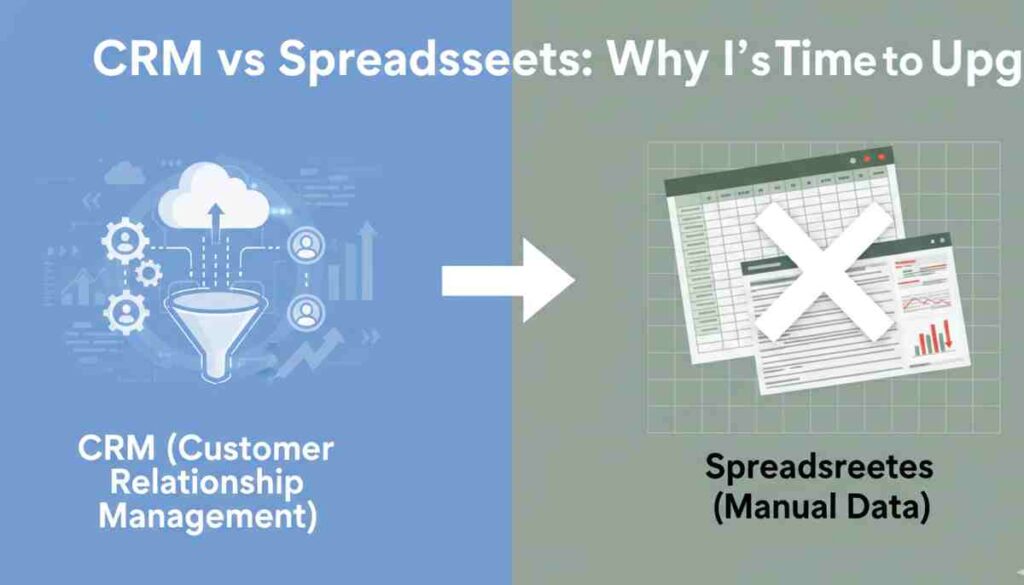
Most businesses start simple. A spreadsheet feels like the perfect tool easy, cheap, and familiar. You open Excel, add a few columns for names and emails, and you’re ready to track customers. But as your business grows, that “simple” system starts to feel heavy. Files get duplicated. Versions get mixed up. Follow-ups slip through the cracks. What once worked smoothly now slows everything down.
That’s where the real conversation about CRM vs Spreadsheets begins. Spreadsheets are great for basic data storage, but they struggle with real customer relationship management. Manual tracking leads to errors. Important notes get buried in cells. Teams email files back and forth, unsure which version is correct. And when sales opportunities depend on timing, even one missed follow-up can cost real revenue.
In this guide, we’ll break down the key differences between CRM systems and spreadsheets, explore the real ROI of upgrading, and highlight the clear signs that it’s time to move to a smarter, scalable solution.
What Are Spreadsheets Used for in Customer Management?
Spreadsheets are often the first step businesses take when organizing customer information. For many small teams, tools like Excel feel like a quick and practical solution for customer data tracking. You can create columns for names, phone numbers, verified email address, deal value, and follow-up dates all in one place. At the beginning, it works.
But as your contact list grows and your sales process becomes more complex, the gap in the Excel vs CRM debate becomes clear.
Why Small Businesses Start with Excel
1. Affordable
Spreadsheets are usually included in office software packages. There’s no extra monthly fee, no setup cost, and no learning curve tied to new platforms. For startups watching every dollar, that matters.
2. Familiar
Most people already know how to use Excel. There’s comfort in working with something you’ve used for years. No training sessions. No onboarding delays.
3. Simple Tracking
For a small number of leads, spreadsheets make basic tracking easy. You can sort contacts, filter by status, and calculate totals using simple formulas.
In the early stages, it feels like enough.
The Hidden Spreadsheet Limitations
The problems begin quietly.
Imagine this: a sales rep promises to follow up with a warm lead next Tuesday. The reminder sits in a spreadsheet cell. That file gets renamed, copied, and emailed to another teammate. Two versions now exist. Tuesday passes. No follow-up happens. The deal goes cold.
This is where real spreadsheet limitations show up.
Version control chaos happens when multiple team members edit different copies of the same file.
Scattered files live across desktops, inboxes, and cloud folders.
Manual data entry errors creep in typos, missing updates, duplicate entries.
Poor collaboration slows teams down because spreadsheets aren’t built for real-time sales workflows.
And security risks increase when sensitive customer data sits in unprotected files without role-based access.
Spreadsheets store data. But they don’t manage relationships. And as your business grows, that difference becomes impossible to ignore.
What Is a CRM System and How Does It Work?
A CRM system, short for Customer Relationship Management system, is built to do more than store contact details. Unlike spreadsheets, CRM software is designed to manage relationships, automate tasks, and give teams full visibility into their sales process. Think of it as a control center for your customer interactions.
Instead of scattered files and manual updates, everything lives in one connected system. That’s where the real CRM system benefits start to show.
Centralized Customer Database
At its core, a CRM creates a centralized customer database. Every contact, email, call note, deal stage, and activity is stored in one secure place.
Real-time updates mean when one team member adds a note or updates a deal, everyone sees it instantly. There’s no confusion about which file is the latest version.
Cloud access allows teams to log in from anywhere office, home, or on the road. All you need is an internet connection.
Team visibility ensures sales, marketing, and support teams work from the same information. No more guessing. No more digging through inboxes.
Instead of data sitting in cells, it becomes organized, searchable, and actionable.
CRM Automation & Workflow Management
One of the biggest advantages over spreadsheets is CRM automation.
You can set up automated follow-ups so leads never go cold. If someone fills out a form or requests a quote, the system can trigger an email instantly.
Sales reminders notify reps when it’s time to call or send a proposal. No sticky notes. No forgotten tasks.
With built-in sales pipeline management, you can visually track every deal from first contact to closed sale. You see where prospects drop off and where opportunities are building up.
Automation removes repetitive work, giving teams more time to focus on selling.
Advanced Reporting and Insights
Spreadsheets rely on manual formulas. CRM software offers built-in intelligence.
Interactive dashboards show live data on revenue, deal stages, and team performance.
Sales forecasting tools analyze trends to predict future revenue more accurately.
Detailed performance analytics help managers see what’s working and what isn’t without spending hours creating reports.
In short, a CRM system doesn’t just store data. It turns it into insight, action, and growth.
CRM vs Spreadsheets: Side-by-Side Comparison
When businesses compare CRM vs spreadsheets, the difference becomes clear once growth starts. Spreadsheets can store information, but customer relationship management software is built to manage relationships, automate tasks, and support long-term scaling.
Let’s break down the key differences in the Excel vs CRM debate.
Data Management
Spreadsheets store data in rows and columns. As the list grows, files become harder to manage. Duplicate entries, outdated versions, and scattered documents create confusion.
A CRM system centralizes all customer information in one live database. Updates happen in real time, and everyone works from the same source of truth. No more guessing which file is correct.
Collaboration
With spreadsheets, collaboration usually means emailing files back and forth. This leads to version conflicts and missed updates.
CRM software allows team-wide access with controlled permissions. Sales reps, managers, and support teams can view or edit data instantly. Everyone stays aligned.
Automation
Spreadsheets rely on manual entry and reminders. If someone forgets to update a cell, the system breaks.
CRM automation handles follow-ups, task reminders, email sequences, and workflow triggers automatically. Instead of reacting late, teams stay proactive.
Scalability
Spreadsheets may work for a small contact list, but they slow down with larger datasets. Complex formulas can crash files or create errors.
Customer relationship management software is designed to scale. Whether you manage 100 contacts or 100,000, performance remains stable.
Security
Spreadsheet files can be shared without strong access controls. Sensitive customer data may sit in unsecured folders.
CRM systems offer role-based access, encryption, and secure cloud storage. Only authorized users can view or edit specific data.
Reporting & Insights
Spreadsheets require manual reporting. Creating sales summaries often takes hours of sorting and formula adjustments.
CRM software provides real-time dashboards, automated reports, and sales forecasts with just a few clicks.
Side-by-Side Comparison Table
| Feature | Spreadsheets (Excel) | CRM Software |
|---|---|---|
| Data Management | Separate files, version conflicts | Centralized, real-time database |
| Collaboration | Email sharing, limited live updates | Team-wide access with live visibility |
| Automation | Manual tracking and reminders | Automated follow-ups and workflows |
| Scalability | Slows down with large data sets | Built to handle business growth |
| Security | Basic file-level protection | Role-based access and secure cloud storage |
| Reporting & Insights | Manual formulas and reports | Dashboards, forecasting, analytics |
In the CRM vs spreadsheets comparison, the pattern is simple. Spreadsheets are tools for storing information. CRM systems are platforms built to manage relationships, increase visibility, and support growth.
5 Signs It’s Time to Switch from Spreadsheets to CRM
Spreadsheets work until they don’t. Many businesses don’t realize they’ve outgrown Excel until problems start costing time and revenue. If you’re wondering whether it’s time to switch from spreadsheets to CRM, here are five clear signs.
1. You Miss Follow-Ups
A missed follow-up is more than a small mistake. It can mean a lost deal. When reminders live in cells or separate files, it’s easy for them to get buried. CRM systems automate follow-ups and alerts, so no opportunity slips through the cracks.
2. Your Team Duplicates Work
Have two sales reps ever contacted the same lead without knowing it? That happens when customer data sits in different versions of spreadsheets. Without a shared, real-time system, teams waste effort and confuse prospects. A CRM eliminates duplication by giving everyone access to the same updated records.
3. You Lack Visibility Into Sales Progress
If someone asks, “What’s our projected revenue this month?” and it takes hours to find the answer, that’s a red flag. Spreadsheets don’t provide live sales pipeline tracking. CRM dashboards show deal stages, win rates, and forecasts instantly.
4. Reporting Takes Hours
Manual reports require sorting data, updating formulas, and double-checking numbers. It’s slow and error-prone. CRM systems generate automated reports in seconds, freeing up time for strategy instead of spreadsheet cleanup.
5. Your Business Is Scaling
Growth changes everything. More leads. More customers. More team members. Spreadsheets often break under that pressure. CRM scalability allows your system to grow with you, whether you manage 100 contacts or 100,000.
In fact, CRM adoption rates reflect this shift. Studies show that 91% of companies with 10 or more employees use a CRM system. The global CRM market is also expanding rapidly, projected to reach $207.84 billion by 2032. Businesses aren’t upgrading by accident they’re responding to growth demands.
If these signs sound familiar, it may be time to move beyond spreadsheets and adopt a system built for long-term success.
The ROI of Upgrading to CRM Software
Investing in new technology always raises one big question: Is it worth it? When it comes to CRM software, the numbers speak for themselves. The measurable CRM ROI goes far beyond simple contact management. It directly impacts revenue, productivity, and long-term growth.
Businesses that upgrade from spreadsheets to CRM systems don’t just organize data better they unlock smarter, faster ways to grow.
Proven Revenue Growth
One of the most powerful CRM software benefits is its impact on sales performance. Studies show that companies using CRM systems experience an average 29% increase in sales. That’s not a small lift it’s a serious revenue boost.
On top of that, businesses report an average 8.71x return on investment from CRM implementation. In simple terms, for every dollar spent, they earn nearly nine dollars back. Few business growth tools offer that level of return.
Real-world case studies make it even clearer. One company reported 156% revenue growth after migrating from spreadsheets to a CRM system. The shift improved visibility, follow-ups, and pipeline tracking turning missed opportunities into closed deals.
The lesson is simple: better systems create better outcomes.
Productivity Gains
Revenue growth is only part of the story. CRM systems also improve how teams work.
Companies report up to 20% higher productivity after adopting CRM software. Why? Because automation handles repetitive tasks. Follow-up emails trigger automatically. Reminders pop up at the right time. Reports generate instantly.
Instead of spending hours updating spreadsheets, sales teams focus on conversations and closing deals. Managers spend less time chasing numbers and more time coaching performance.
Automation savings add up quickly. When administrative work shrinks, selling time increases and that’s where real growth happens.
In short, upgrading to CRM software isn’t just a technology decision. It’s a strategic investment in efficiency, revenue, and scalable success.
How to Migrate from Spreadsheets to CRM (Step-by-Step)
Deciding to migrate spreadsheets to CRM is a big move but it doesn’t have to feel overwhelming. With the right plan, the transition can be smooth and fast. Think of it like moving into a new office. You don’t just carry everything over. You organize first.
Here’s a simple step-by-step approach to successful CRM implementation.
Clean Your Data
Before you import anything, clean it.
Remove duplicate contacts. Fix spelling errors. Update missing phone numbers or email addresses. Delete inactive or outdated leads.
If you skip this step, you’ll transfer messy data into a better system which defeats the purpose. Clean data ensures your new CRM starts strong and runs smoothly.
Choose the Right CRM
Not every CRM fits every business. The right CRM for small businesses should be easy to use, affordable, and scalable.
Look for features like:
- Contact management
- Sales pipeline tracking
- Automation tools
- Reporting dashboards
- Integration with email or marketing tools
Focus on your current needs but also think ahead. Will this system support your growth in the next 2–3 years?
Train Your Team
A CRM only works if people use it.
Schedule training sessions. Show your team how the system makes their work easier, not harder. Highlight benefits like automated reminders and easier reporting.
Encourage consistent usage from day one. Clear processes and expectations are key to long-term success.
Automate Workflows
Once your data is inside the system, take advantage of automation.
Set up follow-up sequences. Create task reminders. Build sales stages in your pipeline. Automate lead assignments if needed.
This is where you truly feel the difference after you migrate spreadsheets to CRM. Manual tracking disappears. Visibility improves. Productivity increases.
A thoughtful CRM implementation doesn’t just replace spreadsheets it upgrades the way your business operates.
Final Verdict: CRM vs Spreadsheets – Which One Wins?
When you look at the full picture, the difference between CRM vs spreadsheets is clear. Spreadsheets are helpful for basic data storage, especially in the early stages of a business. But they rely on manual updates, scattered files, and limited visibility. As your customer base grows, those limits become bottlenecks.
CRM systems, on the other hand, are built for growth. They centralize data, automate follow-ups, track pipelines in real time, and generate instant reports. That means better scalability, stronger collaboration, and measurable ROI. Instead of reacting to problems, your team works proactively with clear insight into every deal.
If you plan to stay small and manage a handful of contacts, spreadsheets might be enough. But if you want consistent sales performance, improved productivity, and long-term expansion, a CRM system is the smarter investment.
The CRM vs spreadsheets debate isn’t really about tools it’s about growth. If your business is ready to scale, now is the time to evaluate your options, request a demo, and see how a CRM can transform the way you manage customer relationships.
Frequently Asked Questions (FAQs)
Is CRM better than spreadsheets for small businesses?
Yes, in most cases. While spreadsheets work for basic tracking, CRM software offers automation, real-time collaboration, and better visibility into your sales pipeline. As customer data grows, CRM systems reduce errors, improve follow-ups, and support long-term scalability for small businesses.
When should I switch from Excel to CRM?
You should switch from Excel to CRM when you start missing follow-ups, duplicating work, or struggling with reporting. If your sales process feels disorganized or your team is growing, it’s a strong sign that spreadsheets can no longer support your business efficiently.
How much does CRM software cost?
CRM software pricing varies based on features and team size. Many small business plans start between $15 and $50 per user per month. Some providers also offer free versions with limited features. The cost often pays for itself through improved sales and productivity.
Can I import Excel data into a CRM system?
Yes. Most CRM platforms allow you to import Excel or CSV files easily. You can map spreadsheet columns to CRM fields during setup. Cleaning your data before importing helps ensure a smooth migration and accurate customer records.
What’s the ROI of switching to CRM?
The average CRM ROI is strong. Businesses report up to a 29% increase in sales and an average return of 8.71 times their investment. CRM systems also improve productivity by automating tasks, helping teams close more deals with less manual work.