A year ago, text-to-video was still the kind of thing you’d demo at a conference and then quietly not use in production. The output was choppy, the interfaces were clunky, and getting anything usable out of them took more effort than it saved.
That’s changed. The tools that have shipped in the last 12 months are meaningfully better — and more importantly, they’re built around actual workflows rather than just the underlying model capability. Much of that progress is driven by the rapid maturation of generative AI development, which has moved from research labs into practical, production-ready tooling faster than almost any technology before it. Some are best for marketing teams with a content calendar to fill. Others are better suited to solo creators who need something fast and rough. A few are genuinely impressive for the kind of scripted, branded video that used to require a production agency.
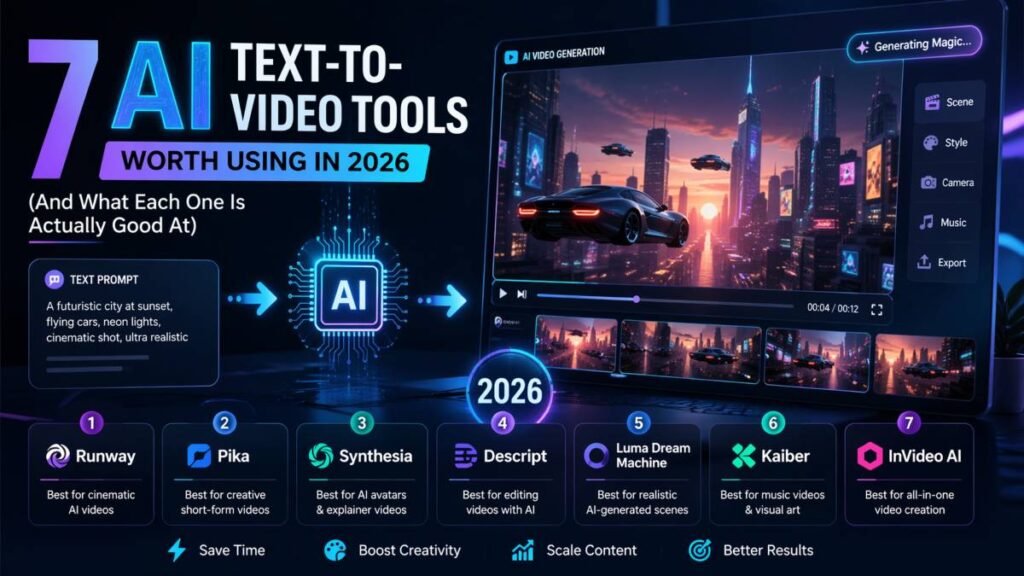
This list covers seven that are worth your time, with a clear breakdown of what each one is actually designed to do — because “AI text-to-video tool” covers a lot of ground.
1. Renderforest — Best for Scripted, Brand-Ready Video
If you need to take a finished script and turn it into a video that looks like something a small production team would have made, Renderforest’s text-to-video AI is one of the strongest options available right now.
The workflow is straightforward: you either paste in a complete script or give it a general idea and let it build the outline. From there, the AI assigns visuals, voiceover, music, and scene pacing. You get a first draft in minutes — not an impressive demo clip, but an actual structured video with proper scene transitions and narration.
A few things set it apart:
- 10+ video styles, including animated and realistic options, so the same script can be adapted for different contexts
- 50+ language support for voiceovers, which matters for teams producing content across markets
- Full branding controls — colors, fonts, logos — so the output actually reflects the brand rather than looking generic
- Access to the broader Renderforest suite (logo maker, AI image tools, video editor) from the same workspace
The free tier includes style access and HD exports, with a watermark. Paid plans unlock 4K, watermark removal, and full branding. For marketing teams or content producers who need volume without sacrificing quality, this one earns its place.
Good for: Marketers, educators, teams producing explainer or training videos, anyone with a finished script who wants video fast.
2. PicsArt AI Video Generator — Best for Short-Form and Social Content
PicsArt’s entry into the video space is clearly aimed at the creator and social media market — and it’s well-calibrated for that audience. PicsArt’s AI video generator gives you two routes: text-to-video from a prompt, or image-to-video where you provide a reference image and the AI animates it.
The output is optimized for short-form content — reels, stories, ads, clips — rather than longer structured video. What it trades in depth it makes up for in speed and variety. You can go from a text description to a shareable video in a matter of minutes, and the tool sits inside PicsArt’s broader creative suite, so you’re not context-switching between apps to add a caption or swap the background.
A few practical notes:
- Text-to-video costs 40 credits per generation; image-to-video costs 30 — worth knowing if you’re on a limited plan
- The AI handles different visual genres: realistic, animated, cinematic, timelapse-style
- Works cross-platform (web and mobile), which is useful for creators who move between devices
PicsArt’s real strength here is integration. If you’re already using it for photo editing, background removal, or design work, adding video generation to that workflow is frictionless. If you’re coming fresh just for video, there are tools with more depth — but for the short-form creator who lives in one app, this is a strong option.
Good for: Social media creators, content marketers, anyone producing short-form video at speed.
3. Runway Gen-4 — Best for Cinematic Realism
Runway sits at the technical end of the spectrum. Gen-4 produces some of the most visually impressive output available — facial realism, motion control, and scene consistency that’s a noticeable step above what most consumer-facing tools produce.
The trade-off is that it requires more from the user. Getting good results from Runway means understanding how to write prompts that produce specific motion patterns, how to use the camera control features, and how to iterate. It’s not a tool where you paste a script and walk away.
For creators producing content where visual quality is the primary criterion — short films, high-end brand content, creative experiments — Runway is the benchmark. For teams that need volume or consistency with less technical input, something else will suit better.
Good for: Filmmakers, visual artists, brands with high production standards and the time to iterate.
4. Pictory — Best for Repurposing Long-Form Content
Pictory’s strongest use case is turning content you already have — blog posts, transcripts, long-form scripts — into shorter video clips. It summarizes your content, pulls out key sections, matches them with stock footage, adds captions and voiceover, and formats the output for specific platforms.
For content teams that produce a lot of written content and want to extend its reach through video without starting from scratch each time, this is genuinely efficient. The video it produces won’t win visual awards, but it’s clean, on-brand, and takes a fraction of the time of traditional editing.
Good for: Content marketers, bloggers, SEO teams repurposing articles into video for YouTube or social.
5. Synthesia — Best for Talking-Head and Presentation Video
Synthesia does something different from the rest: it specializes in AI avatar-based video. You write a script, choose an avatar (or create a custom one), and the AI produces a video of that avatar presenting your content. The result looks like a real person delivering a presentation.
For training videos, corporate communication, product walkthroughs, or any format where a human presence adds credibility but you can’t (or don’t want to) record real people, Synthesia is the most polished option in this category. The avatar quality has improved considerably — lip sync in particular is noticeably better than it was 18 months ago.
Good for: HR and L&D teams, SaaS companies building product tutorials, anyone replacing talking-head recording.
6. InVideo AI — Best for Fast, Template-Driven Output
InVideo’s AI takes a prompt or script and produces a video using its template library and stock footage database. The workflow is fast, the interface is accessible to complete beginners, and the output is consistent.
It’s not pushing the boundaries of what AI video can do — but that’s not what it’s trying to do. For small businesses, solopreneurs, and marketers who need a regular stream of decent-looking video content without a steep learning curve, InVideo AI delivers reliably.
The built-in voiceover and music library, combined with a fast editing interface for tweaking the AI’s first draft, make the end-to-end time from idea to published video genuinely short.
Good for: Small businesses, solo marketers, anyone who needs consistent video output without complexity.
7. Kling AI — Best for High-Realism Motion
Kling comes from Kuaishou (one of China’s largest short-video platforms) and produces some of the most physically accurate motion of any model in this category. Water, fabric, human movement — the physics are notably better than most alternatives.
It’s particularly strong for product visualization and realistic scene generation. If you’re creating content where the subject needs to move convincingly — a product in use, a character performing an action, a dynamic environment — Kling handles it better than most.
Access is through the official web app; the output quality varies somewhat by prompt specificity, but at its best it’s competitive with Runway at a lower price point.
Good for: Product marketers, creators who need realistic motion, brands in fashion, lifestyle, or physical product categories.
How to Choose
The honest answer is that the right tool depends almost entirely on what you’re actually making:
- Scripted, branded video at scale → Renderforest
- Short-form social content → PicsArt AI Video Generator
- High-end cinematic output → Runway Gen-4
- Repurposing existing written content → Pictory
- Presenter-style corporate video → Synthesia
- Fast, simple, template-driven → InVideo AI
- Realistic motion and physics → Kling AI
Most of these have free tiers or trials. The fastest way to pick one is to run your actual use case through two or three of them and see which output requires the least fixing. The tool that produces the cleanest first draft for your specific type of content is the right tool — regardless of what any review says.
Read Also: Using Seedance Pro for Interactive Motion Designs in Marketing