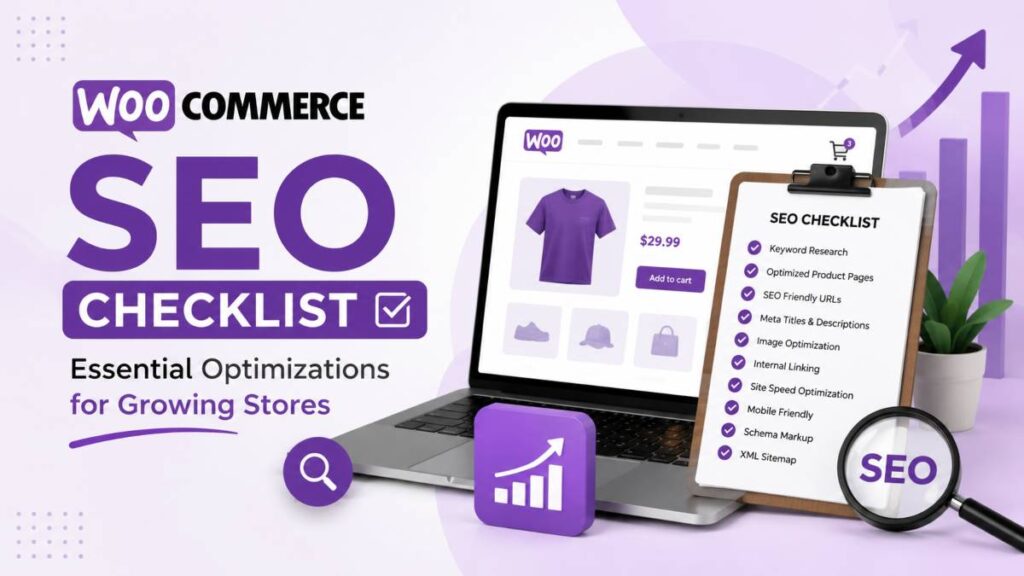
In the busy online market of 2026, just launching a WooCommerce store-even if it looks great and your prices are strong-is rarely enough to win. So what is a WooCommerce SEO checklist, and how can it turn a quiet store into a store that keeps growing?
It’s a clear list of steps you follow to help your store show up higher in Google and other search engines, so people who are already searching for your products can find you. This is more than changing a few settings. It’s a full plan that improves your site from the technical basics to the content that helps people buy.
When you buy SEO services for WooCommerce, you’re building steady long-term traffic from search, which can help you beat competitors and bring in more sales without paying for every click.
The competition in e-commerce SEO is intense. Online stores compete on a global level against huge marketplaces like Amazon, big brands with strong domain authority, and many stores selling similar items. Without a solid SEO plan, your pages can end up buried in search results where almost nobody clicks.
This guide breaks WooCommerce SEO into a simple, practical checklist so your store can grow in a very competitive space. It covers technical basics, on-page work, and more advanced content ideas, so you can make changes that lead to real growth you can measure.
What Is a WooCommerce SEO Checklist?
A WooCommerce SEO checklist is an organized set of tasks and best practices that help a WooCommerce store rank better in search engines. It’s different from general SEO advice because online stores have special needs: product pages, category pages, product variations, large inventories, and filters that can create many URLs.
Think of it as a step-by-step guide that helps your store work well for shoppers and stay easy for search engines to crawl and understand.
This checklist is useful whether you’re launching a new store or trying to grow an existing one. It gives you an order to follow so you can fix problems, improve current pages, and add new SEO work in a way that makes sense. By turning SEO into smaller steps, it becomes much easier to keep improving over time, which can bring more organic traffic and more revenue.
Why Does WooCommerce SEO Matter for Growing Stores?
For a growing WooCommerce store, SEO is a core growth channel. The space is crowded, with over 3 million WooCommerce stores competing for attention. If your products are great but people can’t find them in search, sales will always be limited. SEO solves that by helping your store appear when people search for products you sell.
The upside goes beyond visibility. Strong SEO brings more organic traffic, and organic visitors often convert better than paid visitors because they’re actively searching and tend to trust search results. This can lower your customer acquisition cost and help your marketing budget go further. SEO also builds long-term advantages: content, authority, and technical improvements add up over time and make it harder for competitors to catch up.
For example, a store spending $10,000 per month on ads could save $120,000 per year if it can get similar traffic from organic search, and still use ads for extra growth.
What Makes SEO for WooCommerce Different from Other E-Commerce Platforms?
SEO basics are similar across platforms, but WooCommerce has its own issues and benefits. Because WooCommerce runs on WordPress, it comes with strong content tools and many plugins. That flexibility is helpful, but it also adds extra things to manage.
WooCommerce SEO is harder than SEO for a simple blog or service site. Instead of 20-50 pages, many stores have hundreds or thousands of product URLs, plus categories, subcategories, filters, and pagination. That scale means you need systems and automation, because doing everything by hand doesn’t work.
WooCommerce also has technical problems that can hurt SEO, like filter URLs that create duplicates, session IDs, and the need to stop cart and checkout pages from being indexed. Product variations can also create very similar pages, so you often need correct canonical tags.
On top of that, WooCommerce stores commonly use 15-25 plugins, so you have to watch how plugins affect speed, schema, and crawlability. Basic WordPress SEO knowledge is often not enough; WooCommerce SEO needs platform-specific experience so fixes don’t break store features.
Technical SEO Factors That Power WooCommerce Growth
Before you focus on keywords and product copy, you need a strong technical base. Technical SEO is the foundation for everything else. If your site is slow, hard to crawl, or not secure, even great product pages can struggle to rank. Technical work helps search engines find your pages, understand them, and index them correctly.
As WooCommerce stores grow, technical problems often increase too. Filters can create too many URLs, and complicated category structures can waste crawl budget on low-value pages. This can stop your main category and product pages from getting the attention they need. Fixing technical SEO is not only about avoiding problems-it also creates a better site for long-term organic growth and a smoother experience for shoppers.
Why Reliable Hosting and Fast Performance Improve Rankings
Your hosting choice affects SEO because it affects speed and stability. WooCommerce can be heavy on the database because it constantly loads product info, stock levels, customer data, and cart updates. Add 15-25 plugins (common for WooCommerce), and performance can drop even more because of extra scripts and queries.
High-performance hosting-like Convesio’s container-based WordPress hosting-is built for WooCommerce speed and growth. It can offer isolated resources, auto-scaling for traffic spikes, tuned database settings, and layered caching that still supports dynamic store features. Faster load times help rankings and Core Web Vitals, and they also reduce drop-offs, which improves sales.
How Core Web Vitals Affect WooCommerce Stores
Google’s Core Web Vitals (CWV) are ranking factors that measure user experience: Largest Contentful Paint (LCP) for loading speed, Interaction to Next Paint (INP) for responsiveness, and Cumulative Layout Shift (CLS) for layout stability. WooCommerce stores often struggle here because product pages can be heavy (images, sliders, reviews, scripts). Still, the reward is large: a 2023 Backlinko study found that sites meeting CWV thresholds are 70% more likely to appear in the top 10 results for competitive keywords.
Better CWV can also increase revenue. Slow LCP (often from large images) makes people leave. High INP (often from too much JavaScript or bad script order) makes the site feel laggy. Poor CLS (elements jumping around) reduces trust. Fixing these with better hosting, image optimization, caching, and cleaner code helps rankings and makes buying easier.
Why HTTPS and Site Security Impact SEO
HTTPS is required for modern e-commerce. Google uses HTTPS as a ranking signal, and shoppers expect secure checkout. An SSL certificate turns on HTTPS and shows the padlock icon, which helps customers feel safe when entering passwords and payment details.
For WooCommerce, security affects trust and sales. Good setup means more than installing an SSL certificate: you should use correct HTTP → HTTPS redirects, add HSTS headers, and fix mixed content (secure pages loading insecure files). Regular security checks and using WordPress security plugins also help protect your site from hacks that can lead to warnings, blacklisting, or ranking drops.
What Are the Key Settings for Mobile Optimization?
Google uses mobile-first indexing, so your mobile version strongly affects rankings. Over 60% of Google searches happen on mobile, and many shoppers prefer browsing and buying on phones. If your store works poorly on mobile, you can lose traffic, rankings, and sales.
Main mobile best practices include responsive design so the layout fits all screen sizes, and clean mobile navigation so categories and filters are easy to use. AMP can help in some cases by serving lighter pages, though it’s not required for most stores. Hosting also matters, because slow server response time will hurt mobile speed. A strong mobile experience is about making shopping easy for people who are browsing on the move.
How to Use Sitemaps and Robots.txt for Better Crawling
XML sitemaps and robots.txt help search engines crawl your store the right way. An XML sitemap (often at /sitemapindex.xml with plugins like Yoast) should include all indexable products, categories, and tags. It helps search engines understand your site structure and find updated pages faster. Image sitemaps can also help your product images get indexed and appear in image search.
The robots.txt file tells crawlers which areas to avoid. In WooCommerce, you usually want to block low-value or private pages such as /cart/, /checkout/, /my-account/, and internal search result pages that can create duplicates. This saves crawl budget for pages that can actually rank and bring revenue. Regular checks help you avoid index bloat and keep Google focused on your key pages.
On-Page Optimization Tasks for WooCommerce Stores
After your technical base is solid, the next step is improving what people and search engines see on the page. On-page SEO means making product pages, category pages, and other content clear, relevant, and helpful. This includes keyword use, strong copy, and a clean site structure with readable URLs.
On-page work is ongoing. It affects how much targeted traffic you can bring in and how well your pages convert. With good keyword choices, better titles and descriptions, and clear URLs, you can improve rankings and bring in more visitors who are ready to buy.
How to Use Product Keywords Strategically
Keyword research is the base of WooCommerce SEO. You need to find the exact words people type when they want products like yours. For e-commerce, focus on buying-intent keywords like “RFID Blocking Brown Leather Wallet” instead of broad terms like “Leather Wallet.” Also use long-tail keywords. They often have less search volume, but they convert well because the search intent is very specific.
Tools like Google Keyword Planner, Ahrefs, Ubersuggest, and SEMrush help you find ideas, check search volume, and estimate competition. Keyword research isn’t a one-time job. Search habits change, so you should review keywords regularly and use them naturally in product titles, descriptions, and category pages.
What Improves Product Titles and Meta Descriptions?
Product titles and meta descriptions are what people see in Google, so they affect click-through rate and relevance. For titles, put the main keyword near the start, add key details (size, color, material, model), and keep it readable. A good target length is about 50-60 characters. For example, instead of “T-Shirt,” use “Men’s Organic Cotton V-Neck T-Shirt – Breathable Summer Wear.”
Meta descriptions don’t directly control rankings, but they strongly affect clicks. Keep them around 140-155 characters, include the main keyword, mention the main benefit, and add a simple call to action. Avoid leaving them blank because auto-generated text is usually weak. Plugins like Yoast SEO and Rank Math let you set SEO titles and meta descriptions separately from the on-page title.
Why Unique Product Descriptions Increase Conversions
Unique product descriptions help SEO and sales. A common mistake is copying the manufacturer description. When many stores do that, search engines see duplicate content and may not rank your page well-especially if bigger brands use the same text.
Write an original copy that explains your product clearly and makes it stand out. WooCommerce gives you a short description (2-3 sentences near the price) and a long description (often 300-800 words under the product). Use the long description to add helpful details, include keywords naturally, answer common questions, and add bullet points for easy reading.
You can also link to related products inside the description. Better descriptions keep people on the page longer and help them feel confident buying.
How SEO-Friendly URLs and Slugs Benefit Product Pages
Clean URLs help both search engines and shoppers. Short, readable URLs with keywords make it easier to understand what a page is about and easier to share. Use hyphens, avoid special characters, use lowercase, and include the main keyword where it makes sense.
In WooCommerce, set WordPress permalinks to “Post name.” Many stores also remove the /product/ base for shorter URLs (for example, /men/running-shoes/ instead of /product/men/running-shoes/). If you change existing URLs, use 301 redirects so you don’t lose rankings or backlinks. Also make sure each page has the correct canonical URL to reduce duplicate content problems.
What Are the Best Practices for Product Category Structure?
Your category setup affects site structure, crawlability, and your ability to rank for bigger keywords. A clear hierarchy helps shoppers browse and helps search engines understand your catalog. A simple structure is usually best, often no more than three levels deep (example: Shop > Men > Shoes > Running Shoes). This keeps important pages close to the homepage.
Try to give each product one main category. Putting the same product in many categories can create duplicates and confuse Google about which page to rank. Also add text content on category pages-about 150-300 words-above or below the product grid. This gives the category page something to rank with and helps it show up for broader searches like “men’s running shoes.”
Product Page Optimizations That Improve Rankings
Product pages are the core of an online store. They are landing pages for search traffic and the place where people decide to buy. Product page SEO is more than placing keywords. You also need strong images, structured data, and internal links so pages rank well and guide visitors to purchase.
The goal is to give search engines clear product information while also giving shoppers an easy, helpful buying experience. Doing this well across many products requires repeatable processes, which can lead to better rankings and more sales.
What Role Do Product Images Play in SEO?
Product images matter for conversions and SEO. Good images (high quality, zoomable, multiple angles) help customers feel confident buying online. For SEO, images can also bring traffic through Google Image Search, while reverse image search tools can help identify similar visuals and image sources.
Many stores upload great images but skip image SEO. Filenames and alt text help search engines understand what the image shows. Image sitemaps can help images get indexed faster. Image optimization also improves speed, which affects rankings and user experience.
How Image Compression and Alt Text Affect Store Speed and Visibility
Image compression and alt text are two of the biggest wins for WooCommerce image SEO. Large, uncompressed images slow pages down, hurt Core Web Vitals, and increase bounce rates. A practical goal is keeping images under 200KB when possible, using modern formats like WebP or AVIF, and compressing on upload without noticeable quality loss. Lazy load images lower on the page, but load the main “hero” image quickly to improve LCP.
Alt text is also important. It helps screen readers describe images for visually impaired users, and it helps search engines understand image content. Write alt text that describes the image clearly and includes relevant keywords when it fits naturally. Also use descriptive filenames like mens-organic-cotton-vneck-tshirt-blue.jpg instead of IMG001.jpg.
What Is Structured Data, and How Does It Boost WooCommerce SEO?
Structured data (schema markup) is code added to your pages that tells search engines exactly what your content is. For products, it can include price, availability, reviews, and ratings. Search engines can use this data to show rich snippets, which help your listing stand out in results.
Using schema.org/Product and schema.org/Offer can improve click-through rate because users can see details like stars, price, and stock before they click. Some studies suggest rich results can lift CTR by 35-45%.
Plugins like Yoast WooCommerce SEO and Rank Math can add much of this automatically, but you should still test pages using Google’s Rich Results Test to catch errors. Convesio’s hosting setup, for example, aims to keep strong performance even with more advanced schema in place.
Why Internal Linking Helps Product Discovery
Internal links connect your pages and help both shoppers and search engines move through your site. They make navigation easier and help search engines crawl and index more pages. Internal links also spread authority around your store, showing search engines which pages matter most.
For WooCommerce, internal linking includes linking related products, linking blog posts to categories and products, and pushing attention to important items (like best sellers or high-margin products). WooCommerce offers basic internal linking through related products and upsells, but adding manual links on key pages can help even more. Breadcrumbs (often with BreadcrumbList schema) also help show structure to users and search engines.
Content Strategies Beyond Products: Winning More Organic Traffic
Product and category optimization is important, but strong WooCommerce SEO goes beyond that. To build authority and bring in more organic traffic, you should also publish helpful content through a WordPress blog and other resources. This content can attract people earlier in the buying process when they are researching, and it can guide them to your products later.
This turns your store into a helpful resource instead of only a product catalog. By answering questions and publishing guides, you can rank for more long-tail keywords and build trust. You can also use this content to link to product and category pages, which helps those pages rank better over time.
How Can a WordPress Blog Support Store SEO?
A WordPress blog is a strong SEO tool for WooCommerce because it lets you target searches that product pages don’t cover well. Blog posts can rank for informational keywords and long-tail queries, bringing in users who are still comparing options or learning.
Your blog can support product sales with content like:
- Buying guides for important categories (example: “How to Choose Running Shoes”)
- Problem/solution posts that show how your products help
- Comparisons (example: “Product A vs. Product B”)
- How-to articles showing how to use your products
Match blog categories to product categories when it makes sense, and add internal links to relevant category and product pages. This passes authority and helps users move from research to purchase. Convesio’s CREATE platform, for example, is built to help teams build and publish this type of content strategy.
Why Content Planning and Publishing Frequency Matter
Random content often leads to random results. A content calendar and a steady publishing schedule help you grow SEO over time. Planning helps you publish seasonal content at the right time (holiday gift guides, summer buying tips) and cover different stages of the customer journey, from early research to purchase-ready searches.
Publishing consistently also shows search engines that your site stays active and updated. A calendar makes it easier to support product launches too, by creating related guides and FAQs. If keeping up that pace in-house is a challenge, a partner like NON.agency can help you plan and scale SEO content. Over 6-12 months, a steady flow of helpful content can bring strong long-tail traffic and support rankings for your main categories.
What Are Effective Internal Linking Tactics for Content and Products?
Internal linking is one of the most useful e-commerce SEO tactics, especially for connecting blog content with your products. A good internal linking setup helps users find what they need and helps search engines understand your site topics.
Good tactics include:
- Link from blog posts to relevant category pages (often better than linking only to one product)
- Link from buying guides to a few best sellers, plus the main category
- Add links inside product descriptions to matching items (example: shirt → pants)
- Use WooCommerce related products and upsells for automatic linking
- Link your main navigation to your top 5-8 categories to push more authority there
The goal is a connected site where content supports products and products support browsing.
How WooCommerce SEO Plugins and Tools Streamline Optimization
Good SEO still needs planning and manual work, but the right plugins and tools make it much easier, especially as your catalog grows. Plugins can automate repetitive tasks, help with technical setup, and provide useful checks so you don’t have to edit everything by hand.
At the same time, plugins can also cause problems if you use too many or set them up poorly. Many WooCommerce stores use 15-25 plugins, and slow or buggy plugins can harm speed and SEO. The key is choosing the right tools, setting them up correctly, and tracking how they affect site performance.
Which SEO Plugins Offer the Most Value for WooCommerce?
For WooCommerce, the most common high-value SEO plugins are Yoast SEO (often with the WooCommerce SEO add-on) and Rank Math. These plugins help manage core SEO tasks:
- Yoast SEO or Rank Math: Both help with title/meta templates for products and categories, breadcrumbs with schema, and social sharing settings. Yoast’s WooCommerce SEO add-on adds extra e-commerce features like product schema and canonical handling. Rank Math includes many e-commerce features in its free version.
- Performance plugins: Speed affects rankings, so tools for image compression and lazy loading (ShortPixel, Smush), plus caching/minification (WP Rocket, LiteSpeed Cache, Cache Enabler) are also important for Core Web Vitals.
These tools centralize many SEO settings and help keep schema output consistent.
What Are the Best Plugin Configuration Practices?
SEO plugins can help, but bad settings can slow your store down or create SEO issues. Good practices include:
- Turn off features you don’t use to avoid extra code and slower pages.
- Keep plugins updated for security, bug fixes, and performance improvements.
- Check plugin impact using tools like Google PageSpeed Insights or your host’s monitoring tools.
- Avoid overlap (for example, two SEO plugins or two caching plugins), which can cause conflicts and broken schema.
Use one strong plugin per main job and keep the setup clean.
Should You Use Additional Tools for Analytics or Automation?
Yes. SEO plugins help on-site setup, but you also need tools for tracking, reporting, and scaling. These tools help you see what’s working and where to improve.
- Google Analytics 4 (GA4): Tracks user behavior, traffic sources, and conversions, including product views, add-to-cart, and purchases.
- Google Search Console (GSC): Shows how Google crawls and indexes your site, plus queries, CTR, mobile issues, Core Web Vitals, and crawl errors.
- SEO audit and rank tracking: Screaming Frog helps find technical issues like missing metadata and broken links, while rank trackers show keyword movement.
- Automation tools: For big catalogs, tools like ContentGecko’s WordPress connector can help automate internal linking that updates with inventory changes.
Together, these tools give you clear feedback so you can scale SEO without guessing.
Tracking Results: Measuring WooCommerce SEO Performance
Doing SEO work is only half the job. The other half is tracking results so you know what to keep, what to fix, and what to do next. If you don’t measure, you’re guessing. A simple reporting setup that connects search performance and user behavior turns data into actions and helps you improve faster.
Tracking SEO is more than counting impressions. You want to know which keywords bring buyers, which pages drive revenue, and whether technical issues are holding you back. Regular checks help you keep rankings stable and keep growth moving.
Why Setting Up Google Analytics 4 Is Critical
GA4 is essential for WooCommerce because it focuses on events and user actions, not just page views. For stores, that means setting up Enhanced Ecommerce Tracking to measure product impressions, product clicks, add-to-cart, checkout steps, purchases, and revenue.
GA4 also supports Custom Dimensions so you can break results down by product category, attributes, tags, and customer groups. You can also set clear goals around key events. This helps you see not only how much organic traffic you get, but how well it converts into sales.
How Google Search Console Helps WooCommerce Stores
Google Search Console is a free tool that shows how Google views your site. Google Analytics shows what users do; GSC shows how your pages perform in Google Search. With GSC you can see queries, clicks, impressions, CTR, and average position for product and category pages.
GSC also shows indexing status, Core Web Vitals reports, mobile usability issues, and crawl errors. You can submit sitemaps and spot problems like sudden increases in 404 errors or drops in indexed pages. This helps you catch technical issues before they damage rankings and revenue.
How Often Should You Run SEO Audits?
WooCommerce SEO needs ongoing checks. A simple schedule helps you stay on top of problems and opportunities:
- Monthly reviews: Check GSC coverage, GA4 landing page traffic, and rank tracking to spot sudden changes or new errors.
- Quarterly technical audits: Run deeper audits with Screaming Frog. Look for missing metadata, broken links, duplicate titles, canonical problems with variations, index bloat, filter URL leaks, schema issues, and Core Web Vitals problems.
- Competitor and content gap reviews: Every quarter or twice a year, review competitor strategies and find keywords/topics you’re missing.
Regular audits help you catch issues early and keep improving based on data, not guesswork.
What SEO Pitfalls Can Prevent WooCommerce Store Growth?
Even well-run WooCommerce stores can run into SEO issues that quietly block growth. WooCommerce is flexible and stores can get large, so small mistakes can build up over time and create technical debt. Knowing the common problems makes it easier to avoid them or fix them before they do real damage.
Many problems happen because e-commerce SEO is different from regular WordPress SEO. Duplicate content, missed settings, and weak internal linking can waste crawl budget, weaken ranking signals, and make pages hard to find. Fixing these early helps protect your visibility.
How Duplicate Content Occurs on Product Pages
Duplicate content is a common reason WooCommerce rankings don’t improve. It can happen when products appear in multiple categories with different URLs, when pagination/sorting/filtering creates many versions of the same listings, and when product variations create similar pages. Another major cause is copying manufacturer descriptions, which can make your content identical to many other stores.
The main fix is correct canonical tags so search engines know which URL is the main one. Product variations should usually point to the main product as the canonical URL. You can also guide Google using parameter handling in Search Console for sorting and filtering URLs. Over time, the best fix is also the simplest: write unique product content that adds real value and answers customer questions.
Why Thin Content Impacts Product and Category Rankings
Many stores launch with very short product descriptions and category pages that only show a grid of products. That creates “thin content,” meaning pages don’t offer enough useful text for users or search engines. Product pages that only list specs (or repeat generic manufacturer text) often don’t rank well. Category pages with no content miss a big chance to rank for broad, high-volume keywords.
Search engines prefer pages that help users. Thin pages often struggle because they don’t show expertise or give enough context. A practical fix is adding more unique content: aim for 200+ words on products and 300-500 words on category pages, written to answer questions and explain real benefits and use cases.
What Problems Do Orphaned Pages and Poor Internal Linking Cause?
As your catalog grows, some pages can become orphaned, meaning no other page links to them internally. Orphaned pages are hard for users to find and harder for search engines to discover. Weak internal linking also spreads your site authority poorly, which can stop important products and categories from ranking well.
To fix this, use WooCommerce related products, keep category links consistent, and crawl your site with Screaming Frog to find orphan pages. Add contextual links from popular blog posts to key categories and products, enable breadcrumbs, and build hub pages (like “Shop by Category”) where needed. A stronger internal linking setup improves crawling and helps more products get found in search.
How Slow Product Filters and Search Affect User Experience and SEO
Many WooCommerce stores use AJAX filters and on-site search to help shoppers narrow options. If these tools are slow, they can frustrate users and raise bounce rates. They can also hurt Core Web Vitals, especially INP, because filters often rely on heavy JavaScript.
Filters can also create thousands of URLs like /shop/?color=blue&size=medium. If you don’t control these URLs, you can end up with index bloat, duplicate content, and wasted crawl budget. Common fixes include blocking low-value parameters in robots.txt, using noindex, follow for filter pages that don’t have real search demand, and only indexing filter combinations that match real searches (example: “Men’s Running Shoes Size 10”). Also make sure key content is still accessible to search engines even if JavaScript is involved.
What Is the Best Way to Manage Out-of-Stock Products for SEO?
Out-of-stock handling should balance SEO value and user experience. If you delete products right away, you lose any ranking history and backlinks. If you keep them live forever with no plan, users may land on pages they can’t buy from.
The best approach is usually:
- Temporarily out of stock: Keep the page live, show “out of stock,” offer back-in-stock alerts, and use structured data availability (OutofStock).
- Permanently discontinued:
- If there’s a replacement, use a 301 redirect to the new product.
- If there’s no replacement but good alternatives, redirect to a relevant category or similar product.
- If there’s no good alternative, use a 404 or 410, but check backlinks first. A helpful custom 404 page can guide users to other products.
The goal is to avoid dead ends and keep as much SEO value as possible while staying honest with customers about availability.
Next Steps for Stores Ready to Grow with WooCommerce SEO
After you set up the basics in your WooCommerce SEO checklist, the work shifts from “setup” to long-term growth. SEO is not a one-time project. It’s repeated work that you keep improving as your store grows. The next step is choosing the right priorities so results build over time.
This stage is about moving from quick fixes to planned growth. You build on your foundation to win more traffic, improve shopping experience, and grow revenue steadily, even as your catalog expands and competition increases.
What to Prioritize for Short-Term SEO Wins
If you want faster results and a strong starting point, focus on tasks that give the most impact early. Here’s a common 30-day plan:
- Initial Audit & Technical Fixes (Week 1): Verify Google Search Console, submit your XML sitemap, install GA4, and set robots.txt to block pages like /cart/ and /checkout/. Install and configure one SEO plugin (Yoast SEO + WooCommerce extension or Rank Math) for schema, title templates, breadcrumbs, and noindex rules. Set permalinks to “Post name” and publish key pages (About, Contact, Shipping, Returns, Privacy, Terms).
- Product Page Rewrites & Optimization (Week 2): Write unique SEO titles (under 60 characters) and meta descriptions (140-155 characters). Add original short and long descriptions (avoid manufacturer copy). Optimize images (under 200KB, WebP/compressed JPEG, descriptive filenames, alt text). Test Product schema with Google’s Rich Results Test.
- Category Architecture (Week 3): Build a clean category structure (max 3 levels), and assign each product one main category. Add 150-300 words of unique text to each category page. Clean up category URLs, link your top 5-8 categories in the main menu, and add internal links between related products.
- Core Web Vitals Baseline (Week 4): Run PageSpeed Insights on key pages. Add caching (WP Rocket, LiteSpeed Cache) and a CDN (Cloudflare free tier) to improve LCP, CLS, and INP.
These steps can prevent many common store SEO mistakes. Real organic traffic often takes 3-6 months, but this early work helps Google understand your site quickly and makes future growth easier.
How to Scale Your Optimization as Your Store Grows
As your store gets bigger, SEO needs to scale too. Your focus moves from setup to steady improvement:
- Content Layer Activation (Month 2 onwards): Start publishing blog content. Aim for 8-12 posts per month: buying guides, how-to posts, comparisons, and real use cases. Add internal links to category and product pages to build authority and grow long-tail traffic.
- Technical Audits & Improvements (Quarterly): Run full technical audits every quarter. Fix canonical issues on variable products, control filter URLs with noindex/robots rules, clean up index bloat, and improve Core Web Vitals at the theme level (for example, removing render-blocking CSS).
- Link Building (Months 4-5 onwards): Start building links only after your site and content are solid. Use guest posts, digital PR, and outreach. For large stores, links to category pages often scale better than links to single products.
- Monitoring (Ongoing): Monthly checks in GSC, GA4, and rank tracking. Run Screaming Frog crawls regularly. Improve weak pages and refresh older content to keep it relevant.
If you have 200+ products, many variations, or strong competitors, working with a WooCommerce SEO agency or consultant can save a lot of time and help you avoid costly mistakes. A scalable plan-content + technical work + links + tracking-keeps growth moving as your store expands.
Frequently Asked Questions about WooCommerce SEO Checklists
Working on WooCommerce SEO often brings up common questions, especially if you’re new to e-commerce SEO. People want to know what matters most, how much plugins can do, and how often to repeat the work. This section answers common questions so you can follow your checklist with more clarity.
Once you understand the basics behind these questions, it becomes easier to make smart decisions, keep up with best practices, and get better results from your SEO work.
What Checklist Items Have the Biggest SEO Impact for WooCommerce?
Every checklist item helps, but these usually bring the biggest gains, especially for newer or growing stores:
- Technical basics: Good hosting, speed (Core Web Vitals), HTTPS, and correct robots.txt and XML sitemaps.
- Product page work: Unique product descriptions (no manufacturer copy), strong SEO titles/meta descriptions, and fast images with good alt text.
- Category structure: Simple categories plus 150-300 words of unique category copy to rank for broader searches.
- Schema/rich results: Product, Offer, and rating schema to earn rich snippets (stars, price, stock).
- Image optimization: Smaller images (often under 200KB), WebP/AVIF, and lazy loading.
- Blog content: Buying guides, how-to posts, and comparisons for long-tail traffic and authority.
- Internal linking: Links from blog → categories, and between related products, to spread authority and improve crawling.
- Tracking and monthly checks: GA4 + GSC monitoring so you can fix problems early and keep improving.
If you focus on these first, you set up the strongest base for long-term organic growth.
Should You Rely on Plugins or Manual Optimization?
The best approach is using both. Plugins like Yoast SEO or Rank Math are great for automating technical setup like XML sitemaps, title/meta templates, basic schema, and breadcrumbs. They also help keep settings consistent across many pages.
But plugins can’t replace real SEO work. A plugin won’t write original product copy, build a smart category structure, pick the best keywords, or find every technical issue. Manual work is still needed for content writing, deeper audits, link building, and reacting to algorithm changes. If you have fewer than 100 products, a disciplined owner can often handle a lot of the checklist. With bigger catalogs or tougher competition, expert help often makes a big difference.
How Often Should You Audit and Update Your SEO Checklist?
Your WooCommerce SEO checklist should be treated like a working document that you revisit often. A good schedule is:
- Monthly: Review GSC and GA4 for traffic changes, crawl errors, indexing issues, and mobile problems.
- Quarterly: Run a deeper technical crawl with tools like Screaming Frog to find broken links, duplicates, missing metadata, and schema errors. Re-check Core Web Vitals and look for plugin-related slowdowns.
- Twice a year (or yearly): Review your keyword plan, competitors, content opportunities, and link profile. Adjust based on major algorithm changes.
Search results and user behavior keep changing, and Google keeps updating how it ranks sites. Regular reviews help your store adapt and keep building long-term rankings.