You invested in a website. Maybe you even spent good money on it — a clean design, clear messaging, the right pages. You’re publishing content, you’re doing the SEO basics, and yet your Google rankings refuse to move.
Here’s what most people don’t find out until it’s already costing them: Google doesn’t just read your website. It experiences it — the same way your visitors do. And if that experience is slow, unstable, or unresponsive, Google quietly pushes you down the rankings, regardless of how good your content is.
The metric it uses to measure that experience is called Core Web Vitals. And according to Google’s own data, 53% of mobile users abandon a site that takes longer than three seconds to load. That’s more than half your potential visitors gone before they’ve read a single word.
We spoke with the team at Pagepro, a Next.js development agency specialising in performance-optimised websites, to find out what they see most often when auditing slow sites.
This guide breaks down what Core Web Vitals actually are, why they matter to your bottom line, what’s likely causing your site to underperform — and what you can do about it.
What Are Core Web Vitals — and Why Does Google Care?
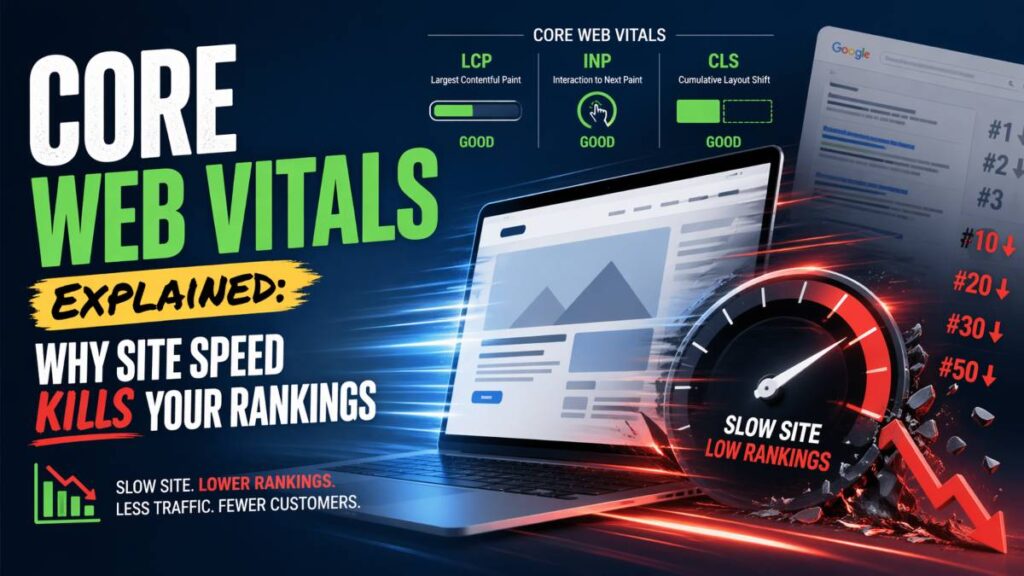
Core Web Vitals are three measurements Google uses to assess how a real visitor experiences your website — not how it looks, but how it performs. Since 2021, they have been an official Google ranking factor, meaning they directly influence where your site appears in search results.
The three signals, translated into plain English:
LCP — Largest Contentful Paint
How fast does your main content appear on screen? If someone clicks your link and stares at a blank or half-loaded page, that’s a poor LCP. Google wants this under 2.5 seconds. Above 4 seconds is considered poor.
CLS — Cumulative Layout Shift
Does your page jump around while it loads? Buttons that move, text that shifts, images that push content down — all of this is measured. It’s not just annoying; it’s a ranking signal. A score below 0.1 is good. Above 0.25 needs urgent attention.
INP — Interaction to Next Paint
When a visitor clicks something on your site, how quickly does it respond? A sluggish, unresponsive page signals a broken experience to both users and Google. The target is under 200 milliseconds.
Together, these three signals answer one question Google cares deeply about: does this website treat its visitors well? If the answer is no, it will rank your competitors above you — even if your content is better.
What Is a Slow Website Actually Costing You?
A poor Core Web Vitals score isn’t a technical problem sitting in a dashboard somewhere. It has a direct line to your revenue.
You rank lower — and lose organic traffic to competitors
When two websites compete for the same keyword and their content is comparable, Google uses page experience as the tiebreaker. That means a competitor with a faster site can outrank you not because their content is better, but because their website is better built. Every position you lose on a search results page compounds: the first result gets roughly 40% of all clicks. By position five, that number drops below 7%.
Your ad spend works against you.
If you’re running Google Ads, page speed affects your Quality Score — the rating Google uses to determine how much you pay per click and where your ads appear. A slow landing page means higher costs per click and lower ad placement. You pay more to get people to a page that then loses them anyway.
Visitors leave before they convert
Studies consistently show that a one-second delay in page load time reduces conversions by up to 7%. For an e-commerce store doing £50,000 a month, that’s £3,500 in lost revenue — from one second. For a lead generation business, it means fewer form fills, fewer calls, fewer enquiries.
Mobile users are hit hardest — and they’re the majority
Over 60% of web traffic now comes from mobile devices. Mobile connections are slower, processors are less powerful, and user patience is shorter. If your site isn’t fast on mobile, you’re underperforming for the majority of your audience.
Why Is My Website Slow? The Most Common Causes
Most slow websites aren’t slow by design — they got that way gradually, through decisions that seemed reasonable at the time. Here are the most common culprits, what causes them, and what each one means for your business.
| Cause | What’s happening | Business impact |
| Too many plugins & third-party scripts | Every chat widget, analytics tag, and ad script loads additional code before your page can appear | Each script adds latency — 20 plugins can mean seconds of hidden loading time |
| Unoptimised images | Photos uploaded without compression force every visitor to download files of 5–10MB per image | The single biggest cause of slow pages — multiplied across every image on every page |
| Cheap or shared hosting | Your site shares server resources with hundreds of others; any traffic spike on their end slows yours | If your server takes over 600ms just to respond, your CWV score is already failing before the page loads |
| Bloated themes & page builders | Tools like Elementor or Divi generate far more HTML, CSS, and JavaScript than a custom-built page | Every visitor downloads that excess code on every page load, every time |
| Wrong tech stack | Older or poorly optimised platforms hit a performance ceiling no amount of tweaking can overcome | Patching symptoms instead of solving the root cause — a rebuild may be the only real fix |
Any one of these can drag your Core Web Vitals into the red. In practice, most slow websites are dealing with several at once — which is why surface-level fixes rarely move the needle for long.
How to Check Your Website’s Speed Score Right Now
Before fixing anything, you need to know where you actually stand. The good news: Google provides two free tools that give you everything you need.
Step 1: Run a PageSpeed Insights Test
Go to pagespeed.web.dev, enter your website URL and hit Analyse. Within seconds you’ll see a score from 0 to 100 for both mobile and desktop, along with your individual Core Web Vitals readings. Always check the mobile score first — it’s almost always lower, and it’s the one Google weights most heavily.
What the scores mean:
- 90–100 — Good. Your site is performing well.
- 50–89 — Needs improvement. You’re likely losing rankings and visitors.
- 0–49 — Poor. This is actively hurting your SEO and conversions.
Step 2: Check Google Search Console
If you haven’t set up Google Search Console for your site, do it — it’s free and takes about 10 minutes. Once verified, navigate to Experience → Core Web Vitals. Unlike PageSpeed Insights which tests one page at a time, Search Console shows you which pages across your entire site are failing, grouped by issue type. This is where you find out the true scale of the problem.
Step 3: Note What’s Flagged
Both tools provide a list of specific issues causing your score to drop — oversized images, render-blocking scripts, unused CSS, slow server response times. You don’t need to understand every item on the list. Screenshot it and share it with a developer or agency. It tells them exactly where to start.
How to Fix a Slow Website — Quick Wins and When to Get Expert Help
Not every speed problem requires a developer. Some fixes are within reach of any website owner. Others need specialist knowledge to solve properly. Here’s how to tell the difference.
Quick Wins You Can Do Today
| Fix | How to do it | Expected impact |
| Compress images | Use Squoosh (free, browser-based) or ShortPixel (WordPress plugin) before uploading any image | 60–80% file size reduction with no visible quality loss — the single highest-impact DIY fix |
| Remove unused plugins | Audit every active plugin and remove anything non-essential or unused in the last six months | Reduces the code every visitor has to load on every page |
| Upgrade your hosting | Move from shared hosting to a managed provider if your site generates leads or revenue | Significant performance uplift — often for less cost difference than expected |
When to Get Expert Help
Quick wins have a ceiling. If your PageSpeed score is still in the red after addressing the basics, the problem is likely structural — and structural problems need structural solutions.
This is where the choice of technology stack matters. Pagepro is a Next.js development agency specialising in performance-optimised, SEO-ready websites — and in migrating businesses from slow legacy platforms to modern Next.js and Sanity setups that achieve green Core Web Vitals scores by default. Rather than patching speed onto a foundation that was never designed for it, a migration to the right stack resolves the root cause permanently.
If your site is on an ageing platform, generating leads or revenue, and your scores are consistently poor — the conversation to have isn’t “how do we fix this” but “is this platform still worth building on?”